
Verdict: Gemini Omni Flash, announced May 19, 2026 at Google I/O and now live across Google Flow, the Gemini app, YouTube Shorts Remix, the YouTube Create app, and Google Vids, is the first widely-deployed AI video model that edits your existing footage through multi-turn natural-language conversation — preserving character identity, scene state, and voice clip-to-clip instead of regenerating from scratch every prompt. The free tier is real (50 daily Google Flow credits, plus full access through YouTube Shorts and YouTube Create, 18+ only), the full power sits behind a Google AI Plus subscription that dropped to $4.99/month on June 8, 2026, and every output carries both a SynthID watermark and C2PA Content Credentials so it is traceable. Practical early verdict for small-business and creator use: it is the cheapest way to repurpose one video into five ad variations — and the practical ceiling is 10-second 720p clips with drift appearing after roughly four sequential edits.
Last verified: 2026-08-06
- Gemini Omni Flash first announced at Google I/O on May 19, 2026; public preview opened June 30, 2026.
- Free surfaces: Google Flow free tier (50 daily credits), YouTube Shorts Remix, YouTube Create app — all 18+.
- Paid surfaces: Gemini app + Flow paid tiers require Google AI Plus ($4.99/mo), Pro, or Ultra.
- Specs: 720p at 24 fps, up to 10 seconds per clip, native audio, up to ~4 coherent sequential edits before drift.
- Every output ships with SynthID (invisible watermark) + C2PA Content Credentials (signed metadata).
- Pricing, limits, and model versions are volatile — re-check before budgeting a campaign.
What is Gemini Omni Flash and how is it different from prior AI video tools?
Gemini Omni Flash is a multimodal AI video model from Google DeepMind that combines Gemini's reasoning with generative video rendering, and the headline shift is that it edits the same video across many conversational turns rather than generating a fresh clip for every prompt. Google's own framing, in the May 19, 2026 launch blog post by Elias Roman (VP Product, Google Labs), is "think of Omni like Nano Banana, but for video" — meaning the dialogue-and-precision model that worked for images is now applied to motion (blog.google, 2026-05-19).
The mechanical difference is state. Pre-2026 AI video tools (Veo 3.1, Runway Gen-4, Sora-class models) treat each prompt as a one-shot generation — request a robot in a city, get one clip; request "now make the robot fly" and you start over with no memory of the first clip. Omni Flash keeps a persistent project state: the character's face and voice carry across edit turns, the lighting you set on turn two carries into turn three, the scene remembers what you already asked for. Independent testing by Labellerr in July 2026 put the practical ceiling at roughly four sequential chat edits before small details start to drift, which still beats prior models that typically break on the second turn (Labellerr, 2026-07-03).
This is the differentiator against the obvious comparison: Veo 3.1 is Google's cinematic 4K generator, but it restarts on every prompt; Omni Flash is built for editing, not for maximum render quality. They coexist inside Google Flow — you pick the model per task. Seedance 2.5 and other standalone generators sit in the same boat: they make beautiful clips, but none remembers your last prompt.
Where can you actually use Gemini Omni Flash in August 2026?
Google shipped Omni Flash across five surfaces, each with different pricing and capability envelopes. Here is what each surface offers and what it costs today.
| Surface | Free or Paid | Best for | Key limit |
|---|---|---|---|
| Google Flow (web, free tier) | Free with any Google Account — 50 daily credits | Real editing: timeline, multi-turn chat, all three models | 50 credits/day; 18+ |
| Google Flow (paid tiers) | Requires Google AI Plus, Pro, or Ultra | Higher limits, 1080p/4K upscale, video-to-video editing | Credit-based, tier-dependent |
| Gemini app | Requires Google AI Plus, Pro, or Ultra | Quick standalone text-to-video with Omni | Same model, lighter editor |
| YouTube Shorts Remix | Free for users 18+ | Remixing eligible Shorts with text + images | Only remixes Shorts, not arbitrary footage |
| YouTube Create app (mobile) | Free for users 18+ | Mobile-first drafts, vertical edits, on-the-go | Capped mobile surface |
| Google Vids (Workspace) | Paid Workspace + Google AI Pro/Ultra consumers | Business repurposing: ad variants, avatars, explainer updates | Workspace account required |
The free path is wider than most coverage suggests. The free Google Flow tier, you get Gemini Omni Flash alongside Nano Banana Pro and Veo 3.1 for free with usage limits up to 50 credits per day, no subscription required — the most capable free entry point because it puts you in the actual timeline editor (labs.google/fx/tools/flow). YouTube Shorts Remix and YouTube Create get you Omni-powered generation at no cost if you are 18+ and have any Google account, per Google's I/O 2026 announcement (blog.google, 2026-05-19; blog.youtube news-and-events/youtube-news-google-io-2026).
How much does Gemini Omni Flash cost in 2026?
The free tier covers exploration and light production. To unlock Google Flow's paid tools, 1080p upscaling, and video-to-video editing, you need a paid Google AI plan. The prices have moved twice in 2026 — here is the current state.
| Plan | Price (Aug 2026) | What unlocks for Omni |
|---|---|---|
| Free tier | $0 | Gemini Omni Flash, Nano Banana Pro, Veo 3.1 in Google Flow (50 credits/day); YouTube Shorts Remix; YouTube Create |
| Google AI Plus | $4.99/month | 200 monthly Flow credits, 1080p upscale, video-to-video editing, full Gemini app Omni access |
| Google AI Pro | $19.99/month | Higher limits, Gemini 3.1 Pro, more credits |
| Google AI Ultra | $99.99/month | 4K upscale, Deep Think, highest limits, YouTube Premium |
| Enterprise (Workspace) | Per-seat | Google Vids with Omni Flash, admin controls |
The price drop on June 8, 2026 from $7.99 to $4.99/month also doubled the included Google One storage from 200 GB to 400 GB (9to5Google, 2026-06-08). Google frames AI Plus as the entry-paid tier for individuals and students; Pro and Ultra are for teams and heavy 4K work. If you came in earlier and saw $7.99, that was the January 2026 launch price — the current floor is $4.99. Engadget has reported that AI Plus carries more severe, undisclosed usage limits than the Pro tier, so if you are planning to run real production volume, budget for Pro, not Plus.
How do you edit a video conversationally with Omni Flash in Google Flow?
The workflow that distinguishes Omni from a one-shot generator is multi-turn. Here is what the loop actually looks like.
- Upload your footage. Bring in any video you already have — phone footage, a product shot, a walkthrough, an old ad clip. Google Flow accepts this as the project's base layer.
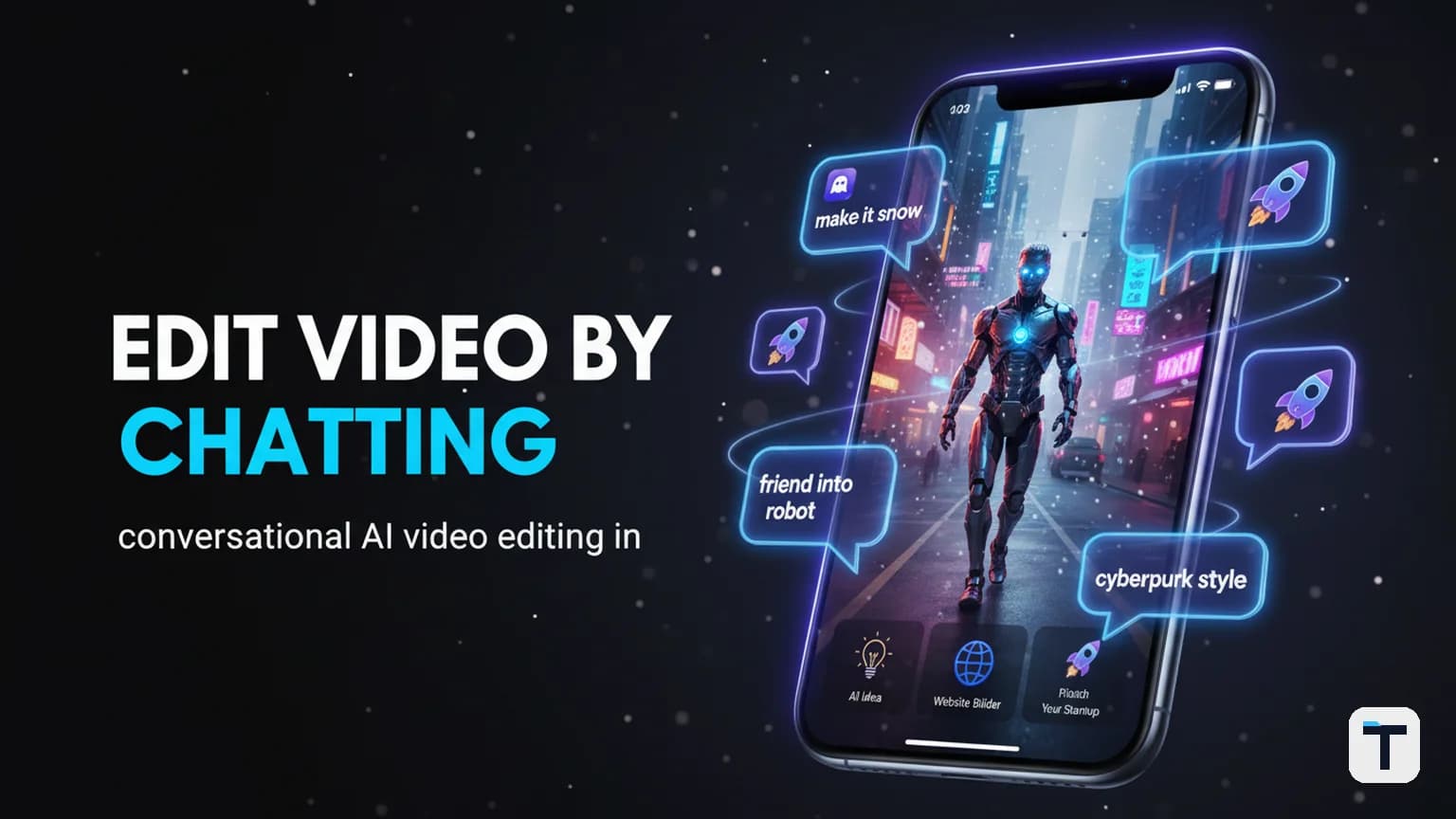
- Type your first edit. A natural-language prompt, not a slider or keyframe: "make it snow," "turn the friend into a robot," "dim the lights," "make the sculpture out of bubbles." The model preserves the underlying motion while changing the requested element in-place.
- Keep talking. Each prompt builds on the last. The scene remembers the snow from turn one when you ask to dim the lights on turn two. This is the stateful part that one-shot generators cannot do.
- Generate the next 10-second segment. A single Omni Flash clip runs up to 10 seconds with native audio, at 720p and 24 frames per second. To build a longer story, you keep narrating segment by segment — the character carries through each clip.
- Use Flow Agent for multi-step tasks. Instead of typing 10 small edits, describe the whole outcome: "make a 30-second ad with the product rotating on a marble plinth, warm sunset lighting, ending on a slow push-in." Flow Agent plans through the steps and executes them while you stay in control. Flow Agent is available to all Flow users globally (blog.google, 2026-05-19).
- Export with provenance intact. Every clip ships with both a SynthID watermark and C2PA Content Credentials — see the next section for what that means in practice.
The character-consistency story is the load-bearing technical claim. Google says Omni Flash keeps the same face and the same voice across scenes — not just "looks similar," but locked identity. Independent testing found this holds cleanly for about four sequential edits; beyond that, small details start to drift. If you need a 20-edit storyline, plan to break it into shorter coherent chains rather than one long thread.
What is Flow Agent and how does it change the workflow?
Flow Agent is an agentic layer Google added to Google Flow alongside Omni Flash on May 19, 2026. It turns the editor from a single-prompt tool into a multi-step planner. Before Flow Agent, Flow did one thing per prompt — you asked, it did, you asked again. With Flow Agent, you describe the destination and it figures out the turns: early brainstorming, plot recommendations, creating multiple scene variations at once, batch editing across all assets, organizing assets into collections, intuitive asset renaming (blog.google, 2026-05-19).
The mental model: old Flow was turn-by-turn directions. Flow Agent is "tell me the destination and I will plan the route." It is available to all Google Flow users globally, including the free tier.
How does Omni Flow work inside Flow Music?
Google Flow Music, which rebranded from ProducerAI in April 2026, also got the Omni upgrade. Two capabilities matter for music creators.
- Section-by-section editing. Highlight any part of a song and change just that part — rewrite lyrics, translate to another language, restyle a beat drop — without altering the rest of the track.
- Full-track covers. Transform a complete song into a different style while preserving the original melody and structure. Google's example is converting a track into a "lo-fi study" version — same tune, different mood.
- Music videos with Omni. Work conversationally with the agent to direct a shareable music video for the track, guiding styles, subjects, and scenes to match narrative and pacing. Available to all Google AI subscribers (blog.google, 2026-05-19).
The "talk to it, don't restart from scratch" idea applies to music the same way it applies to video — you keep the song and reshape one layer, rather than generating a new song.
How does Omni Flash actually trace AI-made video?
This is the part most summaries gloss. Every video Omni Flash creates or edits carries two machine-verifiable provenance signals, applied in a dual layer that Google and OpenAI jointly aligned on at Google I/O 2026 (whysogeek, 2026-06-26; deepmind.google/models/synthid; OpenAI provenance docs).
| Signal | What it is | Where it lives | Survives a screenshot? | Survives re-encoding? |
|---|---|---|---|---|
| SynthID | Invisible watermark embedded in pixels/audio by Google DeepMind | Inside the content itself | Yes | Yes (by design) |
| C2PA Content Credentials | Cryptographically signed manifest tracking creation + edits | Metadata alongside the file | No — metadata is stripped | Often stripped on re-upload |
The two cover each other's failure modes. C2PA gives you a rich, signed edit history when it survives; SynthID gives you a durable "this was AI-made" signal when the metadata has been stripped by a screenshot or a re-upload through a platform that discards metadata. Verification is coming natively to Google Search and Chrome, and is already live in the Gemini app — you can hand a file to the Gemini app and ask whether it was Omni-touched (whysogeek, 2026-06-26).
For business use this is not a checkbox — it is an obligation. Under the EU AI Act Article 50 transparency rules, AI-generated or AI-modified media shown to EU users must be detectable, and SynthID + C2PA is exactly the technical stack that satisfies that requirement. If you are running paid campaigns with Omni-touched footage, you should be upfront about using AI the same way you would be upfront about using a filter or a color grade — not because SynthID forces you, but because the provenance is verifiable and the EU rule is enforceable.
How can small businesses actually use Omni Flash?
The video that brought this tool to wider attention framed the business case clearly: if you sit on old footage — phone walkthroughs, product shots, demos you filmed months ago — that footage is no longer dead. You can repurpose one video into five variations without a reshoot. Google's own workspace blog for the Omni-in-Google-Vids launch on July 16, 2026 lists four concrete use cases (workspace.google.com/blog, 2026-07-16):
- Rescue footage with bad lighting — fix exposure and color without reshooting.
- Refresh ad creative — swap backgrounds, update product colors, or change a character's appearance on an existing clip.
- Test creative concepts — change camera angle or visual style on the same source clip and run the variations as an A/B test.
- Keep explainer videos fresh — update outdated visuals, voiceovers, and on-screen text in a demo without rerecording.
Google Vids went further than the consumer surfaces with personal AI avatars: you record your face and voice once via a secure capture process, and then Omni generates avatar clips in your likeness — website welcome messages, social media explainers, onboarding videos, even commercial storyboards to test creative direction before a live shoot. Vids is available to paid Workspace accounts and to consumers on Google AI Pro/Ultra plans (workspace.google.com/blog, 2026-07-16). Google reports 7+ million monthly users already use Vids.
The economic shift is real: before this, testing a second video idea meant a second shoot — most businesses skipped it. With Omni, testing idea two costs you a sentence, idea three costs another sentence. That changes who gets to experiment.
What this means for you
If you make any kind of video for your work — ads, demos, explainers, social clips, walkthroughs — Omni Flash is the first AI tool you should actually try, because the input is footage you already have and the process is closer to a Slack conversation than to a video editor's timeline. Three concrete moves:
- Start free. Open Google Flow on the free tier or use YouTube Shorts Remix — no card, no commitment. Run it on one real clip you care about, not a demo.
- Treat the 10-second ceiling as a feature, not a bug. Most short-form ad and social attention lives in 6–15 second units. Plan sequences as 10-second segments chained with the same character; do not try to make a long-form piece in one clip.
- Be transparent about AI use. The SynthID and C2PA layers make provenance checkable. If you are running customer-facing campaigns, disclosure is both an EU AI Act obligation and a brand-trust asset — and it is already a topic we have covered under AI content transparency and brand trust.
If you want the broader strategic picture of how Google is bundling Gemini-paid features into one subscription decision, the Gemini Spark / Google AI Pro rollout decision guide walks through which tier makes sense for which kind of work. For the agentic angle — where Flow Agent sits in the larger "AI agent that does your task" landscape — see our practical guide to Google Gemini's 2026 agentic features and the broader agentic Gemini 2026 workbench update. And for an earlier case where Google Flow landed in legal crosshairs, the Google Flow and the Bollywood AI bet piece covers what happened when a studio trained its crew on a sued tool.
FAQ
Q: Is Gemini Omni Flash free to use? A: Yes, partly. Gemini Omni Flash is free in three places: Google Flow's free tier (50 daily credits, any Google Account), YouTube Shorts Remix, and the YouTube Create app — all restricted to users 18 and older. The standalone Gemini app and Flow's paid tiers (1080p upscale, video-to-video editing, higher limits) require a Google AI Plus, Pro, or Ultra subscription, with Plus currently at $4.99/month as of June 8, 2026.
Q: How long can a single Gemini Omni Flash video be? A: A single generated clip runs up to 10 seconds with native audio at 720p and 24 frames per second. For longer content, you chain segments — the character and scene state carry across clips, so a 30-second piece is three consecutive 10-second conversations with the same Omni project.
Q: What is the difference between Gemini Omni Flash and Veo 3.1? A: Veo 3.1 is Google's cinematic 4K video generator — higher render quality, but it restarts from scratch every prompt. Gemini Omni Flash is built for multi-turn conversational editing of existing footage at 720p, with persistent scene and character state across edits. They coexist inside Google Flow; pick Omni for editing and iteration, Veo 3.1 for maximum visual fidelity on a one-shot generation.
Q: Can you tell if a video was made or edited with Gemini Omni Flash? A: Yes. Every Omni output carries both a SynthID invisible watermark (embedded in the pixels and survives screenshots and re-encoding) and C2PA Content Credentials (cryptographically signed metadata that records creation and edits). Verification is live in the Gemini app and rolling out to Google Search and Chrome. A missing credential proves nothing — only the watermark reliably survives stripping.
Q: Does character consistency actually hold across edits? A: Independent testing (Labellerr, July 2026) found Omni Flash holds the same face, voice, and scene state cleanly for roughly four sequential chat edits before small details start to drift. Google has not claimed flawless consistency across every edit. For long storylines, break the sequence into shorter coherent chains rather than one long thread.
Q: What is the difference between Google Flow and Google Vids? A: Google Flow is Google's consumer/prosumer AI creative studio — open to anyone 18+ on a free or paid tier, and the primary surface for multi-turn Omni editing. Google Vids is a Workspace product for business users (paid Workspace accounts and Google AI Pro/Ultra consumers), focused on repurposing footage into ad variations, explainer refreshes, and personal AI avatars. Vids added Omni Flash on July 16, 2026.
Every claim here is traced to a primary source, dated, and listed under Sources. Research and drafting are AI-assisted; editing, verification and publication are human decisions, and a person is accountable for what appears on this page. How we work →
Discussion
0 comments