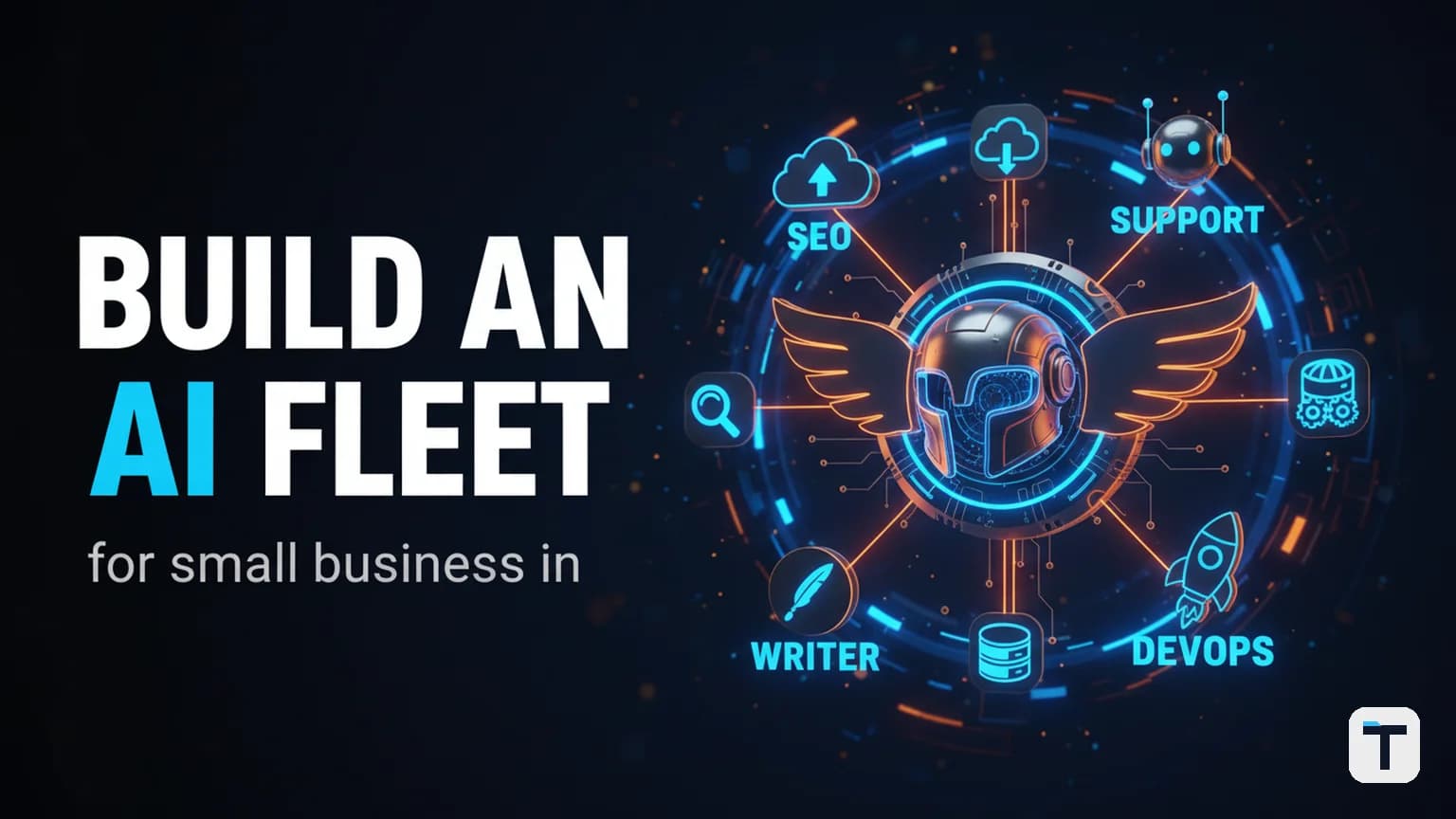

Verdict: Hermes Agent v0.19 ("Quicksilver," shipped July 20, 2026 by Nous Research) is the first free, open-source AI agent framework where you can build a genuine fleet of specialist agents on a single install — each with its own model, memory, skills, and secrets — without writing orchestration code or paying a per-seat SaaS fee. For a small business owner, the practical win is this: you install Hermes once on a $5/month VPS, create three to five agent "profiles" (an SEO researcher, a content writer, a customer-support responder, etc.), connect them all to Telegram or Discord, and let Hermes automatically route every incoming message to the right specialist. The Quicksilver release closes the three things that used to make this painful — 4+ second cold starts, manual approval babysitting, and silent job loss when the gateway crashes — so the fleet runs unattended without you staring at a screen. If you already run Hermes, hermes update gets you to v0.19. If you don't, it's a 60-second install and about an hour of configuration to have a working agent OS.
Last verified: 2026-07-30 · One-line verdict: build a 3–5 profile fleet on one Hermes install, connect it to Telegram/Discord, and let it do specialist work while you sleep — now that cold starts are sub-second and jobs survive crashes.
- Cold start dropped from ~4.3s to ~0.9s (~80% cut) across CLI, TUI, desktop, gateway, and cron (GitHub release notes).
- Smart approvals are now the default — an independent LLM reviews flagged commands so you don't babysit; your
approvals.denyrules still block commands even in full-auto YOLO mode (official configuration docs).- Durable delivery ledger in
state.dbredelivers finished responses after a gateway crash — no more silent job loss on Telegram/Discord/Slack.- One gateway routes different channels to different profiles — each profile has isolated config, skills, memory, and secrets.
- New model support: GPT-5.6, Grok 4.5 (GA), Kimi K3, Claude Sonnet 5, Tencent HY3, plus Fireworks AI and DeepInfra as first-class providers.
- Pricing note: Hermes itself is free and MIT-licensed; you pay only for compute + LLM API calls. Official docs cite a $5/mo VPS as viable.
What is a "multi-profile agent fleet" and why does it matter for a small business?
A multi-profile agent fleet is one Hercules install running several named agent profiles in parallel — each profile is a separate, independent agent with its own model configuration, memory files, set of loaded skills, API keys, and SOUL (personality prompt). For example:
| Profile | Model (example) | What it does |
|---|---|---|
seo-researcher |
Google Gemini 3 Flash (cheap, fast) | Researches keywords, drafts briefs |
content-writer |
Claude Sonnet 5 or GPT-5.6 | Writes long-form articles |
support-bot |
Tencent HY3 (Hunyuan 3) | Answers customer queries in Telegram |
devops-agent |
Claude Opus 5 or a local model | Monitors uptime, runs scripts |
A single messaging gateway multiplexes all of them: when you message the gateway, Hermes routes each channel (a Discord guild, a Slack channel, a Telegram chat) to the profile configured for it (official profiles docs). You talk to the gateway; Hermes hands the task to the right specialist. Before v0.19, you'd have needed separate installs or a fragile hand-rolled router. Now it's a config option.
This matters because a small business usually has 4–6 recurring AI tasks that have different needs — cheap fast summarization versus deep reasoning versus coding — and hammering one LLM with all of them triggers rate limits or burns the wrong budget. A fleet spreads work across models and isolates failures.
How do you install Hermes Agent and create your first profile?
Step 1: Install Hermes (Linux/macOS or Windows):
# Linux / macOS / WSL2
curl -fsSL https://hermes-agent.nousresearch.com/install.sh | bash

# Windows (PowerShell)
irm https://hermes-agent.nousresearch.com/install.ps1 | iex
Step 2: Run setup to wire a model and gateway tools:
hermes setup --portal
--portal does one OAuth flow that covers your model access plus the four Tool Gateway tools (web search, image generation, text-to-speech, browser automation) bundled through the Nous Portal — so you don't configure each one individually (official install docs).
Step 3: Create your specialist profiles:
# SEO researcher — cheap fast model
hermes profile create seo-researcher --description "Reads pages, writes keyword briefs and content outlines."

# Content writer — strong long-form model
hermes profile create content-writer --description "Drafts full articles from briefs; runs spell-check and readability."

# Support bot in Telegram
hermes profile create support-bot --description "Answers customer questions from the knowledge base."
Each command creates a fresh profile directory under ~/.hermes/profiles/<name>/ containing its own config.yaml, .env, SOUL.md (personality), memory files, and skill directory. The --description flag matters: if you later use Hermes's Kanban board (more below), the orchestrator uses the description to route tasks to the right profile.
Step 4: Configure each profile. Open each profile's ~/.hermes/profiles/<name>/config.yaml and set its model + provider:
# ~/.hermes/profiles/seo-researcher/config.yaml
model: "google/gemini-3-flash-preview"   # cheap, fast choices
provider: openrouter
For the content writer, you want a stronger model:
# ~/.hermes/profiles/content-writer/config.yaml
model: "anthropic/claude-sonnet-5"       # strong long-form
provider: openrouter
Step 5: Set per-profile secrets. Each profile loads its .env from ~/.hermes/profiles/<name>/.env. If you prefer not to paste keys in plain text (recommended), v0.19 adds Bitwarden and 1Password support so keys can be fetched from a password manager at startup:
# In config.yaml — reference a Bitwarden or 1Password vault entry
providers:
  anthropic:
    api_key: "op://vault/anthropic/credential"
The op:// reference is fetched from 1Password's CLI at runtime instead of being written to disk. This means the secret value never sits in plain text in your config files (release notes).
How do you connect the gateway so messages route to the right profile?
Step 6: Wire your messaging platforms. In each profile's .env:
# ~/.hermes/profiles/support-bot/.env
TELEGRAM_BOT_TOKEN=123456:ABC...your-bot-token

# ~/.hermes/profiles/content-writer/.env
DISCORD_BOT_TOKEN=MTAx...your-bot-token
Step 7: Configure profile-based message routing. In the main profile's config.yaml, add a route map:
gateway:
  routes:
    - match: "telegram:chat_id:-1001234"
      profile: "support-bot"
    - match: "discord:guild:987654321"
      profile: "content-writer"
    - match: "discord:guild:111222333:channel:444555"
      profile: "seo-researcher"
A misconfigured profile can't take down the whole gateway — routes are isolated, so a bad token in one profile fails that route alone (release notes). The gateway itself keeps running.
Step 8: Start each profile's gateway. Hermes runs one gateway instance per profile that has messaging tokens configured:
hermes gateway start
Now messages to your Telegram support bot route to the support-bot profile, messages to the Discord server's writing channel route to the content writer, and so on. You talk to each channel and the right specialist answers automatically.
How does the smart approval system keep the fleet safe while it runs unattended?
Before v0.19, every "risky" terminal command (e.g. rm, curl | sh, sudo) would pop a manual approval prompt — even in full-auto mode you had to babysit the robot, which made "runs while you sleep" impossible. Quicksilver ships two changes that close this gap.
Set smart approvals (the default in v0.19)
In each profile's config.yaml:
approvals:
  mode: "smart"     # manual | smart | off
smart means an independent (auxiliary) LLM reviews each flagged command and auto-approves low-risk ones, only escalating high-risk commands to a manual prompt. This is the new default mode (official configuration docs).
Define deny rules that hold even in full-auto
The single most underrated safety feature in v0.19 is approvals.deny:
approvals:
  deny:
    - "git push --force*"     # never force-push, ever
    - "rm -rf /"              # never erase root
    - "*curl*|*sh*"           # never pipe curl into sh
    - "docker system prune*"  # never prune Docker
A matching command is blocked unconditionally — before the YOLO bypass, before the allowlist, and it still fires if you have approvals.mode: off or --yolo set. It's the user-editable counterpart to the code-shipped hardline blocklist (PR #59164, merged June 2026; configuration docs confirm precedence). This is the answer to "I want the agent to run unattended, but I don't want it to be able to delete the database."
You can even tell the agent why you refused a command with /deny <reason> — the reason goes into the agent's memory so it learns not to try that command again.
What happens to a job if the gateway crashes midway?
Before Quicksilver: you'd close your laptop, come back, and the long job you asked Hermes to run at 3 a.m. silently failed — the gateway died, nobody noticed, the response was never delivered. v0.19's delivery-obligation ledger fixes this.
When Hermes finishes a job, the final response is written to state.db in a durable ledger. If the gateway crashes after the model finished but before delivery, the next boot restores the pending events and redelivers them to whatever channel the task came from — Telegram, Discord, Slack, all of them (release notes).
Note what's not covered: if the model is mid-inference when the crash happens, the job doesn't resume — it's recorded as unknown because Hermes can't prove whether external side effects (file writes, API calls) ran. Durable delivery is about the response making it to you, not about long-running inferences surviving the crash. For those, you should structure long work into smaller delegated chunks.
How do you use delegation so one profile can hand tasks to another?
delegate_task is the orchestration primitive. Your main (orchestrator) profile can spawn child subagents for subtasks, each running in an isolated context — only the child's final summary enters the parent's context, so you don't burn tokens relaying the whole transcript (official delegation docs).
Single-task delegation
# From the main profile's session — hand off research
delegate_task(
    goal="Research the top 10 questions people ask about local SEO this quarter",
    context="Focus on Google Business Profile, reviews, and 'near me' queries."
)
Parallel batch (up to 3 children by default)
delegate_task(tasks=[
    {"goal": "Pull the latest AI coding benchmarks", "context": "Use GitHub and arXiv"},
    {"goal": "Summarize the top 3 Lightning AI blog posts this month", "context": ""},
    {"goal": "Draft an FAQ on the GPT-5.6 release", "context": "Verify every date and version from the OpenAI blog"}
])
Two-level orchestration (research → synthesis)
For multi-stage workflows, give a child the orchestrator role so it can spawn its own workers:
delegate_task(
    goal="Survey three code-review approaches and recommend one",
    role="orchestrator",     # allows this child to spawn leaves
    context="Focus on Hermes, Claude Code, and OpenClaw."
)
By default, delegation is flat — depth 1 — to prevent runaway recursion. Set delegation.max_spawn_depth: 2 in config.yaml to allow one level of nesting (official docs).
Cheap-model routing for delegated work
If you want subagents to run on a cheaper model than the orchestrator (e.g. the orchestrator is Claude Opus 5, but child summaries route to Gemini Flash), set it once:
delegation:
  model: "google/gemini-3-flash-preview"
  provider: openrouter
This alone can cut subagent costs by 30–80% on mixed workloads — you reserve the expensive model for the parent that needs judgment, and let a cheap fast model do the leaf-work.
How does the memory system make each specialist get better over time?
Hermes ships persistent, curated memory across sessions through two files plus session search:
| File | Purpose | Size limit |
|---|---|---|
MEMORY.md |
The agent's own notes about environment, conventions, things it has learned | ~2,200 chars |
USER.md |
What the agent learned about you — role, preferences, projects | ~2,200 chars |
Both live in ~/.hermes/profiles/<name>/ and persist across every session. The content is injected into the system prompt on every turn so the agent reads it inline. v0.19 makes memory retrieval faster — the FTS5 cross-session search runs against state.db (the same SQLite store the delivery ledger uses), so a specialist painted into a corner on Monday can recall how the team solved the same problem on Friday (official memory docs).
For deeper memory that goes beyond file-based notes, Hermes includes 8 external memory provider plugins including Honcho (dialectic user modeling), OpenViking, Mem0, Hindsight, Holographic, RetainDB, ByteRover, and Supermemory — they run alongside built-in memory and add knowledge graphs, semantic search, and automatic fact extraction (memory docs).
Because each profile has its own MEMORY.md and USER.md, the seo-researcher's notes don't bleed into the support-bot's context — each specialist has its own brain.
How do you use the Kanban board to run a real projects board?
Hermes ships a built-in Kanban system for running project work through your profiles. You create a task, assign it to a profile, and the dispatcher picks it up and spawns the profile to do the work — the orchestrator reads the --description from the profile to route work.
hermes kanban create "Write a 2,000-word blog post on AI chatbots for SMBs" \
  --assignee content-writer

hermes kanban create "Pull the last 30 days of SEO crawl data for the recipe blog cluster" \
  --assignee seo-researcher
The Kanban board moves tasks across ready → running → done. With v0.19's faster cold start (~0.9s vs ~4.3s), the board cycles much faster. The dispatcher: (1) claims a ready task, (2) spawns the assigned profile, (3) the worker writes its progress via kanban_heartbeat, and (4) calls kanban_complete when finished with a structured summary that downstream workers can read. If you want a deeper architecture view, we've written separately about building and running an AI agent OS in 2026 — this article is the practical, on-Hermes walkthrough.
How do you spread work across multiple models to avoid rate limits?
A single model doing everything gets rate-limited or slows down under load. The fleet pattern spreads work across several models:
| Role | Model | Why |
|---|---|---|
| Orchestrator | Claude Opus 5 (slow, expensive) | Decides routing, needs judgment |
| Code-writer | Claude Sonnet 5 | Strong code, mid-price |
| Browser/researcher | Gemini 3 Flash | Cheap, fast, good enough for read-only research |
| Local fallback | Ollama running Gemma 4 | Free, on-device, for offline work |
| Coding brain | A 118B open-weights model | Self-host on GPU hardware |
The orchestrator profile never has to know which model is in play — it just hands the task off. The configured provider handles the actual API call. v0.19 also adds LM Studio's JIT model loading and first-class providers for Fireworks AI and DeepInfra, so your fleet doesn't need to be locked to OpenRouter or Anthropic alone (release notes).
For a deep dive on running one model for free, see how to run Hermes Agent for free in 2026 (the Hunyuan 3 setup) — Tencent's HY3 (Hunyuan 3) is one of the new GA models in v0.19 and it's an excellent free-tier brain.
How do you export sessions and share work without leaking secrets?
v0.19 added hermes sessions export, which writes out a session as JSONL, Markdown, HTML, Quarto, or the Hugging Face trace format — with full filter controls and an important --redact flag:
# Single session to Markdown
hermes sessions export --format md --session-id 20260730_091523_a1b2

# Export the last week of Telegram sessions as one HTML file, secrets redacted
hermes sessions export --format html --newer-than 1w --source telegram --redact archive.html

# Prompts only (builds a library of just your prompts)
hermes sessions export prompts.jsonl --only user-prompts
--redact scrubs API keys, tokens, and credentials from the exported content — recommended for anything you share outside your machine. For trace exports, redaction is on by default because traces are meant for the Hugging Face Hub's Agent Trace Viewer and are explicitly designed to leave your machine — --no-redact opts out after a manual review (official sessions docs).
Before this, sharing a session meant copy-pasting into a chat and hoping you didn't paste a key. Now you export to HTML, add --redact, and the redactor handles it.
What is safe mode and when should you use it?
If your config breaks (a bad hook, a misconfigured plugin, a broken MCP), boot with:
hermes --safe-mode
Safe mode boots Hermes with every customization switched off — user config, rules/memory injection, plugins, shell hooks, and MCP servers all bypassed. It implies --ignore-user-config and --ignore-rules. It's a panic button: you boot clean so you can fix the broken config without being stuck (official CLI docs).
Use it when:
- A plugin update broke your gateway
- A SOUL.md file has a syntax error
- An MCP server is rejecting connections
- You want to bisect whether a bug is in your setup or in Hermes itself
How do you update to Hermes 0.19?
hermes update
# → Code updated (12 commits)
# → Skills synced: default (up to date), seo-researcher (+2 new), support-bot (+2 new)
hermes update pulls the code once (shared across all profiles) and syncs new bundled skills to every profile automatically. User-modified skills are never overwritten. The update itself takes about 10 seconds.
If you installed via pip:
pip install -U hermes-agent
Verify your version after the update:
hermes --version
# → Hermes Agent v0.19.0 (2026.7.20) — The Quicksilver Release
What did Quicksilver ship, in raw numbers?
By the numbers from the GitHub release notes:
| Metric | Value |
|---|---|
| Commits since v0.18.0 | ~2,245 |
| Merged pull requests | ~1,065 |
| Files changed | ~2,465 |
| Lines added | ~300,000 |
| Lines removed | ~36,000 |
| Issues closed | ~3,300 |
| Community contributors | 450+ |
| GitHub stars (as of July 2026) | ~222,000 |
For comparison, v0.18.0 "The Judgment Release" had ~1,720 commits — Quicksilver is ~30% larger by commit count and the largest release window in the project's history by contributor count. That pace signals that the project isn't slowing down; if you wait for "things to settle," you'll be running 0.19 while the rest of the world is on 0.20.
What this means for you
If you're a small business owner who keeps hearing "you can run all your work through AI now" but every time you try, you spend more time babysitting the agent than doing the work: Hermes 0.19 Quicksilver is the first release where the babysitting math actually flips. Sub-second cold starts, smart approvals, and crash-proof delivery mean you can set up a fleet of three to five specialist profiles on one $5/mo VPS, connect them to your Telegram or Discord, and let them genuinely do work unattended.
The practical action plan:
- Install Hermes on the cheapest VPS you can find (or your own desktop for testing).
- Create 3 profiles: a cheap-researcher, a strong-writer, and a support-responder — pick the cheapest model for each role that still does the work.
- Wire Telegram or Discord and add profile-routing rules.
- Set
approvals.mode: smartand write 3–5approvals.denyrules covering the things you absolutely never want the agent to do (force-push,rm -rf,curl | sh, etc.). - Start the gateway, assign your first Kanban tasks, and walk away.
The honest promise isn't "agents that replace your team." It's a personal infrastructure layer that keeps working while you sleep, for roughly the cost of an LLM subscription you were already paying for.
FAQ
Q: How much does it cost to run a Hermes Agent fleet? A: The Hermes software itself is free and MIT-licensed. You pay for (1) compute — official docs cite a $5/month VPS as a viable host — and (2) the LLM API calls each profile makes. Realistic all-in cost for a small business fleet with 3 profiles is $5–80/month depending on model choice and usage volume. Use the cheaper models for routine work, reserve frontier models for the orchestrator that needs judgment.
Q: Do I need a GPU or a big server? A: No. Hermes ships with six terminal backends — local, Docker, SSH, Daytona, Singularity, and Modal — and Daytona and Modal offer serverless persistence where the environment hibernates when idle, costing nearly nothing (official docs). For most small-business workloads, the VPS-plus-API-key economy works fine. A GPU only matters if you want to run a local open-weights model (like Hunyuan 3 or Laguna S 2.1) for the agent brain.
Q: Can I run one profile on a local model and another on a hosted one?
A: Yes. Each profile is fully independent — ~/.hermes/profiles/<name>/config.yaml controls the model and provider for that profile alone. You can mix Gemini Flash (cheap, hosted), Ollama running Gemma 4 (free, on-device), and Claude Sonnet 5 (premium, hosted) inside one fleet. v0.19 also adds LM Studio's JIT model loading for local models.
Q: What happens if my Hermes gateway crashes mid-night with queued tasks?
A: Finished responses are redelivered on the next boot via the durable delivery ledger. Tasks that were mid-inference when the crash happened are recorded as unknown because Hermes can't prove their side effects — those need re-running. The recommended pattern for hours-long jobs is to chunk them into smaller delegated subtasks so a crash only loses the in-flight chunk, not the whole pipeline.
Q: Is Hermes 0.19 safe to run fully unattended?
A: Yes — set approvals.mode: smart (the default) and add approvals.deny rules for the commands you absolutely never want the agent to run. The deny rules fire before the YOLO/full-auto bypass, so even if you set the agent to skip all approval prompts, your deny rules still hold. This is the safety model that lets you sleep instead of babysit (PR #59164).
Q: How is this different from building a custom agent framework in Python? A: Hermes gives you the orchestration, memory, gateway, approval gate, and delivery ledger as built-in primitives — you don't write any of that. You write config and delegate-task calls; Hermes handles the rest. For a deeper treatment of when you want an agent OS versus a custom agent framework, see our Agent OS vs Agent Framework comparison.
Q: Where do I find the official changelog and docs?
A: Official changelog: GitHub releases page. Official docs: hermes-agent.nousresearch.com/docs. The docs include a /llms.txt index (curated list of every doc page, ~17 KB) and /llms-full.txt (all pages concatenated, ~1.8 MB) for one-shot ingestion by other AI agents.
Discussion
0 comments