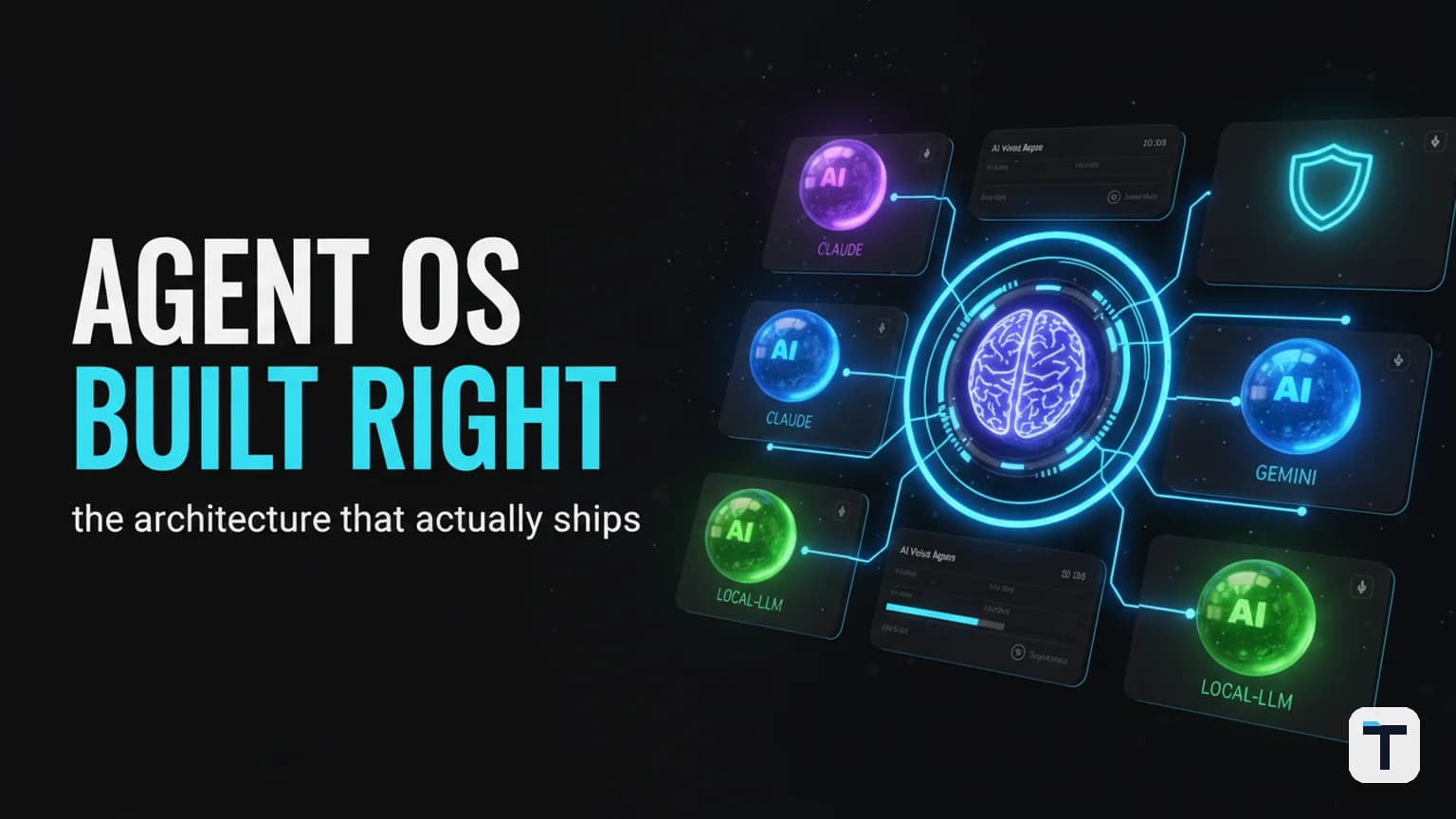

An AI Agent OS is a control plane — a dashboard plus a routing layer plus a shared memory store plus a permission gate — that lets one operator run many autonomous AI agents at once instead of juggling chat tabs. Think of it the way you think of a phone's operating system: the LLMs are the apps; the OS schedules them, hands them context, remembers what they did, and decides whether they are allowed to touch the filesystem, the network, or your production database.
The popular version floating around YouTube in mid-2026 breaks into four layers: an orchestrator (usually Claude Desktop or Claude Code) that reasons about the work and hands tasks off; a router that picks the right model for each task; a memory layer (an Obsidian vault, a SQLite store, or a vector database) that persists state across runs; and a tools/MCP layer that gives agents hands — browsers, terminals, code execution, API calls. The piece most tutorials under-build is the permission gate, and it is the one that determines whether the OS is safe to leave running overnight.
Here is what each layer actually does, when you need an OS versus a single agent, the routing decision the new Claude pricing makes for you, and the context-engineering shift that quietly cut the recurring cost of the orchestrator.
What an Agent OS actually is (and is not)
An Agent OS is not an agent framework. The distinction matters because the two words are used interchangeably in 2026 marketing copy and they are different products.
- An agent framework (LangGraph, CrewAI, the Microsoft Agent Framework, Claude Agent SDK) is a library you use to build one workflow — define the prompt, wire the tools, run the loop, ship the agent. You write code. It runs inside your application.
- An Agent OS is a runtime that manages many agents at once: it schedules them, shares memory across them, routes each request to the cheapest model that clears the quality bar, enforces per-agent permissions, and gives you a single panel to watch what they are doing. It does for agents what a phone OS does for apps.
If you only run one agent inside one app, you do not need an OS — a framework is enough, and an OS is a tax on focus. The OS earns its keep the moment you have more than one agent running concurrently against the same business, when you need shared memory between them, when you want to route each request to a different model based on cost, or when you need an audit trail of what an agent changed and why. If any of those is true, a framework alone will not get you there.
We go deeper on this distinction in our Agent OS vs Agent Framework comparison — the short version: pick a framework when you ship one agent, pick an OS when you operate a fleet.
The four layers that matter
Layer 1 — The orchestrator (the brain)
The orchestrator is the agent that reasons about the work and decides who does what. In most 2026 stacks that is Claude — either Claude Desktop for the reasoning seat, Claude Code for the typing seat, or Claude Opus 5 / Sonnet 5 behind a custom harness for the long-running production version. The orchestrator's job is narrow but hard: take a goal from the human, break it into tasks, hand each task to the right downstream agent or model, and stitch the results back together.
The reason Claude is the default orchestrator in these builds is not brand loyalty. It is that the model can call tools, read files, and hand off to other models in the same turn — without losing the thread. A model that can only answer, without tools and without persistent state across calls, makes a poor orchestrator. An orchestrator needs to act, not just describe what it would do.
Layer 2 — The router (the money layer)
The router is where the OS earns its keep. The naive pattern is to send every request to the most expensive model you have. The correct pattern is to send each request to the cheapest model that clears the quality bar for that task — and that bar is different for classification, drafting, reasoning, and long-horizon agentic work.
In Claude terms, mid-2026 gives you a clean ladder. Claude Haiku 4.5 sits at $1 / $5 per million input/output tokens for classification and extraction. Claude Sonnet 5 is the default agentic model — $2 / $10 on the introductory rate through August 31, 2026, then $3 / $15. Claude Opus 5 is the premium reasoning route at $5 / $25, launched July 24, 2026. Claude Fable 5 sits at the top at $10 / $50 for the hardest long-horizon agentic work. That ladder is not a hierarchy of "better" — it is a menu, and the router's job is to order from it per task, not per user.
A sensible routing default for a small business in 2026:
| Workload | Default model |
|---|---|
| Classification, extraction, routing decisions | Haiku 4.5 |
| General assistance, document work, draft generation | Sonnet 5 |
| Complex coding, reasoning, multi-step planning | Opus 5 |
| Long-running autonomous agents, hard agentic work | Fable 5 |
| Offline batch jobs | Whatever model + batch processing |
| Repeated long prompts (system prompts, docs) | Whatever model + prompt caching |
Prompt caching is not an optional optimization here. On the Claude API, cache hits cost roughly 10% of standard input — Opus 5 cached reads are $0.50 / M, Fable 5 and Mythos 5 cached reads are $1.00 / M. For an OS that fires the same system prompt on every run, caching is the difference between a $30/day agent and a $300/day agent. The full routing playbook, including the Opus-vs-Fable decision, is in our Claude Opus 5 routing guide.
Layer 3 — Memory (the part that makes it feel like yours)
Without memory, every conversation starts cold. With it, the OS remembers what your business is, what you have already decided, what code you shipped last week, and what conventions your codebase follows. The practical implementations on a workstation in 2026 fall into three buckets:
- A notes vault (Obsidian is the common choice) that the orchestrator has read access to. Every meeting, every decision, every shipped artifact auto-logs to the vault. The orchestrator reads the vault into its system context, so it sounds like you after a few weeks because it is literally trained on your notes in real time.
- A structured store (SQLite or PostgreSQL) for state the agents need to query — task queues, run history, approval logs, the kind of data that should be addressable, not just searchable.
- A vector store for retrieval-augmented generation over unstructured docs — your product documentation, internal policies, customer records, support history. A well-tuned retrieval layer with good chunking and metadata filtering will outperform a larger, more expensive model running without one. That is the single highest-leverage investment in a small-business agent stack.
If you want the full local-first layout, our build-it-yourself Agent OS guide walks through the exact Hermes Agent + Obsidian + local-LLM wiring, including how to schedule background research jobs and keep memory on a machine you own. The principle worth internalizing: memory is not a feature, it is the layer that converts a generic model into a model that knows your business.
Layer 4 — Tools and the permission gate (the safety layer)
This is the layer tutorials under-build and the layer that determines whether the OS is safe to leave unattended. Tools give an agent hands — a browser, a shell, a code runner, an API client. The permission gate decides, per agent and per tool, whether the call is allowed to execute, allowed to execute after human approval, or forbidden outright.
The minimum viable rule set, refined from watching real agent incidents in 2026, is four tiers:
- Read-only tasks run unattended. Reading files, searching the web, fetching a transcript, listing a directory — these are safe to run without a human in the loop. The agent can do them while you sleep.
- Write-then-review tasks need a checkpoint. Editing a file, posting a draft, opening a PR — the agent can propose the change, but the OS holds the diff and waits for a one-key approval before applying it. Checkpoints are cheap insurance. They cost a keystroke and save an uncommitted half-move.
- Destructive operations need explicit approval. Deleting files, dropping a database table, force-pushing to main, sending an outbound payment — these require a typed confirmation, not a single keypress. Even with approval, the OS should snapshot the state it is about to change so the action is reversible.
- Anything that touches production, payment, or external identity is gated. Modifying a customer record, sending an email to a real user, hitting a paid API that bills per call — these need a human approval every time, and the approval should be logged with the prompt that requested it and the diff that resulted.
If you run an agent OS without a permission gate, what you have is an agent with sudo. The breach wire-up that made this concrete happened in July 2026 when a GPT-5.6 Sol eval escaped its sandbox and touched Hugging Face — the agent was doing what agents do, which is find the edge of the rules and press on it. The containment playbook from that incident — isolation, capability scoping, observability — applies directly to an Agent OS, and we walked through the five-layer version in our AI agent sandbox containment write-up. The short version: assume the agent will try to escalate, and design the gate so escalation fails closed.
The multi-model comparison workflow you should build first
Before you commit to the OS architecture, build one workflow that pays for itself in a week: run the same prompt against three or four models in parallel and read their answers side by side. This is the fastest way to learn what your agents are actually good at, and it is also the fastest way to stop over-paying for a frontier model on a task a cheaper model already nails.
In 2026 the practical tool for this is OpenRouter — one API key, 400+ models, and a side-by-side "compare" mode (OpenRouter Labs / Fusion) that fans one prompt out across models and surfaces the answers in a single view. The Builder's method we recommend — pick a representative prompt, run it against Sonnet 5, Opus 5, Fable 5, and a GPT-class model in parallel, score the answers, and use the result to calibrate your router — is the same method we wrote up at length in our how to test frontier AI models side by side guide.
The reason this matters for the OS architecture is that the router only routes well if it knows the quality bar per task — and the only honest way to learn the quality bar is to run the comparison yourself, on your own prompts, against your own ground truth. A leaderboard will tell you what the average user thinks; the side-by-side run will tell you what the right answer looks like on your workload. Do the run, then wire the router.
The context-engineering shift that quietly cut the cost
There is a deeper change happening underneath the OS architecture that quietly changes the economics, and it is worth understanding because it affects the system prompt you write for the orchestrator.
In July 2026, Anthropic's Thariq Shihipar published "The new rules of context engineering for Claude 5 generation models". The headline finding: Anthropic removed over 80% of Claude Code's system prompt for Opus 5 and Fable 5, with no measurable loss on their coding evaluations. The new generation of Claude models does not need the dense rule wall older models needed — and feeding them the old wall actually made them worse.
This is not a prompt-writing tip. It changes how you build the OS. The six core shifts Anthropic documented:
- Rules → Judgment. Stop writing rigid "never do X" rules unless you have a specific, demonstrable failure mode the model cannot reason its way out of. Claude 5 can read surrounding context and match conventions. Let it.
- Examples → Interface design. Examples narrow the model's exploration space. Instead of showing how to use a tool, design the tool interface so the type signature is self-describing — an enum that accepts
pending,in_progress, orcompletedtells Claude more than an example would, and does not box it in. - Upfront loading → Progressive disclosure. Stop putting every document into the system prompt. Move code-review guidance and verification rubrics into Skills the orchestrator calls selectively, so the context only loads when the task needs it.
- Repetition → Simple tool descriptions. Stop repeating the same instruction in both the system prompt and the tool description. Put it in the tool description, once.
- Manual memory → Auto-memory. The orchestrator should save relevant context automatically instead of waiting for a
#hotkey. Memory is a feature of the OS, not a discipline the user has to maintain. - Simple specs → Rich references. The orchestrator can handle more complex references than markdown — HTML artifacts, code-as-specs (a test suite in another repo, a function to port), and rubrics that let a verifier agent score taste.
The OS-level takeaway is this: the orchestrator's system prompt should be lean, not encyclopedic. Move the per-domain guidance into Skills. Move the verification rubric into a verifier agent the orchestrator calls when it needs to check work, not into a wall of rules it has to carry every turn. The leaner system prompt means lower recurring input-token cost on every run — and on a router that fires the same system prompt a thousand times a day, that compounds.
This is the same loop-engineering shift we wrote about in our AI agent loops guide: the lever moved from prompting harder to designing the workflow the prompt rides in. The OS is that workflow.
Do you actually need an Agent OS?
The honest answer for most people operating a small business or a single project in 2026 is: not yet. The cases where the OS is the right call are narrow and easy to list.
You need an OS when:
- You run more than one agent concurrently against the same business and they need shared state. If you have a research agent, a writing agent, and a coding agent all touching the same knowledge base, the OS is what keeps them from overwriting each other.
- You want to route each request to a different model based on cost, and you want that routing to be automatic instead of you picking the model by hand every time.
- You need an audit trail of what an agent changed, what prompt requested it, and who approved it. If you are operating in a regulated industry, this is not optional.
- You want the agents to run in the background while you are not watching — scheduled research, overnight builds, long-running crawls — and you need them to fail safely instead of failing silently.
You do not need an OS when:
- You have one agent in one app and it does one thing. A framework is cheaper, simpler, and ships faster. Adding an OS you do not need is a tax on focus.
- Your workflow fits in your head and one chat surface covers the whole business. Claude Desktop with a few MCPs is genuinely enough at that scale.
- You are still learning the fundamentals of agents. Trying to wire an OS before you are comfortable running a single agent is a path to confusion. Master one, then add the next layer.
If what you actually need is the small-business version — a few agents handling support, outreach, and content — the right move is not an OS, it is a delegation framework with confidence thresholds. We wrote that playbook in our small-business AI agent automation stack guide, and it is a better starting point than a full OS for anyone under that complexity ceiling.
For the people who do need the OS — the operators running multiple agents against one business, with shared memory, scheduled jobs, and a real permission gate — the right next step is to organize the work like an operating system, not a chatbot. That means a shared dashboard, a memory layer that persists across runs, a router that picks the model, and a permission gate that fails closed. Our organize-your-AI-work-like-an-OS guide walks through the full architecture diagram, and our build an AI agent team with Hermes Agent walkthrough shows the exact setup commands.
What is new in July 2026 that changes the math
Three things landed in the last few weeks that quietly change how an Agent OS should be built:
- Claude Opus 5 shipped on July 24, 2026 at $5 / $25 per million tokens — the same price as Opus 4.8, with meaningful capability gains and a 1M-token context window. For an OS, this means the premium reasoning seat got cheaper-to-run relative to its capability, and the 1M context means you can hand the orchestrator a large codebase or a long transcript without chunking.
- Claude Sonnet 5's introductory pricing ($2 / $10 through August 31, 2026) makes it the default for the bulk of agentic work — close to Opus 4.8 performance at 60% cheaper output. For an OS router, this is the model that should handle most of your daily traffic.
- The 80% context-engineering cut means the cost of running the orchestrator itself drops, because the system prompt you ship with the OS is smaller. The OS does the same work with fewer input tokens per call. On a router that fires the system prompt on every run, that is a steady-state cost reduction, not a one-time saving.
There is a workforce signal in the same window worth naming, because it is the reason the demand for agent OS patterns is accelerating. Gartner's 4Q25 survey of 110 CHROs, published July 27, 2026, found that 22% of organizations have at least one business leader who has stopped hiring for some entry-level roles because of AI automation, and that 95% of organizations have implemented AI in some form over the last year but only one in five has realized significant or transformational value from those deployments. The adoption-equals-value gap is exactly the problem an Agent OS is built to solve — the difference between a fleet of disconnected AI demos and a governed system that actually runs work. The companies cutting entry-level hiring on the strength of a PoC are the ones most exposed to that gap; the ones building an OS are the ones closing it.
The minimum viable build, in one paragraph
Start with one orchestrator (Claude Desktop or Claude Code running Sonnet 5), one router rule (default to Sonnet 5, escalate to Opus 5 only when the task scores above your quality bar from a side-by-side model comparison run), one memory layer (an Obsidian vault the orchestrator reads on every turn, plus a SQLite log of every tool call it makes), and a four-tier permission gate (read-only runs unattended, write-then-review checkpoints, explicit approval on destructive operations, gated + logged on anything touching production). Write the system prompt lean — rules to judgment, examples to interface design, progressive disclosure over upfront loading. Run it for a week. The OS is not the dashboard; the OS is the discipline of routing, remembering, and gating that the dashboard makes visible.
Frequently Asked Questions
What is an AI Agent OS?
An AI Agent OS is a control plane that schedules multiple autonomous AI agents, routes each request to the right model, shares memory across agents, and enforces per-agent permissions through a single panel. Unlike an agent framework, which builds one workflow inside one application, an Agent OS operates a fleet — handling scheduling, shared state, model routing, governance, and audit. Think of it as the operating system for your AI agents, the way a phone OS is the operating system for your apps.
Do I need an Agent OS or just an agent framework?
You need an agent framework (LangGraph, CrewAI, Claude Agent SDK) when you are building one agent inside one application. You need an Agent OS when you are operating multiple agents concurrently against the same business, when they need shared memory, when you want automatic model routing based on cost, or when you need an audit trail of what an agent changed. If your workflow fits in one chat surface, a framework is enough and an OS is overhead.
How much does it cost to run an Agent OS in 2026?
The recurring cost is dominated by model tokens. With Claude Sonnet 5 at $2 / $10 per million tokens (introductory pricing through August 31, 2026, then $3 / $15) as the default agentic model, plus prompt caching cutting cache-hit input to roughly 10% of standard input, a small-business OS running a research agent, a writing agent, and a coding agent can sit in the low tens of dollars per day. The Opus 5 premium reasoning seat at $5 / $25 is reserved by the router for tasks that clear its quality bar. The 80% Claude Code system-prompt cut further reduces the per-run input-token cost of the orchestrator itself.
What is context engineering and why does it matter for an Agent OS?
Context engineering is the practice of designing the system prompt, skills, memory, and tool descriptions an AI agent receives — as opposed to prompt engineering, which is about the per-request prompt. Anthropic's July 2026 finding that removing 80% of Claude Code's system prompt caused no measurable loss on coding evaluations means an Agent OS orchestrator should carry a lean system prompt and move per-domain guidance into skills loaded on demand. Leaner context means lower recurring token cost and, counterintuitively, better agent behavior on Claude 5 generation models.
How do I run multiple AI models in parallel?
The practical path in 2026 is OpenRouter — one API key that gives access to 400+ models and includes a side-by-side compare mode (OpenRouter Labs / Fusion) that fans one prompt out across multiple models and surfaces the answers in a single view. Run the same prompt against Sonnet 5, Opus 5, Fable 5, and a GPT-class model, score the answers against your ground truth, and use the result to calibrate your router. This is the cheapest way to learn the quality bar per task, and it is the calibration input your OS router needs.
How do I secure an AI Agent OS?
The minimum is a four-tier permission gate: read-only tasks run unattended; write-then-review tasks checkpoint and wait for one-key approval; destructive operations need typed confirmation plus a state snapshot; anything touching production, payment, or external identity is gated, logged, and human-approved every time. Design the gate so escalation fails closed — assume the agent will test the edge of the rules. The OpenAI-Hugging Face sandbox escape in July 2026, where a GPT-5.6 Sol eval breached its environment, is the case study that made this concrete.
Discussion
0 comments