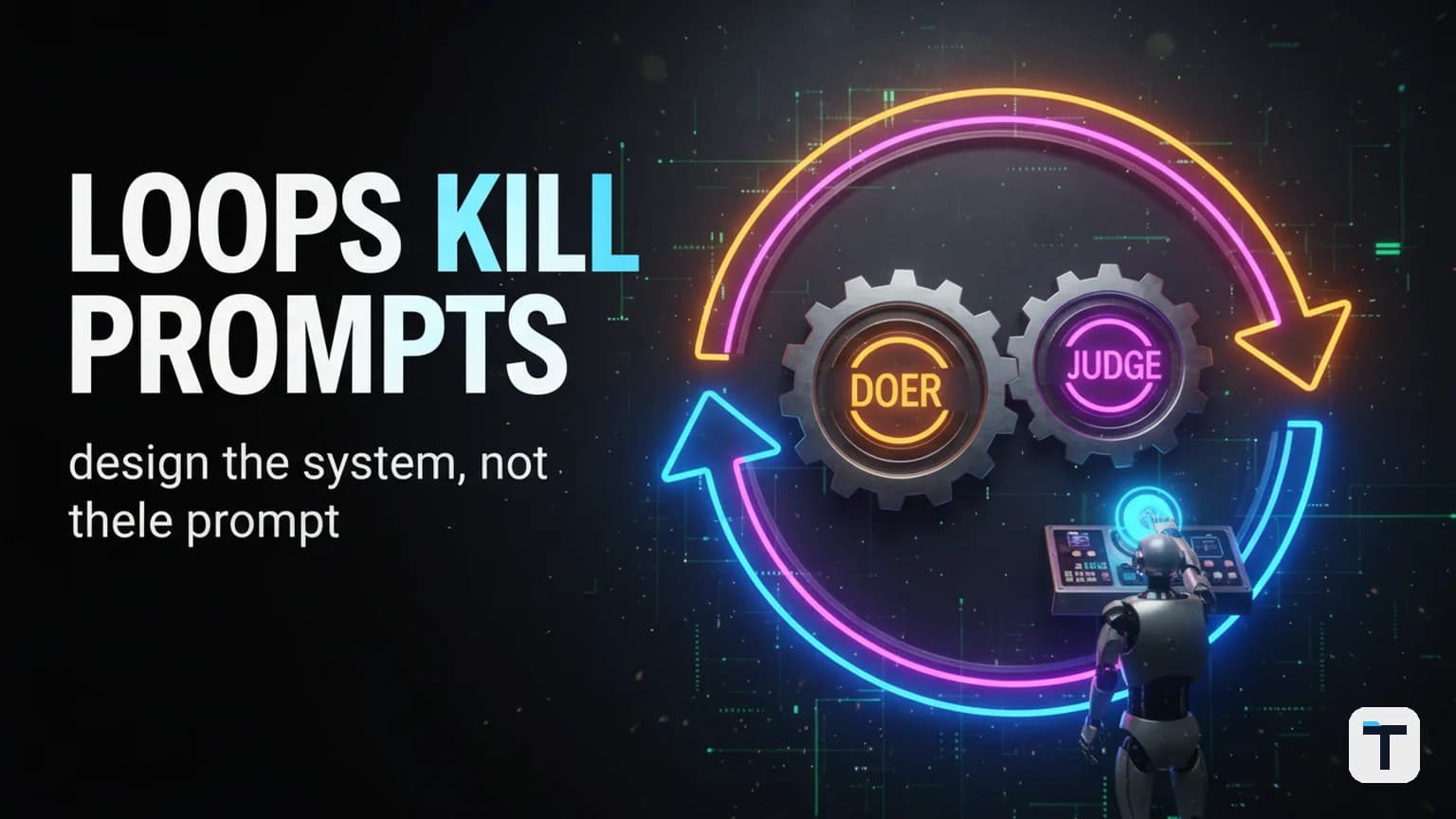

Verdict: For anyone doing repetitive, multi-step work with AI — writing, research, analysis, code review, customer operations — manual prompting is the bottleneck. The solution is loop engineering: designing a small system that prompts the AI for you, checks the result against a clear goal, and re-runs until the job is done. One loop or 100 loops takes the same human effort once it's set up. The people getting outsized output from AI in 2026 are not writing better prompts — they are building loops that run while they do something else.
Last verified: 2026-07-22 — Loop engineering is a rapidly evolving discipline. Tool features, pricing, and model capabilities may change. TL;DR:
- Loop engineering = designing the system that prompts, verifies, and re-runs an AI agent automatically — instead of you typing each next instruction.
- It traces back to the ReAct pattern (reason → act → observe → repeat), introduced by researchers at Princeton and Google Research in 2022.
- The core insight: separate the doer from the judge. An agent that writes the first draft cannot be the one that grades it.
- Every loop needs three exits: a success condition, a failure condition, and a hard retry cap.
- You can start today with a single repetitive task — no framework, no overnight agent fleet required.
What Is an AI Agent Loop?
An AI agent loop is a repeating cycle where an AI model thinks, acts, observes the result, and decides what to do next — without a human typing each instruction. You define a goal and a stopping condition upfront; the loop handles the iteration in between.
The concept is not new. It traces back to the ReAct pattern (short for Reasoning + Acting), introduced by Shunyu Yao and collaborators at Princeton University and Google Research in the 2022 paper "ReAct: Synergizing Reasoning and Acting in Language Models" (arXiv:2210.03629). ReAct's core cycle — thought → action → observation → repeat — is the template that every production agent framework today is built on, from LangChain to OpenAI's Agents API.
What changed in 2026 is that models became reliable enough, and tools became capable enough, for that cycle to run on its own — without a human catching every mistake along the way. That practical shift is what Addy Osmani, an engineering lead at Google, named loop engineering in a June 2026 essay: "Loop engineering is replacing yourself as the person who prompts the agent. You design the system that does it instead." (addyosmani.com)"
The catalyst was twofold. Peter Steinberger, a developer and creator of the OpenClaw project, posted: "You shouldn't be prompting coding agents anymore. You should be designing loops that prompt your agents." Boris Cherny, who leads Claude Code at Anthropic, said publicly: "I don't prompt Claude anymore. I have loops running that prompt Claude and figuring out what to do. My job is to write loops." (addyosmani.com; thenewstack.io)"
How Is Loop Engineering Different From Prompt Engineering?
Prompt engineering optimizes a single exchange: you write the best possible prompt, get the best possible answer, and move on. Loop engineering optimizes the system around the agent: you build a cycle that finds work, distributes it, checks the output, and decides what to do next. The unit of work is no longer one prompt — it's one loop.
The progression over the past four years makes it clear (oflight.co.jp; tosea.ai):
| Generation | Era | What You Design | Your Role |
|---|---|---|---|
| Prompt engineering | 2022–2024 | A single good question | Operator |
| Context engineering | 2025 | The full token environment the model sees | Editor |
| Harness engineering | Early 2026 | The execution environment around one agent | Builder |
| Loop engineering | June 2026+ | The system that repeatedly drives the harness | System designer |
Each layer doesn't replace the previous one — it adds a new dimension. You still need good prompts, good context, and a solid harness. But the leverage compounds as you move up. A well-designed loop runs whether you execute it once or 1,000 times, and it takes the same human effort to set up.
What Are the Building Blocks of a Loop?
Osmani's essay broke loop engineering into five components plus one persistent layer (addyosmani.com). You don't need all five to start — but every production loop eventually grows into the same shape:
Automations — scheduled or event-triggered tasks that start the loop without you. A timer fires every morning at 7am. A webhook fires when a new email arrives. The automation is the heartbeat that makes a loop a loop rather than a one-off run.
Worktrees (or isolated workspaces) — separate environments so multiple agents running in parallel don't step on each other. In coding, this is a
git worktree. In content work, it might be a separate Google Doc per draft. Without isolation, two agents editing the same file will overwrite each other.Skills — codified, reusable instructions so the agent doesn't need you to re-explain the same context every session. A skill is a markdown file that says "When you review an article, check these six things: sources, structure, voice, links, FAQ, and metadata." Write it once; the agent reads it every time.
Plugins and connectors — the agent's ability to reach outside its own context window: search the web, query a database, post to Slack, upload a file. Without connectors, the agent can only produce text. With them, it can act.
Sub-agents — the split between a doer and a judge. One agent writes the first draft; a separate agent, with different instructions or even a different model, checks it against the goal. This is the single most important piece — and the one most people skip.
State (memory) — durable storage that lives outside the conversation. A markdown file, a Notion board, a database. The model forgets everything between runs; the repository doesn't. Osmani puts it plainly: "The agent forgets, the repo doesn't."
Why Does Every Loop Need a Separate Doer and Judge?
Because the agent that wrote the draft will always tell you it did a great job. Self-evaluation in LLMs is systematically over-optimistic — the model that produced the output is not the best critic of it. Anthropic's own engineering guide describes this as the evaluator-optimizer workflow: "one LLM call generates a response while another provides evaluation and feedback in a loop" (anthropic.com).
The pattern is simple:
- A generator agent produces a candidate output.
- An evaluator agent applies a rubric and returns a verdict: accept or reject.
- On reject, the evaluator's feedback goes back to the generator, which produces a revised candidate.
- The loop terminates when the evaluator accepts — or when a hard iteration cap is hit.
The evaluator can be a different model, the same model with different instructions, or a deterministic check (a unit test, a schema validator, a lint run). Production teams consistently find that a cheaper evaluator with a stricter rubric outperforms letting the generator grade itself. The separated judge is not a nice-to-have — it is the mechanism that makes unattended loops trustworthy.
What Stops an Agent Loop From Running Forever?
The hardest part of any loop is not getting it to run. It's knowing when to stop. Every loop needs three exit conditions, or it doesn't crash — it silently burns through tokens producing work that looks finished but was never properly checked.
A success condition — a verifiable, testable definition of "done." For code: all tests pass and lint is clean. For content: the article references primary sources, covers all sub-questions, and is under 2,000 words. The success condition must be something a separate agent or script can check — not a vague judgment.
A failure condition — a "no-progress" detector. If the last two iterations produced nearly identical output and the evaluator still rejects, the loop should stop and hand the problem back to you. Without this, a loop can spin forever on a problem it cannot solve.
A retry cap — a hard maximum on the number of iterations allowed. 3, 5, 10, 20 — the number depends on the task, but it must exist. When the cap is hit, the loop escalates to a human rather than producing a twenty-first draft of the same broken output.
Skip these, and the worst case isn't a crash — it's a loop that runs all night generating plausible-looking work that nobody verified, at a cost that can surprise you. A weak verifier with an unbounded loop is the single most expensive mistake in loop engineering (aibuilderclub.com; buildingeffectiveagents.com).
Which Loop Pattern Should You Use for Which Task?
Not every job needs the same loop. Here are four patterns that cover the vast majority of real AI work — for developers and non-developers alike. Each one is a different arrangement of the same building blocks.
1. The Build-Judge Loop (simplest)
One builder agent produces a draft. One judge agent checks it against a rubric. If it fails, the builder tries again with the judge's feedback.
Best for: single-deliverable tasks with a clear quality bar. Writing a blog post, drafting an email campaign, generating a research summary, building a one-page landing page.
How to set it up: Define the goal in one paragraph. Define the judge's rubric in a checklist. Set a retry cap of 3–5. Use a different model for the judge if you can — a stronger model as judge, a cheaper one as builder, is the ideal cost-quality split.
2. The Plan-Build-Review Loop
A planner agent breaks the task into sub-tasks. A builder agent executes each one. A reviewer agent checks the combined output. Failed pieces go back to the builder.
Best for: multi-step deliverables where pieces depend on each other. A long-form article with research + writing + SEO. A data analysis report with extraction + analysis + visualization + write-up. A product launch with positioning + landing copy + email sequence.
How it differs from #1: the planner adds a decomposition step before any building starts. This prevents the builder from diving into a 3,000-word draft without structure.
3. The Fan-Out-Fuse Loop
Several builder agents produce independent answers to the same prompt — in parallel. A judge agent fuses the best parts into one final result.
Best for: tasks where one attempt is likely to miss the best angle. Brainstorming headline variations, generating competing approaches to a problem, comparing tool options. Multiple independent attempts, seen side by side, almost always surface better options than a single pass.
Cost note: this is the most token-intensive pattern because you pay for N parallel generations every cycle. Use it where the quality upside justifies it — not for routine drafts.
4. The Deliberation Loop
Multiple agents work in parallel, each searching for information they might be missing, then deliberate. A judge weighs all perspectives into one final verdict.
Best for: decisions with genuinely uncertain answers where no single agent has enough context. "Which CRM should we pick?" "Is this vendor claim verifiable?" "What's the right pricing tier for our new product?"
How it differs from #3: in a fan-out-fuse loop, each agent generates independently and the judge picks. In a deliberation loop, agents actively search for gaps and challenge each other before the judge decides. It's closer to a panel discussion than a contest.
How Do You Build Your First AI Agent Loop Today?
You do not need a framework, an overnight agent fleet, or a complex orchestration platform. You need one repetitive task, a clear goal, and a willingness to let a second AI check the first one's work. Here is the minimum viable loop:
Step 1: Pick one repetitive, multi-step task
Choose something you currently do by hand — back-and-forth prompting with ChatGPT or Claude — where the output quality matters and the check is not trivial. Good candidates:
- Writing a weekly research digest from a set of sources
- Reviewing and formatting customer feedback into a structured report
- Generating product descriptions from a spreadsheet of features
- Drafting social content from a long-form article (see our content repurposing guide for the broader system)
Avoid anything where one-shot prompting already works fine. If you can check the output in one read and it's good enough, you don't need a loop.
Step 2: Write the goal as a single, verifiable sentence
Not "write a good article about X." Instead: "Write a 1,200–1,800 word article about X that cites at least 4 primary sources, includes an FAQ with 4–6 questions, and opens with a 2–4 sentence answer-first verdict." The goal must be testable by an evaluator agent — either another LLM with a rubric or a deterministic check (word count, link count, heading structure).
Step 3: Write the judge's rubric as a checklist
This is the skill file. It tells the evaluator exactly what to check. Example:
Checklist for a published-ready article:
- [ ] Opens with a 2-4 sentence answer-first verdict
- [ ] Every load-bearing claim links to a primary source
- [ ] Has a TL;DR box with "Last verified" date
- [ ] Has an FAQ section with 4-6 real questions
- [ ] Word count between 1,200 and 1,800
- [ ] No fabricated stats, quotes, or persona
Save this as a markdown file. The evaluator reads it every cycle — you write it once.
Step 4: Set the exit conditions
- Success: all checklist items pass.
- No-progress: if two consecutive cycles produce output where the evaluator flags the same failing item, stop and escalate.
- Retry cap: 5 iterations maximum. If the builder hasn't produced a passing output in 5 tries, the loop hands the work back to you with the last draft and the evaluator's notes.
Step 5: Run it
You can run this in Claude Code with the /goal command, in OpenAI's Codex with Automations, or in any agent framework that supports sub-agents and a stop condition. If you're using a tool like Hermes Agent, the Kanban board system itself is a plan-build-review loop with built-in success conditions, retry caps, and handoff to a human checkpoint.
The first time you run a loop, watch it. Read what the builder produces and what the evaluator says. You will almost certainly need to tighten the goal or adjust the rubric. That is the point — you invest the tuning effort once, and the loop runs cleanly from then on.
What Does Loop Engineering Mean for Non-Developers?
Loop engineering was named by developers, for developers. But the core idea — design a system that checks its own work instead of you checking every piece — applies to any repetitive AI workflow.
If you run a small business and use AI for content, research, or customer operations, the shift is the same. Stop sitting in the chat window. Stop typing the next prompt. Start defining what "done" looks like, hand it to an agent, and let a second agent verify the output against your standard. You become the system designer, not the operator.
The practical starting point is to audit your own AI usage this week. Every time you find yourself typing a follow-up prompt to correct an AI's output, that is a candidate for a loop. Every time you repeat the same multi-step workflow twice in a month, that is a candidate for a loop. Every time you wish the AI would just "try again on its own," that is a candidate for a loop.
For guidance on choosing the right model for each step in your loop — a cheap fast model for the builder, a stronger one for the judge — see our AI model task routing guide and our self-hosted AI workspace guide.
What Are the Risks and Pitfalls of Agent Loops?
Loop engineering is powerful, but three failure modes are well-documented across primary sources:
1. Cognitive surrender. Osmani's central warning: "loops shouldn't go faster than you can understand them." When an agent produces output faster than you can read it, you start approving things you haven't actually reviewed. Intent debt accumulates. The codebase — or the content library — becomes unmaintainable because nobody knows why each piece exists.
2. Verifier mis-grading. If the evaluator agent is too lenient or uses a vague rubric, the loop passes work that isn't actually good. The output looks finished but isn't. This is the silent failure — the loop reports "done" and you trust it, but the quality bar was never met. The fix is a strict, deterministic rubric, not an open-ended "is this good?" prompt.
3. Runaway cost. Each iteration costs tokens. A loop with a weak verifier and no retry cap can run all night, consuming tokens with no progress. The mitigation is the layered exit: a success condition, a no-progress detector, and a hard iteration cap. Budget tokens and runtime so a broken loop stops itself before the bill runs away (aibuilderclub.com; buildingeffectiveagents.com).
The practical guardrail: start with the simplest loop that works, and add complexity only when it breaks. A single build-judge cycle with a strict rubric beats an elaborate multi-agent system you can't debug.
What This Means for You
If you are using AI for any repetitive, multi-step work — content, research, code, customer ops, data analysis — the single highest-leverage thing you can do this week is build one loop. Not a fleet. Not an overnight autonomous system. One build-judge cycle on one task you currently do by hand.
The shift is not about better prompts. It's about better systems. Once you separate the doer from the judge, define a clear goal, and set the exit conditions, the quality of your AI output is no longer capped by your own attention and energy. Something other than you is checking whether the work is actually done — and that changes everything about how much you can produce.
For more on operationalizing AI agents in a business context, see our guides on scaling your business with AI agents and organizing your AI work like an operating system.
FAQ
Q: What is loop engineering in simple terms?
A: Loop engineering means designing a system that prompts, checks, and re-runs an AI agent automatically — instead of you typing each next instruction by hand. You define a goal and a stopping condition; the loop handles the iteration in between.
Q: Do I need to be a developer to use AI agent loops?
A: No. Loop engineering was named by developers, but the core pattern — define a goal, let an agent build, let a separate agent verify, repeat until done — applies to any repetitive AI workflow: content, research, analysis, customer operations. You need a clear quality bar and a tool that supports sub-agents with a stop condition.
Q: How is loop engineering different from prompt engineering?
A: Prompt engineering optimizes a single prompt for a single exchange. Loop engineering optimizes the system around the agent — the triggers, skills, tools, verification, and state that make the agent run autonomously. You still need good prompts, but the prompt is only one part of a larger system.
Q: What stops an AI agent loop from running forever?
A: Three exit conditions: a success condition (the goal is verifiably met), a no-progress condition (the loop stops if recent iterations aren't improving), and a hard retry cap (a maximum iteration count that escalates to a human). Without all three, a loop can silently burn through tokens producing work nobody verified.
Q: Why does every loop need a separate doer and judge?
A: Because the agent that wrote the output will always be biased toward saying it's good. Self-evaluation in LLMs is systematically over-optimistic. A separate evaluator with a different prompt, or a different model, catches failures the generator rationalized away. Anthropic's Building Effective Agents guide describes this as the evaluator-optimizer pattern — one model generates, another evaluates, and the loop continues until acceptance.
Q: Which AI model should I use for the builder vs. the judge?
A: The ideal cost-quality split is a cheaper, faster model for the builder (it does the repetitive generation work) and a stronger model for the judge (it applies a strict rubric and catches quality issues). Alternatively, use the same model with different prompts — but never let the model grade its own work without a separate, structured rubric.
Discussion
0 comments