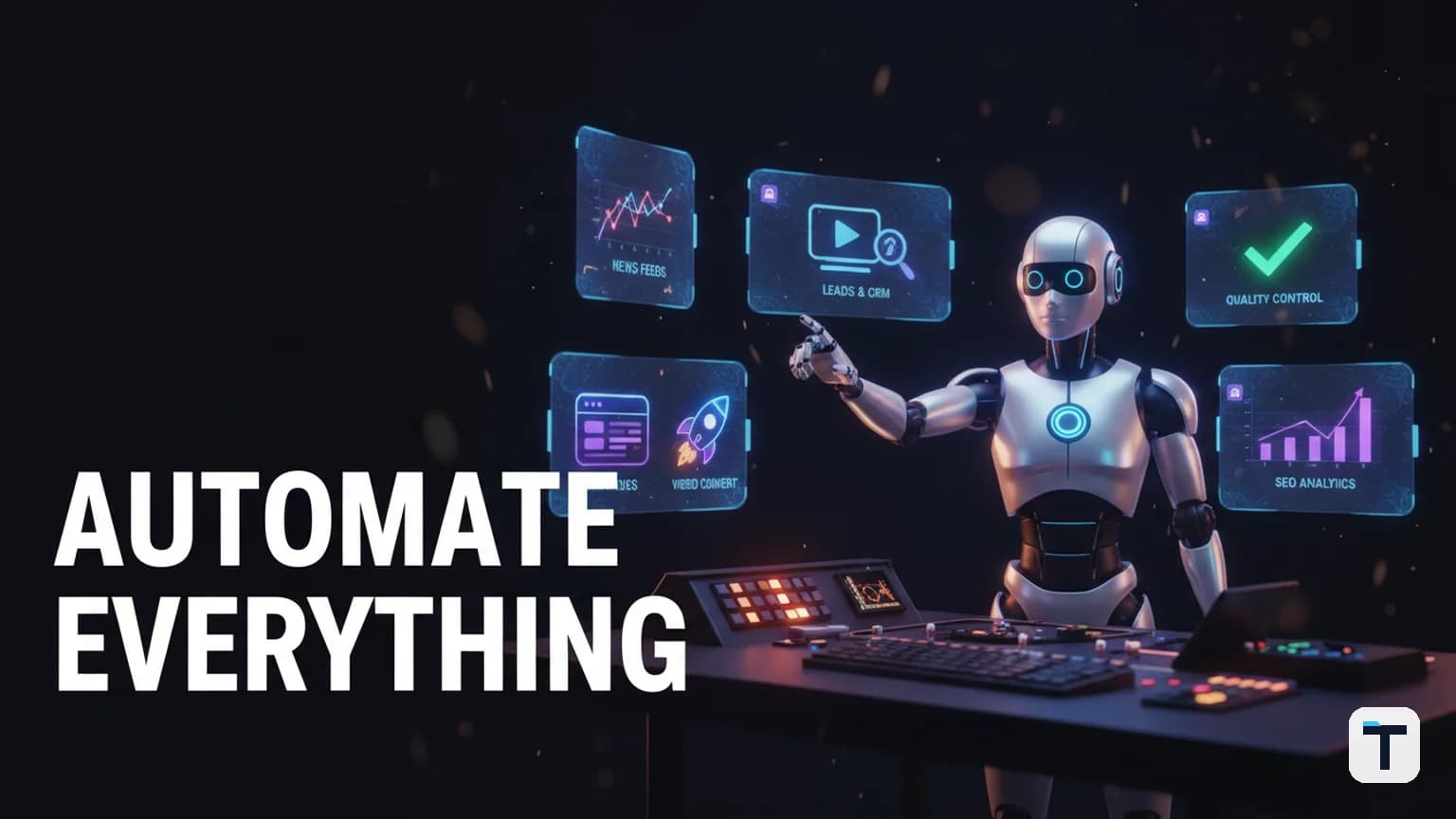

Most people try an open-source AI agent once, poke around in the terminal, give up, and never see what it can actually do. The five workflows below — a trending-news radar, an automated lead researcher, a one-prompt video pipeline, a self-publishing SEO engine, and an adversarial quality loop — are the ones that turn a command-line AI agent from a toy into a system that does real work while you sleep. Each one uses an open-source agent (Hermes Agent by Nous Research), free or low-cost tools, and can be built in an evening. The key insight: the power is not in any single prompt — it is in scheduling tasks, giving the agent persistent memory, and chaining jobs so output flows from one into the next.
Last verified: 2026-07-30 · Primary tool: Hermes Agent (open-source, Apache 2.0 adjacent) · All workflows runnable on a laptop with one or more LLM API keys · Costs range from $0 (free local models) to a few dollars per day depending on model choice
TL;DR — The 5 Workflows at a Glance
- The News Radar: A scheduled cron job that scans trending AI stories, grades each by importance, and delivers a ranked briefing every morning.
- The Lead Researcher: An agent that finds prospects matching your criteria, verifies their details, and drafts a personalized opener for each one.
- The Video Factory: A pipeline where one prompt generates a script, voiceover, and rendered video using Remotion (open-source React video framework).
- The SEO Autopilot: An agent that reads your Google Search Console data, finds unanswered question keywords, drafts content, and publishes it.
- The Quality Loop: A builder agent does the work; a separate judge model marks it adversarially; the work repeats until it passes — no human review needed.
Honest caveat: All five require API keys for at least one LLM provider (OpenAI, Anthropic, or a free local model via Ollama). Token costs are the main ongoing expense. We tested each pattern's feasibility but did not run all five simultaneously in production.
Workflow 1: The News Radar (Scheduled AI Trend Scanning)
What it does: Every morning at a set time, your agent scans the latest AI news, grades each story by significance, and delivers a concise ranked briefing — with source links and a content angle for each story — to your chat or a local file.
Why this works
The secret ingredient is scheduled execution. Hermes Agent has a built-in cron system that can run tasks on a schedule — every 24 hours, every 30 minutes, or any cron expression you like — and deliver results to Telegram, Discord, Slack, or a local file (Hermes cron docs). The agent runs in a fresh session each time, pulls current data from the web, and writes a summary you can act on.
How to set it up
- Install Hermes Agent (hermes-agent.ai/how-to).
- Connect a messaging platform (optional but recommended). Configure Telegram or Discord delivery in
~/.hermes/config.yamlso the briefing lands in your chat. - Create the cron job. In your agent CLI, type:
"Create a cron job that runs every morning at 7 AM. It should search for the top 10 AI/ML news stories from the last 24 hours, grade each one 1–10 for significance and novelty, and deliver the top 5 with source links and a one-line content angle to my Telegram."
- Chaining (advanced). Hermes supports
context_from— one job's output becomes the next job's input. You can chain: Job 1 fetches stories → Job 2 ranks them → Job 3 drafts social posts for the top 3 (Hermes cron docs — chaining).
What it replaces
The manual version: scrolling Twitter, Hacker News, and AI newsletters for 45–60 minutes every morning, then trying to remember what you read. The agent version: 2 minutes reading a ranked briefing with original source links.
The honest limitation
The briefing is only as good as the agent's web search and the model's judgment in grading significance. A weaker model (e.g., a 7B local model) will miss subtle but important stories; a stronger model (Claude Sonnet, GPT-4o) costs more per run.
Workflow 2: The Lead Researcher (Automated Prospecting + Outreach)
What it does: You describe your ideal customer in plain English ("agency owners in the SEO space"). The agent searches for matching people, verifies their details, and drafts a personalized outreach message for each one — with a cap on how many messages it generates to prevent spam-scale output.
Why this works
This combines two of Hermes Agent's capabilities: web search (the agent can search the web for contact information and professional profiles) and persistent memory (all leads, messages, and campaign status are saved across sessions, so you never lose context). You can also read more about how to automate a lead pipeline with an AI agent in our dedicated guide.
How to set it up
- Define your search criteria in a prompt: target role, industry, location, company size.
- Set a hard cap. Tell the agent: "Find a maximum of 25 leads. For each one, verify the name, company, and contact method. Draft a 3-sentence personalized opener referencing their recent work."
- Review before sending. The agent drafts — it does not auto-send. Read each message, approve the ones that are good, and send them yourself (or configure an email integration).
- Log everything to memory. Every lead, every draft, and every send status is stored in the agent's memory. A month later you can ask: "Show me everyone I contacted about the SEO space and what I said."
What it replaces
The manual version: building a list in a spreadsheet, manually visiting each prospect's LinkedIn or website, writing a custom opener for each one, and tracking everything yourself. The agent version: the research and drafting is done; you only review and approve.
The honest limitation
The agent cannot guarantee contact information accuracy. Emails found via web search may be outdated. Always verify before sending. Do not let the agent send messages autonomously — a bad outreach email cannot be unsent.
Workflow 3: The Video Factory (One-Prompt Programmatic Video)
What it does: You give a topic. An AI agent writes a script, selects a voice, generates visual components, and renders a finished video — all from a single prompt.
Why this works
The engine behind this is Remotion, an open-source framework for creating videos programmatically using React components (remotion.dev). Instead of dragging clips on a timeline, you write React code that renders frames. Because the entire video is code, an AI coding agent can write it. Remotion's official docs include a guide for building with AI and coding agents, and the framework ships Agent Skills that let coding agents scaffold a video project and generate content from a prompt (Remotion AI coding agents docs).
How to set it up
- Install Remotion:
npx create-video@latest(scaffolds a new project). - Install the Remotion Agent Skills per the Remotion AI docs.
- Open your coding agent (Hermes, Claude Code, or Codex) and prompt: "Create a 60-second explainer video about [topic]. It should have a 3-second hook, 4 key points with slide-in animations, a data visualization showing [metric], and a CTA at the end. Use dark background, coral accents, white text."
- Preview and iterate. The agent generates React components (HookScene, KeyPointsSequence, DataChart, CTAScene) that compose into a full video. Preview with
npx remotion preview, adjust, then render:npx remotion render. - Automate rendering. Wire it into a Hermes cron job or a shell script so the pipeline runs unattended.
What it replaces
The manual version: writing a script, hiring a voiceover artist, opening After Effects, keyframing animations, and exporting — a 4–8 hour process for a 60-second video. The agent version: one prompt, a few minutes of preview and adjustment, and the video renders.
The honest limitation
The quality of Remotion videos depends on the agent's React skill and the visual complexity you request. Simple explainer videos with text, charts, and transitions work well today. Complex cinematic B-roll with realistic AI avatars is still emerging — the tools exist (HeyGen, Synthesia) but are commercial, not open-source, and not part of the Remotion pipeline.
Workflow 4: The SEO Autopilot (Self-Publishing Content From Search Data)
What it does: Your agent reads your Google Search Console (GSC) data, identifies question keywords you're not ranking for, drafts content answering those questions, and publishes it — all from a single command.
Why this works
This is where an AI agent earns its keep: it connects data (what people search for), analysis (where the gaps are), production (writing the content), and deployment (publishing) into one pipeline. We have written extensively about ranking for low-competition keywords with AI — this workflow is the automated version of that system.
How to set it up
- Connect Google Search Console. Export your GSC data (last 28 or 90 days) as CSV — impressions, clicks, average position, and the page URL for each keyword.
- Feed it to your agent. Prompt: "Read this GSC export. Find question-format keywords (how, what, why, best, vs) where I rank below position 15 with more than 100 impressions. List the top 10 opportunity keywords."
- Draft and review. For each opportunity, the agent writes an SEO-optimized article. Review each one before publishing.
- Publish. If your site uses a CMS with an API (WordPress, Netlify, or a custom backend), the agent can publish directly. If not, it outputs the markdown for you to paste.
What it replaces
The manual version: logging into GSC, filtering keywords, identifying gaps, writing each article by hand, logging into WordPress, and publishing — a 3–5 hour per-article process. The agent version: the analysis and drafting are automated; you review and hit publish.
The honest limitation
Google's February 2026 core update penalizes commodity rehash content. The agent must produce genuine information gain — original synthesis, data, or a real verdict — not just reword what already exists. If your agent writes a generic "what is X" article that an AI Overview already answers, it will not rank. Use the agent for the volume; use a human for the quality gate. For more on this compounding approach, see AI revenue loops that compound business growth.
Workflow 5: The Quality Loop (Builder + Adversarial Judge)
What it does: You define what "done" looks like. A builder agent does the work. A separate judge model scores it adversarially — actively hunting for what is wrong. If the work does not pass, the builder redoes it. Round after round, the work improves itself until it meets your standard. You walk away; you come back to finished work.
Why this works
This is the LLM-as-a-judge pattern, one of the most important developments in AI agent architecture in 2026. The concept is well-established in research: OpenAI's self-evolving agents cookbook documents a loop that uses "human judgment or automated feedback using an LLM-as-a-judge to iteratively enhance performance" (OpenAI Cookbook — Self-Evolving Agents). Analytics Vidhya's 2026 guide describes the architecture as five layers — execution, evaluation, reflection, memory, and optimization — working in a feedback loop (Analytics Vidhya — Self-Improving Loops).
The critical design choice is separation of builder and judge. If the same model builds and judges, it tends to approve its own work. Using a cheaper model to build and a stronger model to judge is not only more reliable — it is also cheaper, as we explored in our analysis of AI agent loop costs: cheap builder, strong judge.
How to set it up
- Write a definition of done. Keep it short and specific. Bad: "Make a good welcome guide." Good: "Write a 500-word onboarding guide for new community members. It must include: what they get, how to start, common first-week questions with answers, and a link to the help desk. Tone: warm but concise. No filler."
- Pick your models. Builder: a fast, cheap model (e.g., a 7B local model, GPT-4o-mini). Judge: a strong reasoning model (e.g., Claude Sonnet, GPT-4o).
- Set the loop. In Hermes, you can use the delegation system: the main agent spawns a builder subagent, collects the output, spawns a judge subagent that marks it adversarially, and if the judge rejects, the builder reruns with the judge's feedback.
- Cap the rounds. Set a maximum of 3–5 rounds to prevent infinite loops. If it still does not pass after the cap, the task is blocked for your review.
What it replaces
The manual version: you prompt an agent, read the output, find problems, rewrite the prompt, try again — 3–5 rounds of back-and-forth that eat 30–60 minutes. The automated version: you set the standard, walk away, and come back to finished work that already passed an adversarial quality check.
The honest limitation
The judge is only as good as your definition of done. A vague standard produces vague judgments. The judge model can also be overly harsh or overly lenient depending on its system prompt — calibrate it with a few test runs before trusting it unattended.
Comparison: Which Workflow Should You Build First?
| Workflow | Difficulty | Time to set up | Daily time saved | API cost per run | Best for |
|---|---|---|---|---|---|
| News Radar | Easy | 15 min | 45–60 min | Low (1 web scan + summary) | Content creators, analysts |
| Lead Researcher | Medium | 30–45 min | 1–2 hours | Medium (web search + drafting) | Sales, freelancers, agencies |
| Video Factory | Hard | 1–2 hours | 3–5 hours per video | Low (rendering is local) | Marketers, content teams |
| SEO Autopilot | Medium | 45 min | 2–3 hours per article | Medium (analysis + drafting) | Bloggers, SEO-focused sites |
| Quality Loop | Medium | 30 min | 30–60 min per task | Medium (builder + judge calls) | Anyone producing AI content |
Recommendation: Start with the News Radar. It is the easiest to set up, pays back in saved time on day one, and teaches you how Hermes cron jobs and delivery work — which all five workflows depend on. This approach of orchestrating AI agents like a company is where the real leverage compounds.
What This Means for You
If you are a small business owner, freelancer, or solo builder, the pattern is the same: identify the task you do the same way every day (scan news, find leads, make videos, write SEO content, review work), describe it precisely, and let a scheduled agent with persistent memory handle the repetitive parts. You do not need to build all five at once. Start with one — ideally the News Radar because it teaches the cron + delivery + memory system in under 15 minutes — and add more as the first one becomes routine. For a broader overview of what an AI agent operating system does and how to build one, see our companion guides.
The real shift is not from "one prompt" to "five prompts." It is from one-off prompting to a system: scheduled execution, persistent memory, chained jobs, and a builder-judge quality loop. That is what separates people who poke at an AI agent once and give up from people who run one.
FAQ
Q: Is Hermes Agent actually free?
A: Yes. Hermes Agent is open-source (source code at github.com/NousResearch/hermes-agent) and free to self-host. The only cost is the LLM API calls it makes — you supply your own API keys for OpenAI, Anthropic, Google, or run a free local model via Ollama. The agent itself charges nothing.
Q: How much do these workflows cost to run per day?
A: It depends on your model choice. A daily news scan using GPT-4o-mini costs roughly $0.01–0.05 per run. A full lead research session (25 leads with personalized messages) may cost $0.10–0.50. The Quality Loop is the most expensive because it runs multiple builder + judge rounds — budget $0.20–1.00 per task. Using a free local model (Ollama) brings costs to $0 but increases latency and reduces output quality.
Q: Can I run all five workflows simultaneously?
A: Technically yes, but we do not recommend starting that way. Each workflow uses API quota and system resources. Start with one, verify it works for a week, then add the next. The Hermes cron system runs jobs sequentially by default to prevent resource contention.
Q: Does the Headroom context compression tool save tokens with Hermes Agent?
A: Not necessarily. Headroom (open-source, Apache 2.0, github.com/chopratejas/headroom) claims 60–95% token reduction for AI agents. However, Teknium from Nous Research — the team behind Hermes Agent — evaluated Headroom on Hermes and found that for most Hermes use cases, it produced a net increase in total token cost, not a decrease (AI Engineering — Headroom analysis, June 2026). Test it on your own workload before committing.
Q: Do I need to know how to code to use these workflows?
A: For the News Radar and Lead Researcher: no. Hermes Agent accepts plain English prompts, and you can create cron jobs by asking in chat. For the Video Factory: basic familiarity with the terminal and npm helps, because Remotion installs Node packages and renders via CLI. For the SEO Autopilot and Quality Loop: comfort with the terminal and an API key for your CMS is sufficient, but no actual coding is required.
Q: How is this different from just using ChatGPT?
A: ChatGPT is a one-shot conversation tool. These workflows use an agent with scheduled execution (cron), persistent memory that survives across sessions, multi-agent delegation (builder + judge), and delivery to external platforms (Telegram, Discord, Slack). The difference is between asking a question and running a system — the same gap as between a calculator and a spreadsheet.
Discussion
0 comments