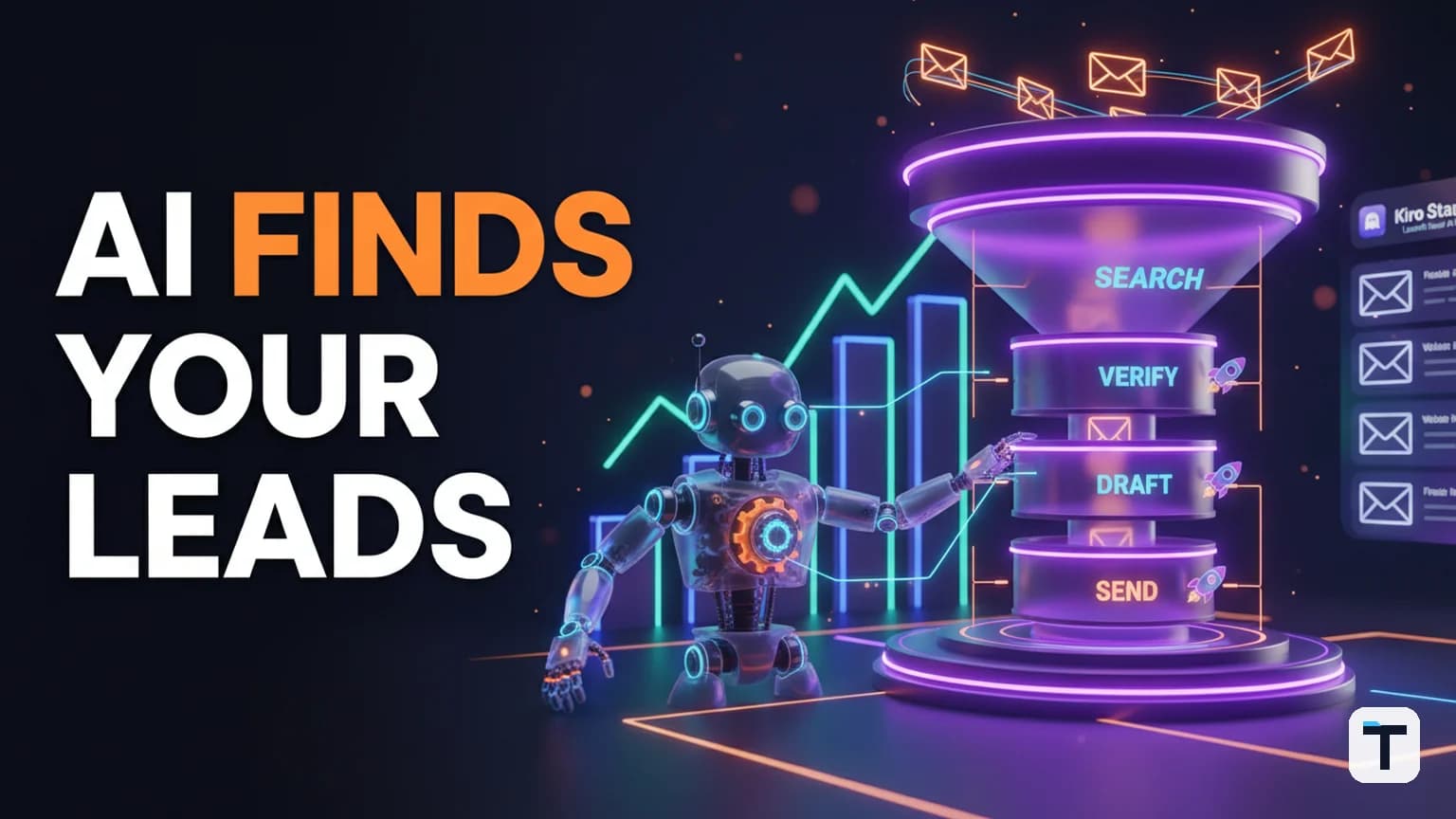

You can automate almost your entire lead pipeline in 2026 — from finding prospects to verifying their emails, scoring fit, drafting personalized outreach, and protecting your sender reputation — using a self-hosted AI agent wired to a B2B data API. The system takes one plain-English sentence describing who you want to reach and returns a list of real, verified contacts with drafted messages, ready for your approval before anything sends.
The combination that works: an open-source AI agent like Hermes Agent (by Nous Research) for orchestration and memory, paired with Hunter.io's Discover and verification APIs for company search, email finding, and deliverability checking. The agent handles the workflow; Hunter handles the data. You handle the final approval. This is not a demo — it is a buildable system for solo founders, small sales teams, and agencies who spend too many hours building prospect lists by hand.
Last verified: 2026-07-30
- One sentence describes your ideal prospect → the agent finds, verifies, scores, and drafts outreach
- Best data source: Hunter.io Discover API (plain-English company search, email verification, 7M+ users)
- Best agent framework: Hermes Agent (open-source, MIT license, persistent memory, runs on a $5/mo VPS)
- Critical safety step: email verification before sending (bounce rate above 3% damages sender reputation for 30-60 days)
- Human approval gate: nothing sends without your sign-off
- Pricing/limits change often — last checked July 2026
What Does a Fully Automated Lead Pipeline Look Like?
A fully automated lead pipeline is a system where you describe your ideal customer in one sentence, and an AI agent executes six steps in sequence: find matching companies, find and verify contact emails, score each lead for fit, draft a personalized message for each person, hand you the list for approval, and send through your own inbox only after you sign off. You interact with one input field. The agent handles everything in between.
The old way of prospecting — manually building lists in spreadsheets, guessing email formats, juggling a find tool here and a send tool there, and watching half your emails bounce — is what this replaces. The new way collapses finding, checking, scoring, and drafting into essentially one step, with a human gate before anything goes out.
This is the same pattern we describe in our guide to automating email outreach with an AI agent, but here we are zooming out to the full pipeline — from "who should I even contact?" to "message sent."
Which AI Agent Framework Should You Use for Lead Generation?
Hermes Agent is the strongest open-source choice for building a lead pipeline automation system in 2026. Built by Nous Research and released under the MIT license, it is a self-hosted AI agent with persistent memory, 40+ built-in tools, and support for 20+ messaging platforms — meaning your lead pipeline can run on your own infrastructure and talk to you through Telegram, Discord, or Slack when new contacts are ready for review. (Source: Hermes Agent documentation, GitHub)
Hermes Agent's key advantages for this use case:
| Feature | Why it matters for lead pipelines |
|---|---|
| Persistent memory | Remembers your ideal customer profile across sessions — you do not re-describe it every time |
| Tool calling | Calls external APIs (Hunter, CRM, email) as part of its reasoning loop |
| Cron jobs | Can run prospecting on a schedule — e.g., find 20 new leads every Monday morning |
| Self-hosted (MIT) | Your prospect data never leaves your infrastructure |
| Runs on a $5/mo VPS | No per-message fees, no SaaS mark-up on your data costs |
| Skills system | Reusable workflow templates — build your lead pipeline once, reuse forever |
The alternative is a commercial agentic sales platform (Jeeva, Artisan, 11x), which is turnkey but costs hundreds to thousands per month and locks your prospect data behind their walls. For builders who want control and low recurring costs, the self-hosted route wins. If you are new to the concept, our AI Agent Operating System explainer covers what "agentic" means in practice.
If you want to go further and run multiple specialized agents (a finder, a verifier, a writer) as a coordinated team, see our Hermes Agent fleet setup guide.
How Does the Hunter.io API Find Companies From a Plain-English Description?
Hunter.io's Discover feature includes an AI Assistant that takes a plain-language description of your target audience — for example, "SEO agencies in the US interested in link building" — and automatically configures the right search filters to return matching companies. You do not need to manually set industry, company size, or location filters. The AI Assistant translates your sentence into a structured search. (Source: Hunter Help Center, updated July 2026)
The feature was significantly improved in March 2026: you can now mention job titles in your search and the Assistant goes straight from company results to the specific people you need to reach, with one-click refinement suggestions after every search. (Source: Hunter.io changelog, March 19, 2026)
Here is how the pieces fit together in the API:
- Discover (company search): You describe your audience in plain English. Hunter's AI Assistant configures filters (industry, size, location, keywords, technologies, funding) and returns matching companies with enrichment data.
- Domain Search / Email Finder: For each matching company, the API finds publicly indexed email addresses and identifies the company's email pattern (e.g.,
firstname.lastname@company.com). - Email Verifier: Each email is checked for deliverability and given a confidence score and status. You only send to verified addresses.
Hunter.io pricing and credits (verified July 2026)
Hunter uses a shared credit pool. One credit = one email found; 0.5 credits = one verification. Repeated lookups within a billing period do not cost extra. (Source: hunter.io/pricing)
| Plan | Monthly Price | Credits/mo | AI Assistant searches/mo | Email accounts |
|---|---|---|---|---|
| Free | $0 | 50 | 10 | 1 |
| Starter | $49/mo | 2,000 | 50 | 3 |
| Growth | $149/mo | 10,000 | 150 | 10 |
| Scale | $299/mo | 25,000 | 300 | 20 |
A real prospecting workflow burns both ends: you search to find addresses, then verify before sending. So a 1,000-contact list can consume approximately 1,500 credits (1,000 searches + 1,000 verifications at 0.5 credits each). The Starter plan's 2,000 credits/mo covers roughly one such list per month.
What Are the 6 Steps of an AI-Automated Lead Pipeline?
Here is the system, step by step. Each step is something the AI agent does autonomously — you only interact with step 1 and the approval gate in step 6.
Step 1: Describe your target audience in one sentence
You type who you want to reach. Be specific: "SEO agencies in the US interested in link building" is far better than "SEO agencies." The more precise your description, the better the agent's search filters and the higher your lead quality.
This sentence becomes the input that drives everything else. The agent stores it in persistent memory, so on subsequent runs you can just say "same as last time, but focused on the UK instead."
Step 2: The agent finds matching companies and contacts
The agent calls the Hunter.io Discover API with your description. Hunter's AI Assistant translates it into structured filters and returns matching companies — with company size, description, industry, and location enrichment. For each company, the agent then calls Domain Search or Email Finder to surface the specific people who match your job-title criteria.
No manual list building. No spreadsheet of domains to check. The agent goes from your sentence to a list of real companies and real people.
Step 3: The agent verifies every email before anything sends
This is the step that saves you from looking bad and protects your sender reputation. For every email address found, the agent calls Hunter's Email Verifier API. Each address gets:
- A status: deliverable, undeliverable, risky, or unknown
- A confidence score: 0-100
Addresses that fail verification are filtered out. You never send to them. This matters more than most people realize — see the section on sender reputation below.
Step 4: The agent scores each lead for fit (0-100)
Not every verified contact is a good fit. The agent applies a scoring rubric — how well does this person's role, company size, industry, and stated interests match your ideal customer profile? Leads below a threshold (e.g., 50/100) are dropped automatically so you focus only on the people most likely to reply.
This is where the agent's persistent memory gives you an edge: it remembers your ICP from previous runs and applies it consistently, without you re-explaining what "a good fit" means each time.
Step 5: The agent drafts a personalized message for each person
For every lead that passes the fit score, the agent writes a personal opener and a short outreach message using the person's name, company, and relevant context (what their company does, their industry, the angle that connects to your offer). Each message reads like you actually looked at who they are — not a copy-pasted blast.
The agent can draft in your brand voice if you have a style guide or tone reference stored in its memory.
Step 6: You review, approve, and the agent sends through your inbox
Nothing sends on its own. You get a list — segmented by status (new, enriched, verified, contacted, replied) — and you read, tweak, approve, and only then does the agent send through your own connected email inbox.
This human gate is the difference between a tool and a complaint waiting to happen. AI drafts the boring part. You keep the final say.
Why Is Email Verification the Most Important Step in the Pipeline?
Email verification is the most important step because sending to dead or invalid addresses destroys your sender reputation, and once that reputation drops, even your good messages start landing in spam. The damage compounds: one high-bounce campaign drops your sender score, which lowers inbox placement on the next send, which lowers it further.
The data is stark. A 2026 analysis of 53 million+ cold emails found that:
| Metric | Threshold | Consequence |
|---|---|---|
| Bounce rate | Above 3% | Actively damages sender reputation; recovery takes 30-60 days (Source: Saleshandy, 2026) |
| Spam complaint rate | Above 0.3% | Gmail rejects your email outright with 5.7.x failure codes |
| Sender reputation | Below 70/100 | Emails are being throttled or filtered right now |
| Non-delivery causes | 83% | Trace back to poor sender reputation, not subject lines or timing |
Authenticated senders with clean lists hit 85-95% inbox placement. Unauthenticated senders with dirty lists land between 30-50%. (Source: Saleshandy internal data, 2026)
This is why the verification step is non-negotiable in an automated pipeline. The agent checks every address before it enters your send queue. The cost of skipping it is not just bounces — it is weeks of degraded deliverability that quietly kills every future campaign.
How Should You Warm Up a New Sending Inbox?
Use a dedicated sending email address for automated outreach — not your personal or primary business inbox. A fresh inbox needs warmup: a gradual ramp of sending volume over 2-4 weeks that teaches email providers (Gmail, Outlook, Yahoo) to treat your sender identity as trustworthy.
The recommended schedule, based on 2026 deliverability research:
| Week | Emails/day | What happens |
|---|---|---|
| Week 1 | 5-10 | Slow ramp, warmup tool only, no cold sends |
| Week 2 | 10-20 | Continue warmup, monitor for spam signals |
| Week 3 | 20-30 | Begin small cold tests (5-10/day mixed in) |
| Week 4 | 30-50 | Full cold campaigns, keep warmup running at 20%/day |
Unwarmed domains hit 40-60% inbox placement. Properly warmed domains hit 80-92%. That is the difference between 3 replies per 100 sends and 12 replies per 100 sends. Skipping warmup is the fastest way to permanently land in spam. (Source: InboxKit, 2026; LeadHaste, 2026)
Before starting warmup, ensure your domain has SPF, DKIM, and DMARC records configured — required by Google and Yahoo's bulk-sender rules since February 2024. Authenticated domains are 2.7x more likely to hit the inbox.
What Does This Cost to Build and Run?
Here is the true cost of running an AI-automated lead pipeline for a solo founder or small team:
| Component | Tool | Cost | Notes |
|---|---|---|---|
| AI agent | Hermes Agent | $0 (open-source) + $5/mo VPS | Self-hosted, MIT license |
| Company + email data | Hunter.io Starter | $49/mo | 2,000 credits, 50 AI searches, 3 email accounts |
| Sending domain | Google Workspace | ~$6/mo per user | Get a separate domain for outreach |
| Warmup tool | Instantly, Smartlead, or Lemwarm | ~$30-50/mo | Per mailbox, for the warmup network |
| Total (starter) | ~$90-105/mo | Enough for ~1,000 verified leads/month |
Compare this to a commercial AI SDR platform (Jeeva, Artisan, 11x) at $500-$2,000+/mo, or hiring a part-time SDR at $2,000-$4,000/mo. The self-hosted route trades setup time for a fraction of the recurring cost. For a breakdown of how to keep agent compute costs even lower, see our analysis of AI agent loop cost optimization.
What This Means for You
If you spend more than a few hours a week building prospect lists, verifying emails, and drafting outreach, an AI agent pipeline is the highest-leverage automation you can build in 2026. The system is real, the tools are available, and the cost is under $100/month for a solo operation.
The key principles that make it work:
- Be specific in your describing sentence — precision in, quality out
- Never skip email verification — it is the cheapest insurance in cold email
- Warm up your sending inbox — 2-4 weeks of patience saves months of spam-folder misery
- Keep the human approval gate — the agent drafts, you decide what sends
- Use a separate sending address — sandbox your outreach from your primary inbox
Start small. Run a handful of leads through the pipeline, read what the agent drafts, get a feel for the quality, then scale. This is a sharp tool, not a set-and-forget robot.
If you want to connect this pipeline to broader revenue-generating systems, our AI revenue loops framework shows how automated outreach compounds into a full growth engine.
FAQ
Q: What is an AI-automated lead pipeline?
A: An AI-automated lead pipeline is a system where an AI agent takes a plain-English description of your target audience and autonomously finds matching companies, verifies their contact emails, scores each lead for fit, drafts personalized outreach messages, and presents the list for your approval before sending — replacing manual list building, email guessing, and copy-paste outreach.
Q: Which tools do I need to build an AI lead pipeline?
A: You need three components: an AI agent framework (Hermes Agent is the leading open-source option, free with a $5/mo VPS), a B2B data API for company search and email verification (Hunter.io, starting at $49/mo for 2,000 credits), and a dedicated sending inbox (Google Workspace or Outlook, ~$6/mo) with SPF/DKIM/DMARC configured and 2-4 weeks of warmup.
Q: Can I use Hunter.io to find companies by job title and industry?
A: Yes. Hunter.io's Discover feature with the AI Assistant lets you type plain-English queries like "sales managers at SaaS companies in Germany" and automatically configures the right filters — industry, company size, location, job title — to return matching companies and the specific contacts you need to reach. AI Assistant searches are capped by plan: 10/month on Free, 50 on Starter, 150 on Growth, 300 on Scale.
Q: Why is email verification important before sending cold outreach?
A: Sending to invalid email addresses causes bounces, and a bounce rate above 3% actively damages your sender reputation. According to 2026 data from 53 million+ cold emails analyzed, 83% of non-delivery traces back to poor sender reputation, and recovery from reputation damage takes 30-60 days of clean sending. Verification costs 0.5 credits per email on Hunter — far cheaper than the deliverability damage it prevents.
Q: How long does it take to warm up a new email inbox for cold outreach?
A: New domains and mailboxes need 14-28 days of warmup before launching cold campaigns. Start at 5-10 emails per day through a warmup tool, ramp by 3-5/day, and reach 30-50/day by week four. Properly warmed domains see 80-92% inbox placement versus 40-60% without warmup. Never send cold email from a brand-new inbox at volume on day one — it will be flagged as spam within 24-72 hours.
Q: Does the AI agent send emails automatically without my approval?
A: No — or rather, it should not. A well-designed lead pipeline includes a human approval gate where the agent drafts personalized messages for each lead, presents them for your review, and only sends after you approve. The agent handles the repetitive work (finding, verifying, scoring, drafting); you keep the final say on what goes out. This is the difference between a productivity tool and a compliance risk.
Discussion
0 comments