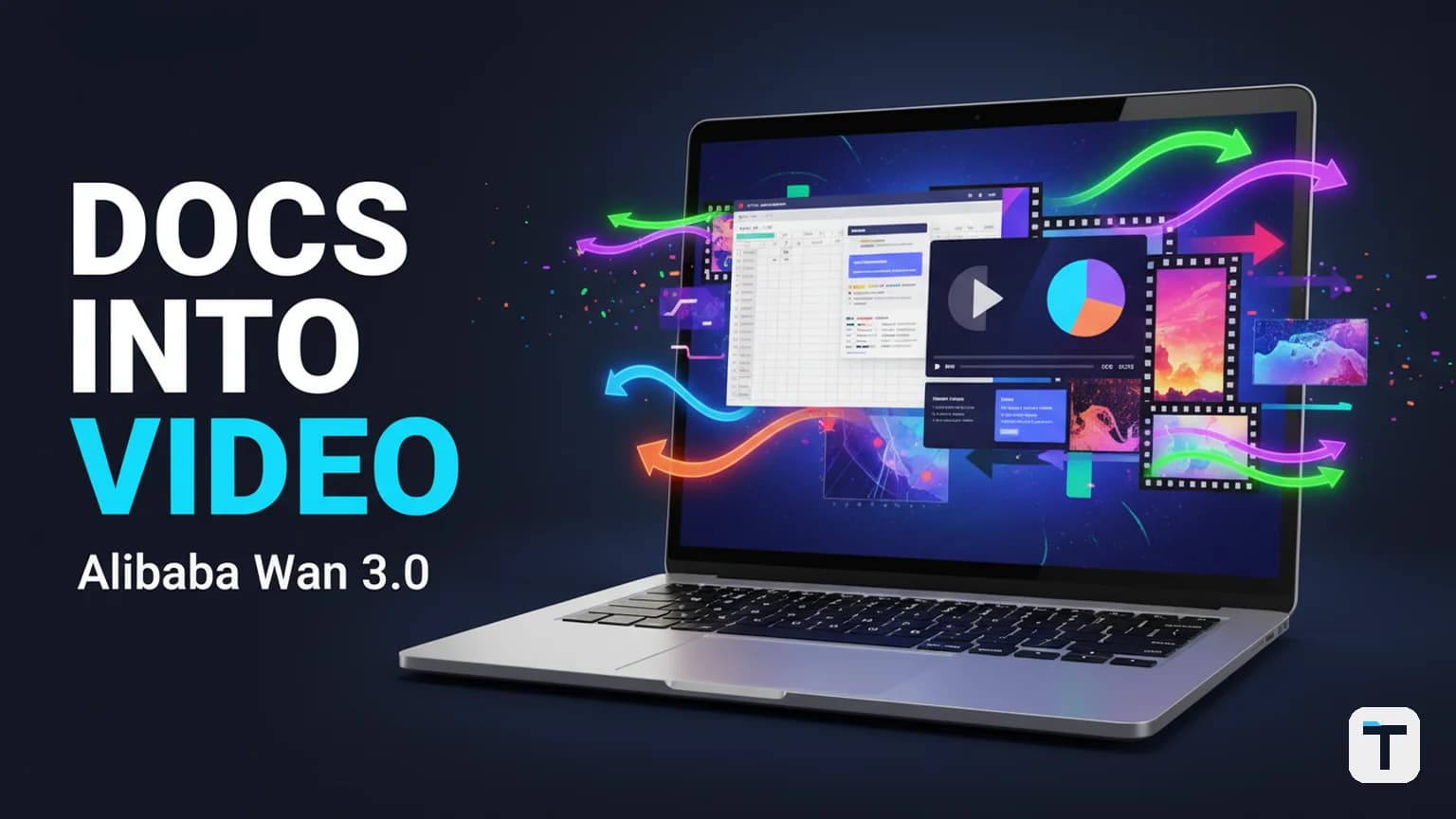

Wan 3.0 from Alibaba's Tongyi Lab can now read your documents, spreadsheets, slide decks, and web pages — and turn them directly into 30-second video clips in a single generation pass. That is a fundamental shift from the text-prompt-only model that defined AI video until now. You no longer need to describe your idea from scratch in a prompt box; you hand the model an existing file and let it extract the structure, data, and message. For small businesses sitting on reports, product pages, and presentations that nobody watches, this is the fastest path from "we have information" to "we have a video." The public beta went live on August 6, 2026, and API pricing starts at $0.05 per second of output video. (Alibaba Cloud Model Studio)
What this means for you: If you have a slide deck, a spreadsheet, or a product page that already communicates something, you have your video input. The workflow is not "write a better prompt" — it is "feed in the file you already have."
Last verified: 2026-08-09
- Wan 3.0 entered public beta on August 6, 2026 on Alibaba Cloud Model Studio, Qwen Cloud, and the Wan platform. (Source)
- The headline capability is native 30-second video generation in one pass — double the 15-second ceiling of Wan 2.6 and 2.7. (Source)
- Omni-Reference accepts
doc,xls,ppt,pdf,txt,key, andpagesfiles plus web pages as creative references — not just text, images, audio, and video. (Source) - API pricing is $0.05/second (480p), $0.10/second (720p), $0.20/second (1080p). A 30-second 720p clip costs approximately $3.00. (Source)
- Wan 3.0 is API-only — no open weights have been released. The last open-weight Wan model was Wan 2.2 in July 2025. (Source)
- Maximum resolution is 1080p. No 4K tier exists despite third-party claims to the contrary. (Source)
- Volatile fact warning: Wan 3.0 is in public beta; API access is still rolling out region by region. Pricing, quotas, and full endpoint availability may shift.
What is Wan 3.0 and how is it different from Wan 2.7?
Wan 3.0 is Alibaba's latest AI video generation model, built by the Tongyi Lab and hosted across Alibaba Cloud Model Studio, Qwen Cloud, and the Wan platform. The key differences from the previous Wan 2.7 release are: doubled clip length (15s → 30s), unified architecture (four separate models collapsed into one), and — most importantly — the addition of document and web-page inputs through the Omni-Reference system.
Before Wan 3.0, the Wan model family accepted text, images, audio, and video clips as reference inputs. Wan 2.5 added in-pass audio generation (synchronized sound and lip-sync). Wan 2.6 added multi-shot storytelling (multiple camera angles in one clip). Wan 2.7 added what Alibaba called "thinking mode" — the model plans its composition before rendering to reduce visual artifacts. Each release was a real jump, but every version still relied on the same narrow set of inputs you could hand it. Wan 3.0 breaks that list wide open. (Alibaba Cloud)
| Capability | Wan 2.7 | Wan 3.0 |
|---|---|---|
| Max clip length | 15 seconds | 30 seconds |
| Max resolution | 1080p | 1080p (unchanged) |
| Architecture | Four separate models (T2V, I2V, reference, editing) | One unified model |
| Reference inputs | Text, image, audio, video | Adds doc, xls, ppt, pdf, txt, key, pages, web pages |
| Editing / motion driving | Separate models needed | Built into the main model |
| API pricing | Per-model rates | $0.05–$0.20/second by resolution |
| Open weights | Not released (cloud-only since 2.3) | No — API only |
Sources: (Alibaba Model Studio), (JXP Wan 3.0 release specs), (Siray.ai analysis)
What is Omni-Reference and why does it matter?
Omni-Reference is the name Alibaba gives to Wan 3.0's expanded input system. Instead of accepting only text, images, audio, and video clips as reference material, it now also accepts structured documents: doc, xls, ppt, pdf, txt, key, and pages files, plus full web pages. (Source)
This matters because it removes the hard part of AI video — the prompt. Until now, every AI video model required you to describe what you wanted in text. If you had a slide deck with 15 slides, you had to manually translate the content of every slide into a prompt that hopefully captured the same meaning. With Omni-Reference, you just upload the deck. The model reads the structure, the data, and the narrative arc of the source material and uses that as creative direction for the video it generates.
Think of it this way: the old version of AI video was a chef who could only cook if you handed them a written recipe. Wan 3.0 is a chef who can cook from a photo, a menu, a grocery list, or a recipe card from a different restaurant. It reads more kinds of input and still knows what to build.
The supported file formats, per Alibaba's published spec:
| Format | Type | Typical content |
|---|---|---|
doc, docx |
Word documents | Written reports, customer research, long-form content |
xls, xlsx |
Spreadsheets | Data tables, financials, customer lists, review compilations |
ppt, pptx |
Slide decks | Presentations, course materials, pitch decks |
pdf |
Portable Document | Combined text + visual + data documents |
txt |
Plain text | Notes, transcripts, brief |
key |
Apple Keynote | macOS/iOS slide presentations |
pages |
Apple Pages | macOS/iOS word documents |
| Web page | URL input | Landing pages, product pages, blog posts |
Source: (JXP — Wan 3.0 Release Date, API, Pricing & Verified Specs)
How much does Wan 3.0 cost and where can you access it?
Wan 3.0 is available on three Alibaba-hosted surfaces as of the August 6, 2026 public beta launch: Alibaba Cloud Model Studio, Qwen Cloud, and the Wan platform at wan.video. (Source) API access is still rolling out region by region — the model ID on Model Studio's international site (ap-southeast-1) is wan3.0-video, but full endpoint stability should be confirmed before production integration. (Source)
Pricing is published per second of output video, broken down by resolution tier:
| Resolution | Price/second | 30-second clip cost |
|---|---|---|
| 480p | $0.05 | $1.50 |
| 720p | $0.10 | $3.00 |
| 1080p | $0.20 | $6.00 |
Source: (Alibaba Cloud Model Studio blog, August 6, 2026), (JXP)
Note: Some third-party aggregator pages list slightly different rates. Alibaba's RMB pricing converts to the approximate USD figures above. Treat the official RMB rates as the source of truth and verify live pricing in the Model Studio console before budgeting for production.
For comparison, the Wan 2.6 text-to-video endpoint costs approximately $0.08/second on some aggregator platforms, and image-to-video approximately $0.12/second. (Source) Wan 3.0's 720p rate at $0.10/second is in the same ballpark as its predecessor — but you get twice the clip length and document-input capability.
How to turn a document into video with Wan 3.0: the step-by-step workflow
Step 1: Pick the right source file (not a blank page)
Start with something you already have. Do not write new content from scratch for your first test. The whole point of Omni-Reference is that your existing files are the input. Good first candidates:
- A slide deck from a recent pitch or course module (5–15 slides is a good size)
- A spreadsheet with customer reviews, sales data, or product comparisons
- A one-page Word or PDF document summarizing a product, service, or quarterly result
- A single landing page URL from your website
The best results will come from files that have clear visual structure (headings, data tables, bullet lists) and a coherent narrative. A 50-page raw dump with no structure is a harder test case than a 10-slide deck with a story.
Step 2: Access the model on your platform of choice
Three entry points are available:
- Alibaba Cloud Model Studio (enterprise / developer): International site at
modelstudio.alibabacloud.com, model IDwan3.0-video. This is the API endpoint if you are integrating into a pipeline. (Source) - Qwen Cloud (Alibaba's hosted Qwen/Wan creation tool): consumer-facing, lower barrier to entry. Search for
wan3.0-videoon the platform. (Source) - Wan platform at
wan.video: Alibaba's dedicated Wan creative hub. Members-only access during beta rollout.
For your first test, Qwen Cloud or the Wan platform is the faster on-ramp. If you are building automation that calls the model programmatically, use Model Studio's API.
Step 3: Upload your file as an Omni-Reference input
In the platform's generation interface, select the Omni-Reference option and upload your file. Supported formats are doc, xls, ppt, pdf, txt, key, and pages. You can also paste a web page URL as a reference. (Source)
You can combine up to 20 reference assets in a single generation call — including a mix of documents, images, video clips, and audio. (Source) This lets you, for example, upload a slide deck plus a brand logo image plus a product photo all as one set of inputs to guide the style and content simultaneously.
Step 4: Add a short creative intent prompt (optional but recommended)
Even with a document reference, adding a brief creative direction improves results. The prompt is your creative intent, and the document is your source material. Example prompts:
- "Create a 30-second product explainer from this slide deck. Professional tone, highlight the key metrics."
- "Turn this spreadsheet of customer reviews into a highlight reel video. Warm, authentic feel."
- "Build a short ad from this product page. Focus on the value proposition and the customer testimonials."
For clips longer than 10 seconds, Alibaba recommends describing the action in ordered stages with visible goals, rather than one dense paragraph. There is no "negative prompt" field in Wan 3.0 — exclusions go into the main prompt as plain instructions (e.g., "no text on screen"). (Source)
Step 5: Choose duration, resolution, and generate
Wan 3.0 supports an "intelligent duration" feature: the model proposes a clip length from your prompt and references, rather than making you pick blindly. If you need a specific length, specify it. Maximum is 30 seconds in a single pass.
Choose your resolution tier:
- 480p at $0.05/second: test runs, rough drafts, internal review
- 720p at $0.10/second: good enough for social media, a 30-second clip costs ~$3
- 1080p at $0.20/second: production-ready, a 30-second clip costs ~$6
Source: (Alibaba Model Studio)
Hit generate. The model processes the document, proposes a composition (using its "thinking mode" capability inherited from Wan 2.7), and produces a single-pass 30-second video with synchronized audio if requested.
Step 6: Review the output before you post it
This step is not optional. Reading a spreadsheet does not mean the model understands your business. It means it can turn structured data into a visual. Those are different things, and mixing them up will produce a video that looks good but says the wrong thing.
Check for:
- Factual accuracy: are the numbers and claims shown on screen correct, or did the model misread the spreadsheet?
- Visual rendering: Alibaba calls its improved output "reality-grade rendering" (less waxy, less floaty than older AI video). Judge it yourself — this is their marketing term, not an independent test result.
- Audio sync: if you asked for synchronized audio, does the lip-sync and sound effects match the visual timing?
- On-screen text: Alibaba acknowledged that typographic accuracy still has "room to improve." (Source) If your document has important numbers, verify they rendered correctly.
If you need to extend the clip, Wan 3.0 includes a separate video-extension tool. But the 30-second native limit is still just a clip — it is not a full commercial or documentary. Plan your content to fit in 30-second segments.
What can you actually make from a document with Wan 3.0?
Here are real use cases where feeding an existing file into Wan 3.0 produces something useful, faster than starting from a blank prompt:
Turn a customer-review spreadsheet into a highlight video
A local business owner with a spreadsheet full of customer reviews can upload the file as an Omni-Reference, add a prompt like "highlight our best customer reviews in a warm, authentic reel," and get a 30-second social-ready clip of animated testimonials. No video editor, no camera crew, no narration recording.
Turn a slide deck into a video lesson without recording yourself
A course instructor with a slide deck can upload the PPT and generate a 30-second explainer lesson. The model reads the slide structure, pulls out the key points, and renders them as a narrated visual — without the instructor needing to record themselves talking over slides.
Turn a landing page into an ad
A small business selling one product on a single web page can paste the page URL as a reference. Wan 3.0 reads the structure and message straight from the page and turns it into a 30-second ad.
Turn a quarterly report into a video summary
An enterprise team with a written quarterly report (PDF or Word doc) can feed it in and produce a short video version of the key findings — ready for an internal all-hands or a LinkedIn post without touching a single video editor.
None of these workflows require coding. None require a video editor or a camera crew. That is the audience Wan 3.0's document-to-video capability is actually built for, whether Alibaba says it out loud or not.
How does Wan 3.0 compare to Seedance 2.5 and MiniMax H3?
Wan 3.0 is not the only model offering long (25-30 second) AI video generation. Here is how it stacks against the main alternatives as of August 2026:
| Capability | Wan 3.0 (Alibaba) | Seedance 2.5 (ByteDance) | MiniMax H3 |
|---|---|---|---|
| Max clip length | 30 seconds (native single-pass) | 30 seconds (single pass) | ~30 seconds (via Extend tool, stitched) |
| Document inputs | doc, xls, ppt, pdf, txt, key, pages, web pages |
No — text prompts and 50 reference inputs (images/video) | No — text and image/video references |
| Audio | Synchronized audio in-pass | Synchronized audio in-pass | 2K + audio in one prompt |
| Max resolution | 1080p | 1080p | 2K (2048×1080) |
| Open weights | No — API only | No — API only | Yes — open weights available |
| Pricing | $0.05–$0.20/second by tier | Varies (ByteDance pricing) | ~$0.12/second (aggregator) |
| Differentiator | Document-to-video (Omni-Reference) | 50 reference inputs, targeted editing | 2K native, open weights, cheaper |
Sources: (Alibaba Model Studio), (JXP), (Siray.ai)
For a deeper comparison of the MiniMax / Veo / Kling / Seedance options, see our guide to when the top-ranked AI video editor is worth it. If 30-second single-pass video is what you came for, Seedance 2.5 covers the same duration with a stronger editing focus. And for 2K open-weight video at roughly one-third the cost, MiniMax H3 is the open alternative.
The honest verdict: Wan 3.0's unique edge is document-to-video. If you have existing files you want to convert, Wan 3.0 is the only model that reads them natively. If you want the highest resolution or open weights, MiniMax H3. If you want the best editing workflow, Seedance 2.5.
What are the real limits of Wan 3.0 document-to-video?
30 seconds is a clip, not a full commercial or documentary. It is enough for a social ad, a product demo, a lesson segment, or a short narrative sequence with a setup and payoff. It is not a replacement for full video production workflows.
"Reality-grade rendering" is Alibaba's own claim, not an independent test result. Wan 3.0 is absent from the Artificial Analysis Video Arena leaderboard, so "best video model" claims have no benchmark backing. (Source) Judge the actual footage yourself before adopting it for client work.
Reading a spreadsheet is not the same as understanding your business. The model converts structured data into a visual. It does not verify whether the visual interpretation is accurate, strategic, or says the right thing. A video that looks polished but misrepresents your numbers is worse than no video at all.
Audio quality and typographic accuracy both "still have room to improve" per Alibaba's own candid assessment. (Source) If your document has critical numbers or text that must render perfectly on screen, verify the output manually.
No open weights. Wan 3.0 is API-only. You cannot self-host it or fine-tune the weights. The last open-weight Wan model was Wan 2.2 from July 2025. (Source) If self-hosting or data sovereignty matters to your workflow, this is a hard limit.
Full API access is still rolling out. As of the August 6 launch, Alibaba described full API access as opening "soon" without a committed date. (Source) Treat the current window as an evaluation period, not a production environment.
How does the Wan model family evolve — and what comes next?
The Wan release cadence tells a clear story:
| Version | Release | Max duration | Key addition |
|---|---|---|---|
| Wan 2.1 | Feb 2025 | 5 seconds | Text-to-video baseline |
| Wan 2.2 | Jul 2025 | 5–10 seconds | Open weights (last open-weight release) |
| Wan 2.5 | Sep 2025 | 10 seconds | In-pass audio (synchronized sound, lip-sync) |
| Wan 2.6 | Dec 2025 | 15 seconds | Multi-shot storytelling (multiple camera angles) |
| Wan 2.7 | Apr 2026 | 15 seconds | "Thinking mode" — composition planning before render |
| Wan 3.0 | Aug 2026 | 30 seconds | Omni-Reference (documents, spreadsheets, slides, web pages); unified architecture |
Source: (Toolworthy version history), (JXP)
Duration roughly doubled at each of the last three steps: 10 → 15 → 30 seconds. Resolution has been frozen at 1080p since Wan 2.5 — four consecutive releases and nearly a year. The release cadence is roughly four months between major versions.
If that pattern holds, the next jump is probably full folders, entire websites, or whole product catalogs fed in at once — extrapolating from the steady expansion of what counts as a "reference input." [(Trend observation, not confirmed by Alibaba)] We don't know this for certain yet, but the pattern so far says don't bet against it.
The trajectory worth watching for your day-to-day: the gap between "I have information" and "I have a video explaining that information" is closing to almost nothing. That used to be a job. Now it is closer to a task. For more on how AI is reshaping content production pipelines, see our guide on how to spot AI-written content before your readers do and our framework for subjective quality in generated content.
What this means for you
If you make content regularly, start by testing Wan 3.0 with something you already have, not something you write from scratch. Take one slide deck, one spreadsheet, or one web page you already own and run it through as a reference. See what comes out before you plan a whole strategy around it.
If you are a small business owner who has never touched video tools, this is your on-ramp. You do not need a camera crew or an editor. You need one document you already have sitting on your computer and 30 seconds of patience. The workflow is whether to use AI for content is easier than ever — the hard part was always the prompt, and Alibaba is removing it.
If you manage a team, the question is not whether to use this, it is who on your team is going to own it. Someone needs to be the person who turns your existing reports and pages into video content on a normal schedule, or it will sit there as a cool idea nobody actually uses.
If you have been putting off learning AI video because it felt like it moves too fast to keep up with, push back on that. The tools are getting easier, not harder. Wan 3.0 reading a spreadsheet is Alibaba admitting that typing a perfect prompt was the hard part — and they are removing it. Our 30-day AI adoption playbook for small business can help you build a structured path from evaluation to routine use.
The businesses that win the next year are not the ones with the fanciest new camera or the biggest editing budget. They are the ones who take what they already have — a report, a page, a slide deck — and turn it into something people actually watch, faster than everyone else still doing it the old way.
FAQ
Q: What is Wan 3.0's Omni-Reference feature? A: Omni-Reference is Wan 3.0's expanded input system. It accepts documents (Word, PDF, spreadsheets, slide decks, Keynote, Pages) and web pages as creative references alongside the traditional text, image, audio, and video inputs. Instead of writing a text prompt from scratch, you can upload a file you already have and the model reads its structure, data, and message to generate video.
Q: How long are Wan 3.0 videos? A: Wan 3.0 generates up to 30 seconds of video in a single pass without stitching — double the 15-second ceiling of Wan 2.6 and 2.7. A separate video-extension tool lets you extend an existing clip, but the native native generation limit is 30 seconds.
Q: How much does Wan 3.0 cost per video? A: API pricing is $0.05/second at 480p, $0.10/second at 720p, and $0.20/second at 1080p. A 30-second clip costs approximately $1.50 at 480p, $3.00 at 720p, or $6.00 at 1080p. Pricing is published by Alibaba Cloud Model Studio as of August 6, 2026.
Q: Is Wan 3.0 open source? A: No. Wan 3.0 is API-only with no published weights, model card, or repository. The last open-weight Wan video model was Wan 2.2 from July 2025. Wan 3.0 is the fourth consecutive hosted-only release in the Wan series.
Q: Can Wan 3.0 generate 4K video? A: No. The published pricing tiers top out at 1080p. A widely circulated "native 4K" claim traces to a misreading of Wan 2.7's text-to-image capabilities (which support up to 4096×4096 for still images), not video. Wan 3.0's maximum video resolution is 1080p.
Q: What file types can Omni-Reference read?
A: Supported formats are doc, xls, ppt, pdf, txt, key (Apple Keynote), and pages (Apple Pages). You can also use a web page URL as input. You can combine up to 20 reference assets in a single generation call.
Q: Is Wan 3.0 available for commercial use? A: Public beta access does not automatically mean unrestricted commercial usage. If you plan to use Wan 3.0 outputs in ads, paid courses, client campaigns, or customer-facing product content, check Alibaba Cloud's terms and the Wan platform's licensing before production use.
Every claim here is traced to a primary source, dated, and listed under Sources. Research and drafting are AI-assisted; editing, verification and publication are human decisions, and a person is accountable for what appears on this page. How we work →
Discussion
0 comments