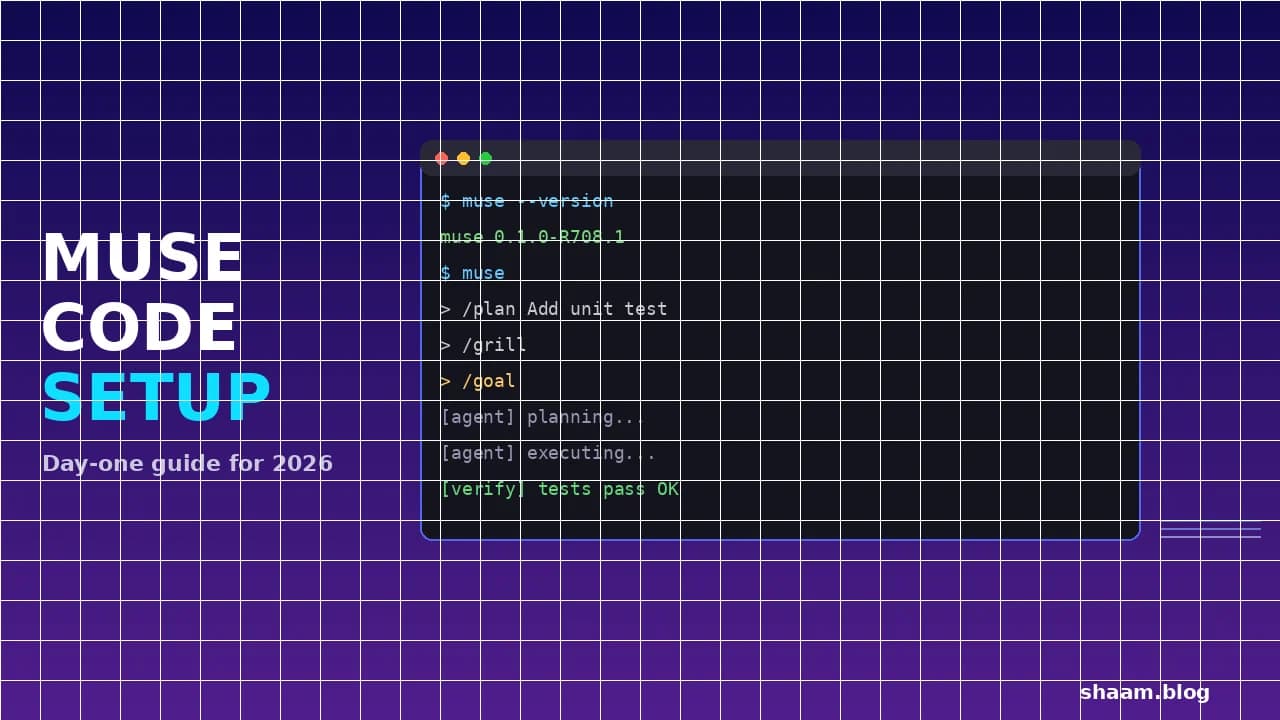

title: "How to Set Up and Use Meta Muse Code on Day One (2026 Guide)" slug: "muse-code-setup-guide-day-one-2026" date: "2026-08-09" tags: ["muse code", "meta", "coding agent", "muse spark", "ai tools", "developer tools"] category: "Artificial Intelligence" status: "published" featured: false excerpt: "Meta's Muse Code is a terminal coding agent powered by Muse Spark 1.2, with parallel sub-agents, a crash-safe event log, and a contributor tier as cheap as $0.10 per million tokens. Here is the day-one setup, the workflow that actually works, and the one privacy decision you must get right before your first task."
Verdict: Muse Code is Meta's bet that the future of coding is not a chatbot but an autonomous terminal agent — and on day one, it is genuinely usable. One curl command installs it, one browser login authenticates you, and the bundled /plan, /grill, and /goal skills give you a plan-review-verify loop that is closer to working with a junior engineer than prompting a chatbot. The catch is not the tool — it is the pricing tier you pick. The contributor tier costs roughly 12x less than standard but lets Meta train on your code, and it is switched by a single model ID, not a signed agreement. Use it for open-source work. Do not point it at a proprietary codebase.
Last verified: 2026-08-09 · Best for: Developers who want a terminal-native AI coding agent with parallel sub-agents and persistent background work, especially for open-source or non-sensitive projects · Avoid for: Production CI on proprietary codebases (until the tier governance question is settled)
TL;DR
| The problem | AI coding agents either cost $25+ per million output tokens (Claude Opus, GPT-5.6) or lock you into a web-based IDE. Developers who live in the terminal have been waiting for a native option. |
| The insight | Muse Code ships with the architecture that matters for real repositories — parallel git worktrees, persistent background agents, a local event log that survives crashes — not just a prettier chat window. |
| The solution | Install with one curl command, start with a bounded first task, use the /plan → /grill → /goal loop, and decide your pricing tier deliberately before the first muse invocation. |
What is Meta Muse Code?
Muse Code is a terminal-native AI coding agent released in beta on August 5, 2026, by Meta Superintelligence Labs (MSL) — the AI division led by Chief AI Officer Alexandr Wang. It is Meta's answer to Claude Code, OpenAI Codex, and Google's Antigravity CLI, and it is the first coding-specific product to ship from MSL.
The model powering it is Muse Spark 1.2, a coding-focused upgrade to July's Muse Spark 1.1. Unlike a general-purpose LLM, Muse Spark was trained on code trajectories — the full sequence of prompt, plan, tool calls, failed attempts, corrections, and tests — which is the data that teaches a model to act rather than autocomplete.
The key architectural choices that distinguish Muse Code from a chatbot wrapper:
- Async background agents — persistent sub-agents that keep running while you work on something else, similar to how Claude Code's cross-session messaging lets sessions talk to each other.
- Git worktree isolation — parallel sub-agents each work in separate git worktrees, so multiple agents can modify code simultaneously without stomping each other's changes.
- Local event log — every action is written to a local log before it is executed, so if the agent crashes mid-task, you can replay the session and recover state.
- Three bundled skills —
/plan(draft a plan),/grill(stress-test the plan for gaps), and/goal(execute the plan autonomously with a verify loop).
These are not incremental features. They are the difference between an agent that writes code and an agent you can hand a repository-sized objective to and trust it to plan, execute, and validate without you watching every keystroke.
How do you install Muse Code?
The install is a single curl command. The binary is statically linked, so you need no Node.js, Python, or Homebrew — just curl and bash.
Prerequisites
- Platform: macOS or Linux, x86_64 or arm64. Native Windows is not supported — the installer hard-fails with
unsupported platform. Windows users should install inside WSL2. - Runtime dependencies:
curlandmktemp(both present on any modern macOS/Linux system).gitis required at runtime for worktree features but not for installation. - No Node.js, no Python, no Homebrew. The binary is self-contained.
Install command
curl -fsSL https://dev.meta.ai/install.sh | bash
Watch the domain. Several early guides printed
dev.ai/install.sh— that is a different site and does not serve the installer. The correct host isdev.meta.ai. (Confirmed against Meta's published installer and the shipped0.1.0-R708.1binary.)
The installer drops the muse binary into your PATH (typically ~/.local/bin). Verify it landed:
muse --version
If the command is not found after install, restart your shell or source your rc file (~/.bashrc, ~/.zshrc). If you set MUSE_NO_MODIFY_PATH=1 to prevent the installer from touching your PATH, add the directory manually.
For teams that want to audit the script before running it:
curl -fsSL https://dev.meta.ai/install.sh -o install.sh
# review install.sh
bash install.sh
Where does Muse Code store credentials?
At ~/.config/muse/auth.json, or $XDG_CONFIG_HOME/muse/auth.json if set. Not ~/.muse/ — some early guides got this wrong. (Confirmed against Meta's documentation.)
How do you authenticate?
The first time you run muse, it opens a browser window for device-code authentication against your Meta developer account. Sign in, grant the CLI access, and credentials cache locally — you will not re-authenticate on subsequent sessions (unless the token expires).
This is the same device-code flow used by most modern CLI tools (Azure CLI, GitHub CLI). If you are on a headless machine or in CI, you will need to set up API key authentication instead — see the CI section below.
What should your first task be?
The safest first run is a task that is small enough to inspect but large enough to test the workflow. Three good candidates:
- A missing test — pick one function with no test coverage, ask Muse Code to write a test, run it yourself. Small, verifiable, and it exercises the full plan-write-test loop.
- A contained bug fix — one issue with a failing test or a clear reproduction. You can see whether the agent understands the codebase and arrives at the right fix.
- A migration step — one upgrade or refactor that can land as its own pull request. Tests whether the agent can reason about existing code without breaking it.
Do not start by asking Muse Code to "rewrite the auth module" or "add a payments system." Start with something where you can verify correctness in five minutes.
The plan → grill → goal loop
Muse Code ships three skills designed to be used in sequence:
muse
# Inside a session:
/plan Add a unit test for the PaymentValidator.validate() method
This produces a plan — what files to read, what test to write, what to verify. Review it. Then:
/grill
/grill stress-tests the plan: asks what happens on edge cases, what existing tests might break, whether the approach is the simplest one. Fix anything it surfaces. Then:
/goal
/goal executes the plan autonomously, running the verify loop (write code, run tests, fix failures, repeat) until the task is done or it hits a wall.
This is the workflow that makes Muse Code more than a chatbot — you are not watching every token. You are reviewing a plan, approving it, and letting the agent execute with a built-in safety net.
How do parallel sub-agents work?
Muse Code's flagship capability is parallel sub-agents using git worktree isolation. When you give the agent a multi-part task, it can spawn sub-agents, each working in a separate git worktree — a lightweight clone of your repo that shares the .git directory.
Why this matters: most AI coding agents work sequentially — one agent, one file at a time. If you ask them to "fix the failing tests, update the README, and add type annotations," they do each task one after the other. Muse Code can assign each to a separate sub-agent running in its own worktree, and the changes land in parallel without conflicts.
The tradeoff: parallel sub-agents multiply token usage. Three sub-agents each making model calls means roughly 3x the token consumption of a single agent. For the contributor tier's 60-requests-per-minute rate limit, this is also the first place you will hit the throttle.
How does the event log protect you?
Every action Muse Code takes — file reads, writes, shell commands, tool calls — is written to a local event log before it is executed. This is not a nice-to-have; it is what makes the agent safe enough to run on a real repository.
Three things the event log gives you:
- Crash recovery — if Muse Code crashes or your terminal closes mid-task, the log has the full execution trace. You can replay the session (
muse replay) and pick up where it left off. - Audit trail — every file the agent modified, every command it ran, every decision it made is recorded. If something breaks, you know exactly what happened and when.
- Handoff — export the full trace and hand it to another developer (or another agent session) for context. The trace is the handoff, not a summary you write yourself.
This is the same principle behind the sandboxing architectures that make vibe coding safe — if you can see and replay every action, the blast radius of a bad decision shrinks dramatically.
How does Muse Code compare on benchmarks?
Meta's own benchmarks (Terminal-Bench 2.1 and DeepSWE 1.1) position Muse Spark 1.2 — the model powering Muse Code — between Claude Code (Opus 5) and Codex (GPT-5.6 Terra). These are vendor-reported results and have not been independently verified as of August 2026. Treat them as claims, not facts.
Terminal-Bench 2.1 (terminal-agent tasks)
| Model | Harness | Score |
|---|---|---|
| Claude Opus 5 | Claude Code | 86.7% |
| Muse Spark 1.2 | Muse Code | 82.9% |
| GPT-5.6 Terra | Codex | 81.8% |
DeepSWE 1.1 (software engineering tasks)
| Model | Harness | Score |
|---|---|---|
| Claude Opus 5 | Claude Code | 65.0% |
| GPT-5.6 Terra | Codex | 64.8% |
| Muse Spark 1.2 | Muse Code | 59.3% |
(Vendor claim, Meta research blog, August 2026. The gap between Muse Spark 1.2 and Opus 5 on DeepSWE — 5.7 percentage points — is meaningful for production codebase work where autonomous multi-step accuracy matters.)
The headline: Muse Code is competitive but not leading. On Terminal-Bench it trails Opus 5 by 3.8 points. On DeepSWE it trails by 5.7 points. The differentiator is not raw benchmark scores — it is pricing and the contributor tier trade. For a deeper look at how coding benchmarks are evolving and where they break, see our guide on DeepSWE vs SWE-bench Pro and why AI coding benchmarks are breaking.
The GPU kernel case study
Meta's most striking demonstration was not a benchmark number — it was a single task: optimizing GPU kernels for NVIDIA Hopper GPUs. Muse Code ran over 1,000 tool calls across 24 hours, producing KDA and MLA kernel implementations. This is the kind of long-horizon, multi-step task where most agents fail — they lose context, hit rate limits, or drift off plan after a few dozen steps.
Whether this generalizes to your codebase is an open question. Meta's demo was on a well-defined optimization task with clear success criteria. Your repository may not have that structure. Start with a bounded task and see how far the agent gets before it needs you.
How much does Muse Code cost?
Muse Code has no subscription and no spend cap. Usage billing accrues and charges at a payment threshold or on the first of the month. This is important: there is no built-in ceiling on your bill. Use /usage during sessions and --max-model-steps in automation as your guardrails.
Two tiers, one trade
| Standard | Contributor | Delta | |
|---|---|---|---|
| Input / 1M tokens | $1.25 | $0.10 | 12.5x cheaper |
| Output / 1M tokens | $4.25 | $0.20 | 21.25x cheaper |
| Cached input / 1M | $0.15 | $0.002 | 75x cheaper |
| Rate limit | 3,000 RPM | 60 RPM | 50x fewer |
| Meta trains on your data | No | Yes | — |
(Confirmed against Meta's published pricing, August 2026.)
The contributor tier is the mechanism worth understanding. It is not a volume discount — it is a data trade. Meta trains on your prompts and completions in exchange for the price cut. The tier is selected by a model ID string, not a signed agreement, a procurement review, or an admin console toggle. Any engineer can switch to it in 30 seconds by changing a config value.
Which tier should you pick?
Contributor tier — yes for:
- Open-source contributions
- Public documentation
- Throwaway prototypes and scratch repositories
- Learning and experimentation
- Code that is already public
If the code is already public, training on it costs you nothing, and the economics are excellent — intensive OSS contribution work typically costs under $5/month.
Standard tier — yes for:
- Proprietary codebases
- Client work and agency projects
- Anything with credentials, PII, or trade secrets in the codebase
- Regulated environments (no DPA, retention window, or processing region has been published for the Model API as of August 2026)
Paying 12x more to keep your source code out of a competitor's training set is rounding error against one engineer-hour. For a full breakdown of what the contributor tier actually costs you in data terms, see our Muse Code and Muse Spark 1.2 pricing review.
Why does the contributor tier exist?
Because agentic coding traces — the full prompt → plan → tool-calls → failures → corrections → test-run sequence — are the scarcest training data in the industry right now. Public code on GitHub has been scraped by everyone. What nobody has at scale is the trajectory. Meta is subsidizing inference to acquire it.
This is not uniquely predatory. Google's free Gemini tier trains on input with human review. Most free AI tiers have always been paid for with data. Meta's difference is that it put a price tag on the trade and made it explicit rather than burying it in a terms-of-service update.
The risk is not the trade itself — it is how the choice gets made. A 12x line-item saving sitting behind a config string that any engineer can change is a governance problem. If your platform team does not manage agent configuration centrally, the cheap tier will end up in .env files by Friday, chosen by whoever was told to keep the AI bill down. This is the same class of problem we identified in the five levels of AI coding adoption — the tier decision belongs at the policy layer, not the config layer.
How do you use Muse Code in CI?
Set META_API_KEY from your secret store and run headless:
export META_API_KEY=your_key
muse exec --json --prompt-file ./task.md --max-model-steps 50
--json— structured output for parsing--max-model-steps— hard cap on cost (the only real guardrail in automation)--yolo— skips approval prompts. Only use inside a disposable container. Never on a production repository.
Other CI-relevant flags:
MUSE_NO_AUTO_UPDATE=1— prevent auto-updates on build machines (otherwise it checks hourly)--worktree create --worktree-base /path— run in an isolated worktree--no-session-log— disable logging (not recommended; pair with--worktreefor disposable runs)
There is no muse doctor subcommand. Diagnostics live in a skill — run /skill doctor inside a session.
What mistakes do people make in the first 48 hours?
- Starting with an unbounded task. "Rewrite the API layer" is too big. Start with "add a test for
PaymentValidator.validate()" — you can verify it in five minutes. - Using the contributor tier on a work codebase. The 12x discount is tempting. If the code is proprietary, standard tier is the only correct choice.
- Not using
/planbefore/goal. Skipping the plan step sends the agent into autonomous execution without your review. On a real codebase, this is how production gets broken. Always: plan → grill → goal. - Letting auto-update run on CI.
MUSE_NO_AUTO_UPDATE=1on every build machine. An auto-update mid-build will break your pipeline. - Expecting benchmarks to predict your results. Vendor benchmarks on Terminal-Bench and DeepSWE are directional, not predictive. A 82.9% Terminal-Bench score does not mean Muse Code will succeed on 82.9% of your tasks — benchmark contamination and task distribution differences make this a rough guide, not a contract.
- Ignoring the rate limit. The contributor tier's 60 RPM is a 50x throttle compared to standard's 3,000. If you are running parallel sub-agents (which each make their own model calls), you will hit this ceiling fast. The standard tier is where Muse Code's flagship parallel capability actually works.
How does Muse Code compare to other open-source coding agents?
Muse Code is closed-source and hosted — the model and agent loop run on Meta's infrastructure. If you want an open-source alternative, several projects cover similar ground:
- Prime Agent — a self-improving open-source coding agent that rewrites its own rules
- Freebuff — a free terminal-based AI coding agent
- Open-source coding agents on GitHub for a broader ecosystem view
The trade is always the same: closed-source hosted agents (Muse Code, Claude Code, Codex) offer better infrastructure and integration but lock you into the vendor's model and pricing. Open-source agents give you model portability but you carry the operational burden.
Muse Code FAQ
Is Muse Code free?
No. It has no subscription, but usage billing accrues based on token consumption. The contributor tier at $0.10/M input and $0.20/M output is near-free for light use (under $5/month for intensive OSS work), but Meta trains on your code in exchange.
Can I install Muse Code on Windows?
Not natively. The installer hard-fails with unsupported platform. Install inside WSL2.
Does Muse Code need Node.js or Python?
No. The binary is statically linked. The installer needs only curl, mktemp, and bash. Git is required at runtime for worktree features.
What model powers Muse Code?
Muse Spark 1.2, a coding-focused model from Meta Superintelligence Labs. It is an upgrade to July's Muse Spark 1.1 and was trained on agentic coding trajectories — the full prompt-to-test sequence — not just finished code.
How does Muse Code compare to Claude Code?
On Meta's vendor-reported benchmarks, Claude Code (Opus 5) leads Muse Code (Muse Spark 1.2) by 3.8 points on Terminal-Bench and 5.7 points on DeepSWE. Muse Code's advantages are pricing (up to 21x cheaper on contributor tier), session messaging (Claude Code does not offer it), and built-in voice input. Claude Code leads on benchmark scores and ecosystem maturity. (Vendor claim, unverified independently.)
What is the contributor tier?
A discounted pricing tier ($0.10/M input, $0.20/M output) where Meta uses your prompts and completions to train its models. It is selected by a model ID — not a signed agreement — and is throttled to 60 requests per minute. Use it for open-source work only.
How do I stop Muse Code from auto-updating?
Set MUSE_NO_AUTO_UPDATE=1 in your environment. Otherwise it checks hourly, which is not desirable on a build machine.
Is there a .museignore file?
No. Muse Code respects .gitignore only. Use --workspace <PATH> to scope it to a subdirectory.
What is a good first task for Muse Code?
Add a missing test for a specific function — small, verifiable, and it exercises the full plan-write-test loop end to end.
Every claim here is traced to a primary source, dated, and listed under Sources. Research and drafting are AI-assisted; editing, verification and publication are human decisions, and a person is accountable for what appears on this page. How we work →
Discussion
0 comments