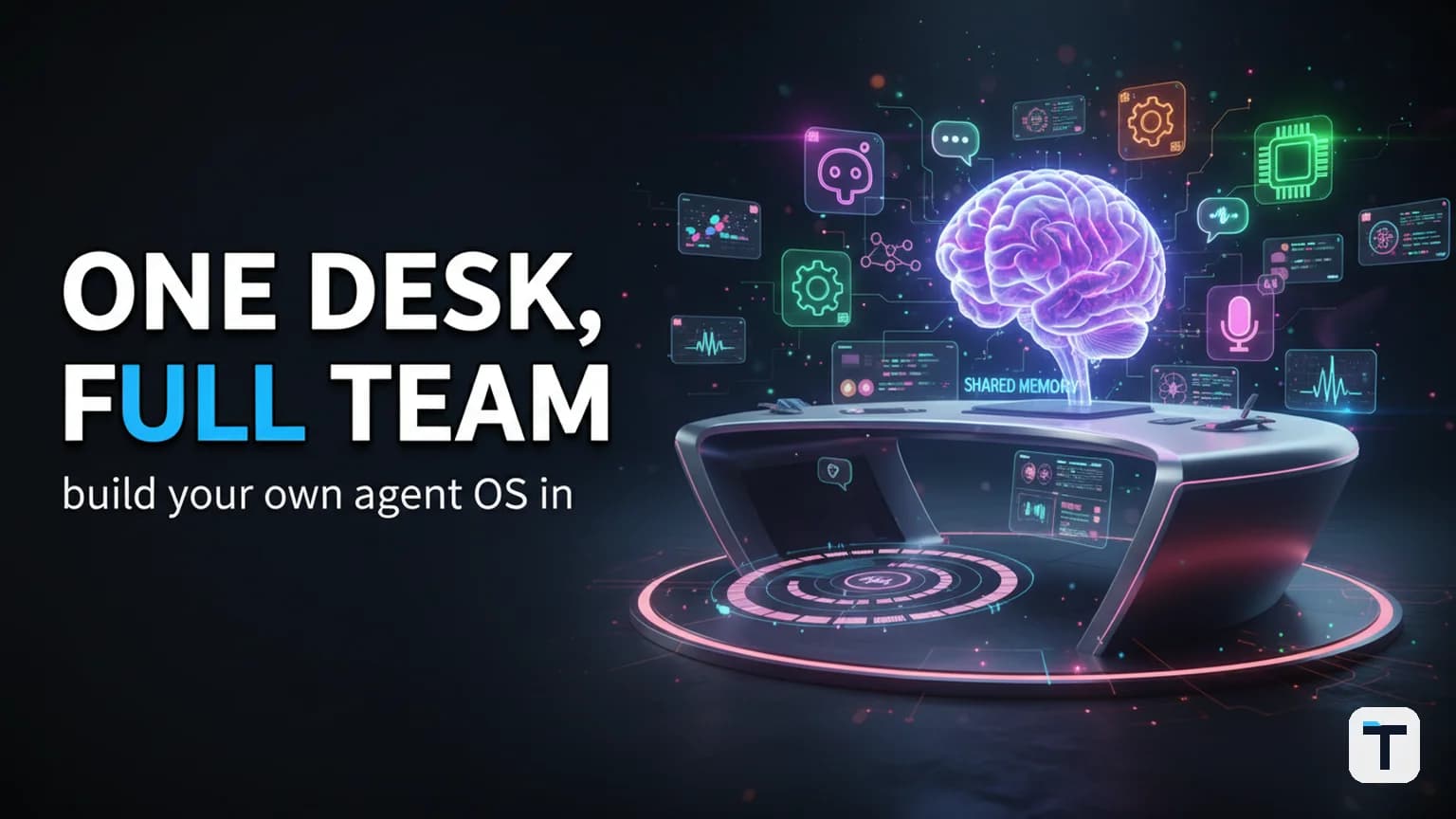

A personal AI agent OS replaces the five-browser-tab chaos most people call their AI workflow with a single system: one persistent chat, one voice interface, one shared memory that every model reads from, and a job board where agents pick up tickets and work on them while you're gone. The open-source tools to build it exist right now — Hermes Agent (MIT-licensed, 227,000+ GitHub stars as of August 2026) provides the memory, skills, cron scheduling, and multi-platform messaging you need — and the whole thing runs on a $5/month VPS or even your own laptop.
Verdict: Stop adding more AI tabs. Build one unified workspace where every model shares memory, scheduled tasks run unattended, and you can walk away while agents finish real work. This guide shows you the architecture, the exact setup steps, and the guardrails that keep autonomous agents from going off the rails.
Last verified: August 8, 2026 · Primary tool: Hermes Agent v0.20.0 by Nous Research (MIT, open source) · Install cost: Free · Runtime cost: $0 with local models or metered API calls
What is a personal AI agent OS?
A personal AI agent OS is a single self-hosted system that unifies four things that most people currently scatter across 10 disconnected browser tabs: conversation (chat and voice), memory (persistent context that survives across sessions), automation (scheduled tasks that run without you watching), and delegation (agents that pick up jobs from a board and work on them in parallel). The key insight is that none of these are useful in isolation — a chat with no memory means re-explaining your business every time, and scheduled tasks with no shared memory means each night's job starts from zero.
Hermes Agent, built by Nous Research and released as open source under MIT in February 2026, is currently the most complete implementation of this idea. It runs on a $5 VPS or your laptop, supports 20+ messaging platforms (Telegram, Discord, Slack, WhatsApp, Signal, and more), ships with 60+ built-in tools, and uses an FTS5-backed session database so it can search every conversation it has ever had with you.
The 4-layer architecture (and why each layer matters)
The core mistake people make is treating "agent OS" as a single tool. It is not. It is a stack of four layers, each solving a specific failure mode. Skip a layer and the whole thing degrades back to browser-tab chaos.
Layer 1: The command desk (chat + voice)
What it is: One interface where you talk to your AI — by typing or by speaking — regardless of which model is running underneath.
Why it matters: Most people have ChatGPT in one tab, Claude in another, and each one starts a fresh conversation with zero context about what you discussed in the other. The command desk fixes this by being model-agnostic. Hermes Agent supports Nous Portal, OpenRouter, OpenAI, Anthropic, and any custom OpenAI-compatible endpoint — you switch with a single command (hermes model) and the new model immediately reads from the same shared memory.
Voice matters more than people expect. Hermes Agent added conversational voice with on-device wake words in v0.20.0 (August 3, 2026), meaning you can now talk to your agent hands-free in a way that was not possible in earlier versions.
Layer 2: The memory vault (persistent shared context)
What it is: A database that stores everything you told the agent and everything it did, searchable across sessions.
Why it matters: This is the single biggest productivity unlock in the stack. Without persistent memory, every AI conversation starts cold. You re-explain your projects, your preferences, your stack, your team — every single time. Hermes Agent solves this with an FTS5 (full-text search) session database that stores every interaction and can search across all of them. The agent also uses Honcho dialectic user modeling to build a gradually deepening picture of who you are and what you care about across sessions.
The practical effect: after a few weeks of use, the agent already knows your projects, your coding conventions, your content calendar, and how you like things done. You never re-explain context. New models you plug in read from the same vault on day one.
Layer 3: The job board (autonomous task dispatch)
What it is: A Kanban-style task board where you drop tickets ("build a landing page for X," "research competitor Y," "draft this week's newsletter") and assigned agents pick them up and work on them — while you walk away.
Why it matters: This is where the system goes from "useful chatbot" to "team of workers." Hermes Agent includes a built-in Kanban system where a dispatcher picks up each ticket, splits it into subtasks, and assigns them to specialized worker profiles. Each worker runs in an isolated context with its own terminal session. The dispatcher coordinates dependencies between cards — a card that says "write the article" won't promote to "ready" until its parent card ("research the article") is done.
This is not a demo. It runs unattended. You drop a ticket, go make coffee, and come back to finished work.
Layer 4: The autonomous loop (goal mode)
What it is: A mode where you type one goal, hit go, and the agent breaks it into steps, works through them one by one, checks its own progress, and keeps looping until the whole thing is done — for minutes or hours.
Why it matters: Goal mode is the difference between babysitting an agent and delegating to one. When Claude Code introduced the /goal command in v2.1.139 (May 2026), it standardized a pattern that was quickly adopted by Hermes Agent, OpenAI Codex, and OpenClaw. According to a cross-vendor analysis by explainx.ai, Hermes Agent's implementation stands out because it is persistent — goal-mode sessions survive process restarts, unlike Claude Code or Codex where the loop dies if the session ends.
The loop works like this: the agent receives a goal ("map out a full 10-part content series"), decomposes it into sub-goals, executes each one, verifies completion, and continues. Each step uses the full tool suite — web search, file operations, code execution, API calls. If it gets stuck, it surfaces the blocker rather than silently looping.
How to set up your agent OS (step by step)
Step 1: Install Hermes Agent
Hermes installs in one command on Linux, macOS, or WSL2:
curl -fsSL https://hermes-agent.nousresearch.com/install.sh | bash
On Windows (native PowerShell):
iex (irm https://hermes-agent.nousresearch.com/install.ps1)
The installer sets up everything: Python 3.11, Node.js, ripgrep, ffmpeg, and Astral's uv for package management. No prerequisites. No admin rights needed on Windows.
For the official desktop app (macOS 12+ and Windows 10/11), download the installer directly from the website.
Step 2: Connect a model
Run the setup wizard:
hermes setup --portal
This single command connects you to Nous Portal with one OAuth flow, giving you a model plus access to the Tool Gateway (web search, image generation, text-to-speech, browser automation).
Alternatively, set up manually:
hermes model    # Choose your LLM provider and model
hermes tools    # Configure which tools are enabled
Hermes supports local models too. Use Ollama, LM Studio, vLLM, or llama.cpp to run entirely offline with no API costs. Per the Ollama integration docs, you can run ollama launch hermes for a fully automated local setup. Recommended local models include Gemma 4 (~16 GB VRAM) or Qwen 3.6 (~24 GB VRAM).
Step 3: Connect a messaging platform
hermes gateway setup
Pick from Telegram, Discord, Slack, WhatsApp, Signal, or Email. This is what makes your agent "live where you do" — you can be on your phone, send a message to your agent's Telegram bot, and it responds from your server. You are not tied to your desk.
Step 4: Turn on the layers
| Layer | What to do | Command |
|---|---|---|
| Memory | Automatic — Hermes persists everything by default | (built-in) |
| Voice | Enable voice mode in config | hermes config set voice_enabled true |
| Job board | Create Kanban tasks programmatically or via chat | hermes then ask |
| Goal mode | Prefix any request with "goal:" or use /goal |
/goal <your goal> |
| Cron | Add a scheduled job | hermes → "create a cron job that..." |
Step 5: Add skills (optional but powerful)
Skills are reusable, shareable procedural knowledge — step-by-step instructions for specific tasks (research sprints, SEO audits, blog publishing workflows). Hermes is compatible with the agentskills.io open standard, meaning you can install community skills or create your own. The agent also creates skills autonomously after complex tasks, improving its own performance over repeated use.
You can browse and install skills:
/skills         # List loaded skills
/<skill-name>   # Load a specific skill
How does goal mode actually work under the hood?
Goal mode runs a continuous plan-act-verify loop. According to the explainx.ai cross-vendor analysis, the pattern is consistent across Claude Code, Codex, and Hermes Agent:
- Goal parsing: The agent receives a natural-language goal and decomposes it into ordered sub-goals.
- Autonomous execution loop: The agent works through each sub-goal sequentially, calling tools (web search, file I/O, code execution, API calls) as needed.
- Self-verification: After each sub-goal, the agent checks whether the completion condition is met.
- Continuation: If the goal is not complete and the token budget has not been exhausted, the loop continues.
- Block or finish: If the agent hits a genuine blocker (missing credentials, needs a human decision), it surfaces the block rather than blindly retrying.
Hermes Agent's implementation is distinct in two ways: it is persistent (survives restarts — unlike session-based implementations), and it runs as a background daemon rather than requiring an interactive terminal. You can start a goal from Telegram on your phone, close the app, and come back hours later to finished work.
The old way vs the new way: side-by-side
| Problem | Old way (browser tabs) | Agent OS (unified workspace) |
|---|---|---|
| Context continuity | Re-explain everything to every new chat | Shared memory — every model reads the same vault |
| Model switching | New model = new tab, new login, starting over | hermes model — one command, same memory |
| Task automation | Nothing runs unless you're sitting there | Cron + Kanban — agents work while you sleep |
| Voice | Separate app, no shared context | Built into Hermes, reads same memory |
| Long tasks | You babysit, poking every few minutes | Goal mode — type one goal, walk away |
| History | Scattered across tools, mostly lost | FTS5-searchable session database — every conversation preserved |
| Cost | Multiple SaaS subscriptions | Free with local models, or metered API calls on one platform |
What guardrails keep autonomous agents from going rogue?
Hermes Agent includes several built-in safety mechanisms:
- Command approval: Before executing risky operations (deleting files, running destructive shell commands), the agent pauses and asks for confirmation. It does not charge ahead on actions it is not confident about.
- Container isolation: Hermes supports seven sandbox backends — local, Docker, SSH, Singularity, Modal, Daytona, and Vercel Sandbox. Running the agent inside a Docker container prevents it from touching host files outside its workspace.
- DM pairing: Messaging platforms require explicit pairing before the agent responds to commands, preventing random users from sending instructions to your agent.
- Goal-mode budgets: Autonomous loops respect token and turn budgets. If the agent exhausts its budget, it stops and reports rather than burning API credits indefinitely.
- Stuck-pattern detection: If the agent repeats the same failed action three or more times, it halts and surfaces the problem instead of looping forever.
Read the security documentation for the full reference on command approval, authorization, and container isolation.
Can you run the whole thing on free and local models?
Yes. Hermes Agent works with Ollama, LM Studio, vLLM, SGLang, and llama.cpp — all of which run models locally on your own hardware with zero API costs. The setup is simple:
- Install Ollama:
curl -fsSL https://ollama.com/install.sh | sh - Pull a model:
ollama pull gemma4(needs ~16 GB VRAM) orollama pull qwen3.6(~24 GB VRAM) - Run
ollama launch hermes— this auto-configures Hermes to use your local model - Set the endpoint to
http://127.0.0.1:11434/v1(leave API key blank)
No telemetry, no tracking, no cloud dependency. According to the official product page, all data stays on your machine under the MIT license.
If you don't have local GPU hardware, you can still run Hermes on cheap serverless infrastructure. Daytona and Modal offer serverless persistence — your environment hibernates when idle, costing nearly nothing.
What this means for you
If you run a small business or work independently with AI tools, the unified agent OS is the single biggest time-saver you can build in 2026. Start small:
- Install Hermes today (one curl command, 2 minutes)
- Connect one messaging platform (Telegram is easiest — you can chat from your phone)
- Use it normally for a week — let the memory vault build up context about your projects
- Turn on goal mode for one real job — pick something you've been putting off, type one goal, and walk away
- Add the job board when you're ready — start dropping tickets for recurring tasks
The habit that changes everything: stop visiting your AI. Give it a desk where everything lives — chat, voice, tasks, memory — and stop scattering yourself across disconnected tools. The tool is not the win. The win is stopping the chaos.
For related deep dives, see:
- How to Use an Agent Operating System for SEO and Memory in 2026 — the two highest-ROI recipes (autonomous SEO publishing and shared agent memory)
- How to Build an Agentic Operating System in 2026: The 5-Layer Architecture — the broader 5-layer architecture for agents that replace your AI tabs
- How to Build a Personal AI Assistant in 2026: The Complete 7-Layer Architecture Guide — the full reference for the 7-layer personal assistant stack
- How to Build a Local Agentic OS in 2026: Run a Private AI Agent on Your Laptop — the fully offline path using local models
FAQ
Q: Is Hermes Agent free to use?
A: Yes. Hermes Agent is open-source under the MIT license — free to install, run, modify, and self-host with no telemetry or tracking. You only pay for API model calls if you choose cloud models (via Nous Portal, OpenRouter, or OpenAI). Running local models via Ollama costs nothing.
Q: How many messaging platforms does the agent OS support?
A: Hermes Agent gateway supports 20+ platforms including Telegram, Discord, Slack, WhatsApp, Signal, Matrix, Mattermost, Email, SMS, Microsoft Teams, Google Chat, and more — all from a single process. You connect them with hermes gateway setup.
Q: Does goal mode work if I close my terminal or restart my server?
A: Yes — unlike Claude Code or Codex where goal sessions die when the terminal closes, Hermes Agent's goal mode is persistent. It survives process restarts because the state is persisted to disk. You can start a goal from Telegram, close the app, and check back hours later.
Q: What hardware do I need to run local models with the agent OS?
A: For local models via Ollama, you need a GPU with at least 16 GB VRAM for models like Gemma 4, or 24 GB for Qwen 3.6. You can also use a $5/month VPS with cloud models — the agent itself is lightweight; only the model needs compute.
Q: Can I switch AI models without losing the agent's memory?
A: Yes. This is a core design feature. Use hermes model to switch from, say, Claude to GPT-5 to a local Qwen model — the new model immediately reads from the same shared memory vault. No reconfiguration, no re-explanation. The memory is model-agnostic.
Q: How does the agent know not to do something dangerous?
A: Hermes includes a command-approval system that pauses before risky operations (file deletions, destructive shell commands) and asks for human confirmation. It also supports Docker container isolation and DM pairing on messaging platforms. If the agent is about to do something it is not sure about, it stops and asks instead of charging ahead.
Every claim here is traced to a primary source, dated, and listed under Sources. Research and drafting are AI-assisted; editing, verification and publication are human decisions, and a person is accountable for what appears on this page. How we work →
Discussion
0 comments