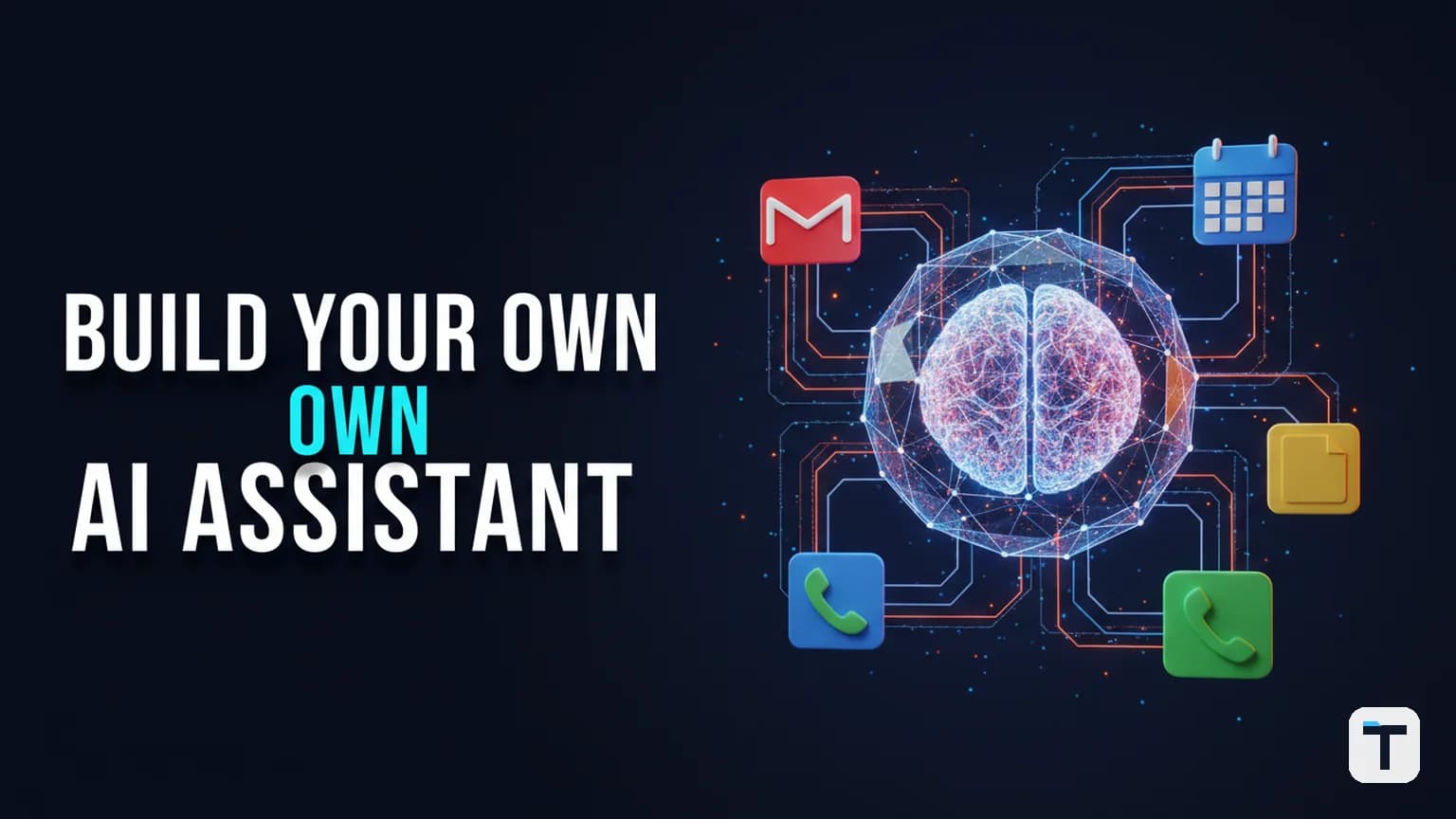

A personal AI assistant in 2026 is a voice-activated system that connects a large language model to your calendar, email, files, phone, and screen -- letting you manage work through natural conversation instead of switching between a dozen apps. The architecture that makes this work is not one tool but seven layers: a model brain, a model router, an orchestration framework, MCP tool servers, a memory store, a voice interface, and an action layer for phone and screen. You can assemble the full stack today using the Claude API for reasoning, OpenRouter for multi-model routing, MCP servers for tool connectivity, and a voice module for hands-free interaction.
This guide breaks down each layer with concrete tool choices, verified pricing, and a step-by-step build you can follow with or without a subscription plan.
Last verified: 2026-08-07
- Build stack: Claude API (Anthropic) + OpenRouter + MCP servers + Zapier MCP
- Cost floor: $0 with free tiers; ~$20-100/mo with a Claude Pro or Max plan
- Key protocol: Model Context Protocol (MCP) -- open standard, managed by Anthropic
- Volatile facts: Model names, versions, and pricing change frequently. Verify at anthropic.com/pricing before wiring anything into production.
What is a personal AI assistant in 2026?
A personal AI assistant is an AI system that (a) understands spoken or written natural language, (b) has access to your real tools -- email, calendar, file system, phone, CRM, browser -- through MCP servers, and (c) takes actions on your behalf rather than just answering questions. Unlike Siri or Alexa, which respond to fixed voice commands, a 2026 personal assistant built on Claude or equivalent models can draft invoices, make restaurant reservations by phone, read your screen, and retrieve files from your local folders -- all through a single conversational interface.
The key shift from 2025 to 2026 is the Model Context Protocol (MCP), an open standard introduced by Anthropic that lets any AI model connect to external tools through a unified interface. Instead of writing custom API integrations for Gmail, Google Calendar, and your file system separately, you connect one MCP server per tool and the AI discovers what it can do automatically.
How much does it cost to build a personal AI assistant?
You can start for free or spend under $100/month depending on model usage. Here is the cost breakdown by layer:
| Layer | Free option | Paid option | Source |
|---|---|---|---|
| Model brain | Claude Haiku 4.5 ($1/$5 per 1M tokens) | Claude Opus 5 ($5/$25 per 1M tokens) | Anthropic pricing |
| Model router | OpenRouter (300+ models, pay-per-token) | Same -- OpenRouter passes through provider pricing | OpenRouter pricing |
| Orchestration | Claude Code (free tier, limited) | Claude Pro $20/mo, Max 5x $100/mo, Max 20x $200/mo | Claude pricing |
| MCP tool servers | All open source (Gmail, Calendar, filesystem) | Zapier MCP ($0 with free Zapier account) | MCP servers repo |
| Memory | Local files (CLAUDE.md, SQLite) | Included with orchestration layer | N/A |
| Voice | Browser Web Speech API (free) | ElevenLabs or OpenAI TTS (pay-per-character) | Vendor pricing pages |
| Phone calls | Bland AI ($0.09-0.16/min per outbound call) | Twilio (pay-per-minute) | Bland AI docs |
The dominant cost is model usage. Claude Haiku 4.5 at $1 per million input tokens costs roughly $0.01 per long conversation; Claude Opus 5 at $5/$25 per million tokens costs more but handles complex multi-step reasoning. Prompt caching cuts cache-hit input costs by 90%, making repeated tool-use loops much cheaper.
Layer 1: How do you choose the model brain?
A unified API gateway that routes to any model.
The model brain is the reasoning engine that processes your requests and decides which tools to call. In 2026, the strongest options are:
Claude Opus 5 -- Anthropic's flagship model at $5 per million input tokens and $25 per million output tokens, with a 1M-token context window in beta. Opus 5 excels at complex multi-step reasoning, long-horizon agentic tasks, and self-verification of outputs before delivering results. (Anthropic pricing)
Claude Sonnet 5 -- The production default at an introductory $2/$10 per million tokens through August 31, 2026, then $3/$15. Near-Opus performance at lower cost; handles the majority of assistant tasks well. (BenchLM.ai pricing tracker)
Claude Haiku 4.5 -- The speed tier at $1/$5 per million tokens. Best for high-volume, latency-sensitive tasks like quick calendar lookups or email triage where raw capability matters less than speed. (TopicTrick pricing guide)
For a personal assistant, tier your models: use Opus 5 for complex drafting and planning, Sonnet 5 for everyday tool-use, and Haiku 4.5 for quick lookups. This mirrors the tiering pattern that Anthropic designed into the Claude 4.x / 5.x family.
Layer 2: What is multi-model routing and why do you need it?
Multi-model routing means your assistant can switch its "brain" on demand -- calling Opus 5 for a complex report, Gemini for a vision task, or Grok for real-time search -- all through one API. This matters because no single model is best at everything, and routing lets you optimize for both cost and capability per task.
OpenRouter is the most practical multi-model router for personal assistants. It provides unified API access to 300+ models from OpenAI, Anthropic, Google, xAI, and open-source providers, with automatic failover for reliability. OpenRouter generally passes through provider pricing without markup, and sometimes offers routing discounts for high-volume endpoints. (OpenRouter pricing)
For example, you can route to Grok 4 on OpenRouter at $3 per million input tokens (model ID: x-ai/grok-4), which is more expensive than xAI's direct console at $1.25/$2.50 but easier to manage alongside your other models. (LLMReference -- Grok 4 on OpenRouter)
The routing logic is simple: your orchestration layer examines the task type (text generation, vision, coding, search) and sends the request to the best model for that job. If the primary model is down or rate-limited, OpenRouter's failover handles it automatically.
Layer 3: Which orchestration framework should you use?
Starting point: one AI, many tools.
The orchestration framework is the software that ties your model brain to your tools, manages conversation state, and executes multi-step workflows. In 2026, the dominant pattern is:
Claude Code -- Anthropic's agentic CLI tool available as a terminal interface, VS Code extension, JetBrains plugin, desktop app, and web surface. Free tier (limited usage), Pro at $20/month, Max 5x at $100/month, Max 20x at $200/month. Claude Code supports multi-step task execution, file editing, command execution, git operations, subagent orchestration, hooks, skills, and scheduled tasks. As of July 2026, it has 137,000+ GitHub stars. (Automation Atlas -- Claude Code, Claude pricing)
For a personal assistant, Claude Code serves as both the orchestration layer and the runtime. You configure a project-level CLAUDE.md file that stores your context (projects, preferences, past decisions), connect MCP servers for tool access, and create slash commands or skills for repeatable workflows. (FrankxAI -- Build Your Own Jarvis)
The fastest way to start is:
- Create a
CLAUDE.mdat your project root -- 30 minutes documenting your role, tools, and preferences. - Pick one painful repeated task (e.g., daily email triage).
- Build a slash command for it in
.claude/commands/. - Use it for a week, then refine based on what actually happened.
Layer 4: How do MCP servers give your AI assistant real tools?
MCP servers are programs that expose your tools (Gmail, Google Calendar, file system, Slack, CRM) to the AI model through a standardized protocol. Instead of writing custom API integration code, you connect a server and the AI automatically discovers available actions through a tools/list call.
The official MCP servers repository on GitHub has 89,326+ stars and includes reference implementations for filesystem, Git, web search, and more. (GitHub -- modelcontextprotocol/servers)
Here are the MCP servers that form the tool surface of a 2026 personal assistant:
| MCP server | What it does | Source |
|---|---|---|
| Gmail MCP | Draft, send, search, and reply to emails | GongRzhe/Gmail-MCP-Server |
| Google Calendar MCP | List, create, update, and delete events | Google Calendar MCP |
| Filesystem MCP | Read and write files on your local machine | MCP servers repo |
| Zapier MCP | Access 9,000+ apps (Slack, HubSpot, Notion, Canva, Airtable) | Zapier MCP |
Zapier MCP is the highest-leverage server for personal assistants because it connects your AI to 9,000+ apps through a single MCP endpoint at mcp.zapier.com. Setup takes under five minutes: visit mcp.zapier.com, create a server, select your AI client, copy the URL, paste it into your AI tool's settings, and add actions. (Toolfab -- Zapier MCP Guide, Zapier MCP quickstart)
The powerful pattern: you tell your assistant, "Send a Slack message to the team summarizing this call transcript, create a CRM record for the contact, and add a Google Calendar follow-up for Tuesday." The AI calls the Zapier MCP server three times. All three things happen. No pre-built Zap required. (Goodcall -- Zapier MCP Guide)
Layer 5: How does memory make your assistant remember you?
A model with tool-use capabilities.
Memory in a personal AI assistant has three tiers:
Short-term memory -- The conversation context window. Claude Opus 5 has a 1M-token window in beta, enough for a full day of interactions. Sonnet 5 and Haiku 4.5 have 200K-token windows. Context resets when the session ends.
Long-term memory -- A CLAUDE.md file at your project root that stores your preferences, active projects, past decisions, and communication style. Update it weekly and prune anything stale. The more true context you add, the sharper the system gets. (FrankxAI -- Build Your Own Jarvis)
Structured memory -- A SQLite database or Airtable table that stores structured records (clients, invoices, meeting notes, leads) that the assistant can query and update through MCP. This is what lets your assistant know that "the new lead Mike Johnson" has a $3,400 proposal already on file when you ask it to create a $2,500 invoice -- it looks up the lead, retrieves context from associated files, and populates the invoice from the existing format.
The three tiers work together: short-term for the current task, long-term for who you are and how you work, structured for the specific data your business runs on.
Layer 6: How do you add voice and hands-free mode?
Hands-free mode.
Voice turns your assistant from a chat tool into something that feels like a real assistant. There are two approaches:
Browser-based voice (free) -- Use the Web Speech API for speech-to-text and a TTS engine for responses. This costs nothing but is limited by browser quality and latency.
Professional voice APIs (paid) -- Services like ElevenLabs and OpenAI TTS produce natural-sounding voices at pay-per-character rates. OpenAI TTS has a 4,096-character limit per request; ElevenLabs ranges from 5,000 to 40,000 characters depending on model.
The hands-free pattern: a single click or keyword activates listening mode. You speak naturally ("Hey assistant, switch your brain to Sonnet 5"), the speech-to-text layer transcribes it, the model processes the request, and the TTS layer reads the response back to you. The model can also switch skins or modes based on which model is active -- a practical signal that the routing layer has changed.
Layer 7: How do AI phone calls actually work?
AI phone calls let your assistant make outbound calls on your behalf -- booking restaurants, checking prices, confirming appointments -- without you touching a phone.
Bland AI is the leading API for this. The call endpoint is POST /v1/calls -- you provide a phone number and a task prompt, and Bland dispatches the call, runs the full conversation with an AI voice agent, and returns a transcript. The API supports custom prompts, tool use, and Pathway-driven conversation flows. Sending a call requires roughly ten lines of code. (Bland AI docs -- Send Call, Bland AI blog)
Bland's stated latency is under 2 seconds (compared to the typical 5 seconds for voice APIs), though independent 2026 reviews are mixed on whether this holds at production scale. Testing directly for your use case is recommended. (Agents APIs -- Bland API guide)
For a personal assistant, the phone-call layer turns a request like "book a table for three at 7 PM tonight at [restaurant]" into an actual completed reservation. The assistant picks up the confirmation, offers to add it to your calendar with a reminder, and reports back. You never dialed a number.
What does the full personal AI assistant architecture look like?
Here is the complete 7-layer stack and how the layers connect:
┌─────────────────────────────────────┐
│  LAYER 7: ACTION (Phone + Screen)  │  Bland AI calls, screen share
├─────────────────────────────────────┤
│  LAYER 6: VOICE INTERFACE           │  Web Speech API / ElevenLabs
├─────────────────────────────────────┤
│  LAYER 5: MEMORY                    │  CLAUDE.md + SQLite + Airtable
├─────────────────────────────────────┤
│  LAYER 4: MCP TOOL SERVERS          │  Gmail, Calendar, FS, Zapier
├─────────────────────────────────────┤
│  LAYER 3: ORCHESTRATION             │  Claude Code
├─────────────────────────────────────┤
│  LAYER 2: MODEL ROUTER              │  OpenRouter (300+ models)
├─────────────────────────────────────┤
│  LAYER 1: MODEL BRAIN               │  Claude Opus 5 / Sonnet 5 / Haiku 4.5
└─────────────────────────────────────┘

Flow: Voice → Router → Brain → MCP → Tools → Memory → Action
A typical interaction flows through every layer. You say, "Create a $2,500 invoice for the new lead and send an email reminding them of the payment." The voice layer transcribes your speech. The router decides that this needs Opus 5 reasoning (multi-step, data retrieval). The orchestration layer (Claude Code) plans the steps: (1) look up the lead in Airtable, (2) retrieve associated files from the filesystem, (3) generate the invoice from the existing format, (4) create the email as a draft in Gmail, (5) report back with a Drive link. MCP servers handle each tool call. Memory provides the context that "the new lead" means Mike Johnson and "AI reputation build" means a specific service with a known description.
How do you build a personal AI assistant step by step?
The fastest path from zero to working assistant:
Sign up for Claude and get an API key -- Visit anthropic.com/pricing. Start with the free tier or Pro ($20/month). For API-only usage, add credits to your Anthropic Console account.
Set up OpenRouter -- Visit openrouter.ai/keys, create an API key. This gives you fallback access to 300+ models including Gemini, Grok, and open-source options without managing separate accounts.
Install Claude Code -- Download from claude.com/product/claude-code. Run it in your project directory. Sign in with your Claude or Console credentials. (Claude Code docs)
Write your CLAUDE.md -- Document your role, business, tools, communication style, and active projects. Include past decisions so the assistant understands your reasoning. This is your assistant's personality and context. (FrankxAI guide)
Connect MCP servers -- Start with the filesystem server (read/write local files), then add the Gmail MCP server and Google Calendar MCP server. Each server requires OAuth authentication, which the server setup handles automatically. For broader tool access, connect Zapier MCP at
mcp.zapier.com.Create your first slash command -- Build a command in
.claude/commands/for your most painful repeated task. Example: a "daily-prep" command that reads your calendar, summarizes unread emails, and gives you a morning briefing.Add a voice layer -- If using a browser interface, enable the Web Speech API for listening and a TTS engine for responses. If using Claude Code's terminal, you can add voice through a lightweight wrapper that pipes speech-to-text into the CLI.
Connect optional phone calls -- Sign up at bland.ai, get an API key, and write a small script that takes a task and phone number and calls
POST /v1/calls. Wire this as a tool in your assistant.Test end-to-end -- Ask your assistant to do something multi-step: "Check my calendar for tomorrow, draft an email to the first meeting attendee, and create a follow-up task." Verify each tool fired correctly.
Iterate weekly -- After a week of use, refine your CLAUDE.md based on what the assistant got wrong. Prune stale rules. Add new skills for tasks you find yourself repeating.
What tools do you actually need vs. what is optional?
| Component | Essential? | What it enables | Minimum to start |
|---|---|---|---|
| Claude API or Pro plan | Essential | The reasoning brain | Free tier or $20/mo |
| CLAUDE.md file | Essential | Memory and context | 30 minutes to write |
| Filesystem MCP server | Essential | Read/write local files | Open source, free |
| Gmail MCP server | Recommended | Email drafting and triage | Open source, free |
| Google Calendar MCP | Recommended | Schedule management | Free via Google |
| OpenRouter | Optional but powerful | Multi-model routing | Free account, pay-per-token |
| Zapier MCP | Optional | 9,000+ app integrations | Free Zapier account |
| Voice interface | Optional | Hands-free interaction | Free (Web Speech API) |
| Bland AI phone calls | Optional | Outbound calling | Pay-per-minute |
| Screen sharing | Optional | Visual context | Browser-based |
What this means for you
If you run a small business or work as a builder, consultant, or operator, a personal AI assistant built on this stack replaces the cognitive load of managing 10+ separate tools. The key insight is that MCP servers have eliminated the integration problem -- you no longer need to write custom code for every API. Connect servers, write context into a memory file, and the assistant handles the rest.
Start with Claude Code, a CLAUDE.md, and the filesystem server. That alone gives you an assistant that knows your business and can read and write your files. Add Gmail and Calendar next. Voice, phone calls, and multi-model routing are enhancements you add once the core loop is working.
The cost is low enough that the question is not whether you can afford to build this -- it is whether you can afford not to. A $20/month Claude Pro plan plus free MCP servers delivers an assistant that drafts emails, manages your calendar, retrieves files, and books reservations. Layering in Opus 5 for complex reasoning and Zapier MCP for app connectivity pushes the total to $40-60/month for a system that functions like a full-time operations coordinator.
If you want to see how multi-agent teams extend this pattern from one assistant to a company-wide system, see How to Build a Multi-Agent AI Team Your Whole Company Actually Uses. For a deeper dive on the MCP protocol specifically, MCP Tasks: Why Your AI Agents Don't Support Async Tools covers the async tool problem. And if you are deciding between Claude and open-source agent frameworks, 7 Open-Source AI Agent Tools on GitHub rates the alternatives. For the full Claude Code setup including memory and skills, How to Build a Claude Agent Operating System walks through the 5-layer architecture, and How to Run an AI Agent Operating System covers remote access patterns. Finally, How to Make Claude Code Learn From Past Sessions is the deep dive on the memory layer.
FAQ
Q: Do I need to know how to code to build a personal AI assistant? A: No. Claude Code runs in the terminal and understands plain English instructions. You write a CLAUDE.md file (plain text), connect MCP servers through configuration files, and the assistant handles tool calls automatically. The only technical setup is API key management and OAuth for Gmail/Calendar, which MCP server setup scripts handle for you.
Q: What is the difference between an AI chatbot and a personal AI assistant? A: A chatbot answers questions in a conversation window. A personal AI assistant takes actions through connected tools -- it can draft and send emails, create calendar events, read your files, make phone calls, and retrieve data from your CRM. The difference is MCP server connectivity: a chatbot has no tools; an assistant has dozens.
Q: Which AI model is best for a personal assistant in 2026? A: Claude Sonnet 5 ($2/$10 per million tokens, introductory) is the best default for most assistant tasks. Use Claude Opus 5 ($5/$25) for complex multi-step drafting and planning. Use Claude Haiku 4.5 ($1/$5) for high-volume quick lookups like calendar checks or email triage. Route between them using OpenRouter or Claude Code's built-in tiering. (Anthropic pricing)
Q: Can my AI assistant actually make phone calls?
A: Yes. Bland AI provides a voice-call API at POST /v1/calls where you provide a phone number and a task prompt, and Bland runs the entire conversation with an AI voice agent and returns a transcript. A reservation booking takes one API call. Pricing is per-minute (not publicly listed -- contact Bland for current rates). (Bland AI docs)
Q: How does OpenRouter help build a personal assistant? A: OpenRouter gives your assistant access to 300+ AI models through a single API key with automatic failover. Instead of managing separate API accounts for Claude, Gemini, Grok, and open-source models, you route through OpenRouter and switch models on demand. OpenRouter generally passes through provider pricing without markup. (OpenRouter pricing)
Q: What is MCP and why does it matter for personal assistants? A: MCP (Model Context Protocol) is an open standard introduced by Anthropic that lets AI models connect to external tools through a unified interface. Instead of writing custom API integration code for Gmail, Calendar, and your file system separately, you connect one MCP server per tool and the AI discovers available actions automatically. The official servers repo has 89,000+ GitHub stars. (GitHub -- modelcontextprotocol/servers)
Every claim here is traced to a primary source, dated, and listed under Sources. Research and drafting are AI-assisted; editing, verification and publication are human decisions, and a person is accountable for what appears on this page. How we work →
Discussion
0 comments