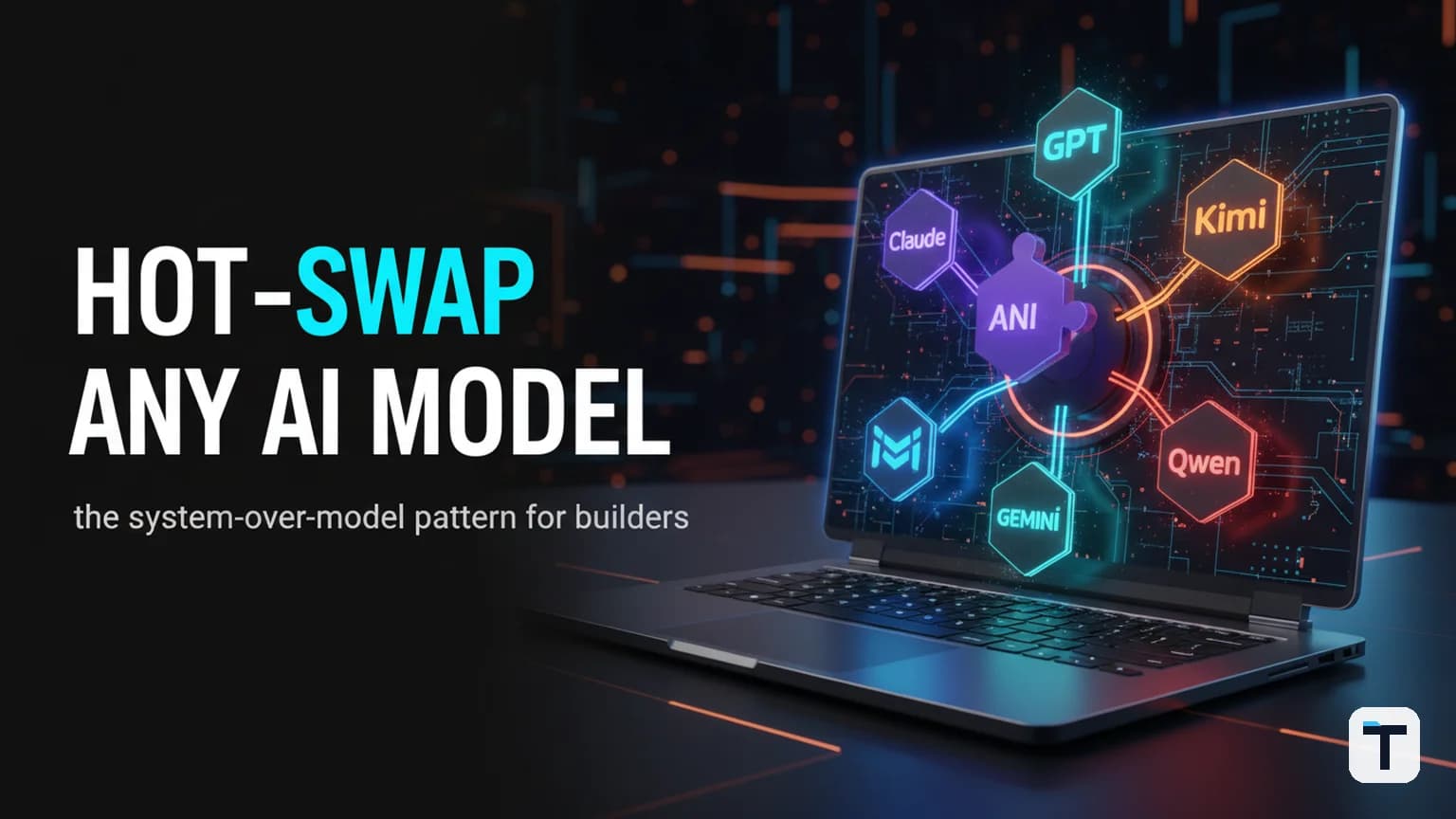

A multi-model AI coding workstation is a personal agent environment built around a stable layer of skills, memory, and tooling — where the underlying language model is a hot-swappable component you can replace in seconds rather than a permanent commitment. The thesis is simple: in 2026, frontier models arrive every few weeks (Qwen 3.8 Max on August 3, Kimi K3 on July 16, GPT-5.6 Sol in June), and the people who get the most out of them are the ones whose system survives the model swap. You build the workstation once, then plug in whatever model just won the latest benchmark.
The practical version of this idea runs on one or more terminal-based coding-agent CLIs — Claude Code, OpenCode, Hermes Agent, or Kimi Work — combined with a shared skills/memory layer and a model-agnostic config. You describe what you want in plain language, the agent writes and tests the code, and when a better model drops you change one config line and keep going. No migration. No lock-in.
Last verified: 2026-08-04
- The core idea: a stable system (skills + memory + tools) with a swappable model layer.
- Four CLI shells make this work today: Claude Code, OpenCode, Hermes Agent, and Kimi Work.
- Best for builders who want to ride every new model release without re-architecting.
- Pricing/limits change often — last checked August 4, 2026.
What is a multi-model AI coding workstation?
A multi-model AI coding workstation is a personal development environment where an AI agent — running in your terminal — can read and write code, run tests, execute shell commands, and call external tools, with the language model serving as a replaceable backend rather than the system itself. The architecture has three layers: the agent shell (the CLI that runs the agent loop, manages tools, and handles conversation), the skills/memory layer (persistent workflows, knowledge files, and cross-session context), and the model layer (the actual LLM doing the reasoning). Only the model layer changes when a new model drops. The first two layers — the ones you invested time building — stay put.
This is what separates a workstation from a chatbot subscription. A ChatGPT Plus or Claude Pro plan gives you one model in one walled garden. A workstation gives you a portable scaffolding that works with any model any provider ships. When OpenCode says it supports 75+ providers, or Hermes Agent calls itself "the agent that grows with you," this is the design principle: the tool is the constant, the model is the variable. The same system-over-model thesis — with a focus on plugging new models into an existing agent framework rather than rebuilding — is covered in more depth in our guide to plugging a new LLM into an agent framework.
Why "system over model" matters in 2026
In 2026, new frontier models land every two to four weeks. Alibaba's Qwen 3.8 Max — a 2.4-trillion-parameter mixture-of-experts model — dropped on August 3. Moonshot AI's Kimi K3 — a 2.8-trillion-parameter open-weight model with a 1-million-token context window — shipped on July 16 and briefly took the #1 spot on the Frontend Code Arena leaderboard. OpenAI's GPT-5.6 Sol arrived in June. Each of these models claimed a top-three position on at least one benchmark. None stayed unchallenged for more than a month. For a detailed head-to-head of where these models land on coding score, price, and openness, see our Qwen 3.8 Max vs Fable 5 vs Kimi K3 vs GPT-5.6 Sol coding comparison.
If your entire workflow is fused to a single model — your prompts tuned for its quirks, your context hand-formatted for its window — every new release forces a painful migration. The system-over-model approach flips the dependency: you invest in the agent shell and the skills layer once, then treat the model as a config entry. When Qwen 3.8 Max ships open weights, you add a provider key and switch. When GPT-5.7 lands, same thing. The skills, the memory, the MCP tool integrations — none of that changes.
The deeper reason this works: the coding-agent loop (understand the task → plan → read files → write code → run tests → observe → iterate) is model-independent. It was the same loop when Claude 3.5 Sonnet was the best coding model in early 2025, and it is the same loop now. What changes model-to-model is the quality of the reasoning inside that loop — which matters, but not enough to rebuild your system each time.
Which AI coding agent CLIs can you use to build this?
Four terminal-based coding-agent shells are mature enough to anchor a multi-model workstation in August 2026. Each takes a different position on the open-vs-proprietary and single-vs-multi-provider axis.
| Tool | Creator | Open source | Model providers | Best for |
|---|---|---|---|---|
| Claude Code | Anthropic | No | Claude models only (Opus, Sonnet, Haiku) | The smoothest single-model coding experience; deepest MCP ecosystem |
| OpenCode | SST (open source) | Yes, MIT | 75+ providers — Claude, GPT, Gemini, Kimi, Qwen, local models via Ollama | Model flexibility; privacy-first local runs; mid-session model swaps |
| Hermes Agent | Nous Research | Yes, MIT | Any OpenAI-compatible endpoint + local models | Persistent memory, self-improving skills, multi-platform (Telegram/Discord/CLI) |
| Kimi Work | Moonshot AI | Desktop app (model weights open) | Kimi K3 (1M-token context) | Feeding entire codebases as context; open-weight model access |
The key trade-off: Claude Code is the most polished single-model experience (Anthropic's own product page describes it as "an AI coding agent that runs in your terminal" that "can use command line tools like Git and MCP servers") but locks you to Anthropic's models. OpenCode is the opposite — you bring whichever model you want, including local models via Ollama — at the cost of more configuration. Hermes Agent sits in between with its persistent-memory and skill-creation features, and adds messaging-platform access (you can talk to your agent from Telegram while it works on a cloud VM). Kimi Work gives you the model with the largest context window currently available (1 million tokens — roughly an entire mid-sized codebase in a single prompt).
How do you set up a multi-model coding workstation?
The setup is the same regardless of which shell you pick. The goal is to build the skills and memory layer once, then make the model a one-line change.
Pick your primary shell. If you want the smoothest experience and are happy with Claude models, install Claude Code (
npm install -g @anthropic-ai/claude-code). If you want model flexibility from day one, install OpenCode (curl -fsSL https://opencode.ai/install | bash). Both run in your terminal and can read, write, and execute code across your entire project.Configure multiple model providers. In OpenCode, you connect providers in
opencode.json— Anthropic, OpenAI, Google, OpenRouter (which aggregates dozens of providers), or a local Ollama instance. In Claude Code, you are limited to Anthropic models but can switch between Opus, Sonnet, and Haiku. In Hermes Agent, you set providers in~/.hermes/config.yamlusing any OpenAI-compatible endpoint.Build your skills layer. Skills are reusable instruction files that teach your agent how to perform specific workflows — the same concept whether you call them "Claude Skills," "OpenCode tools," or "Hermes skill files." The key insight: skills live in files in your project or home directory, not in the model. When you swap the model, the skills stay. Start with 3-5 core skills for your most common tasks: "deploy this project," "write a blog post from this research," "run the test suite and fix failures."
Add a memory/persistence layer. This is what turns a one-shot coding session into a workstation. Hermes Agent calls this "persistent memory" — the agent remembers context across sessions and builds a profile of who you are and what you are working on. If your shell does not have native persistence, replicate it with a
CONTEXT.mdorAGENTS.mdfile in your project root that the agent reads at the start of each session.Set up MCP (Model Context Protocol) servers. MCP is the standard for connecting external tools to your agent — GitHub, file systems, databases, web search, browser automation. All four shells support it. Connect the tools your agent needs (e.g., the GitHub MCP server for PR management, the filesystem MCP for broader file access). MCP servers are model-agnostic: once configured, they work regardless of which model you switch to.
Hot-swap the model when a new one drops. When a new frontier model ships — for example, Qwen 3.8 Max became available on August 3, 2026 via Alibaba's Token Plan and will ship open weights — you add the provider key to your config and switch. In OpenCode, you swap models mid-session with the
/modelscommand. In Hermes Agent, you update the provider in your config file. The skills, memory, and MCP integrations are untouched.
How does model hot-swapping actually work?
The mechanics depend on which shell you use, but the principle is the same in all of them: the agent loop (the code that orchestrates tool calls, file reads, and conversation) is separate from the model endpoint (the API that does the actual reasoning). You change the endpoint; the loop keeps running.
In OpenCode, you configure providers as entries in opencode.json — each with an API key, a base URL, and a model name. You can define multiple providers and switch between them mid-conversation with the /models command. Because skills and tools are defined separately from the model config, nothing else changes when you swap.
In Hermes Agent, providers are set in ~/.hermes/config.yaml using the OpenAI-compatible API format. You can define a primary provider and a fallback (the Hermes Atlas documentation lists fallback models that try automatically if the primary is overloaded). Skills and memory persist across model changes because they are stored as files on disk, not inside the model's context.
In Claude Code, model switching is limited to Anthropic's model family (Opus, Sonnet, Haiku) but can be done mid-session. The trade-off is that you cannot run Kimi K3 or Qwen 3.8 Max inside Claude Code — for those, you need OpenCode or Hermes Agent or a dedicated Kimi Work installation.
What are the trade-offs of each approach?
No single shell is the right answer for every builder. Here is an honest breakdown.
Claude Code is the most reliable and polished coding experience available in August 2026 — if you are willing to commit to Claude models. It has the deepest MCP ecosystem, the best multi-file code quality for complex refactors, and active weekly updates (four feature drops in one week of April 2026 alone). The cost: you are locked to Anthropic's model roadmap and pricing. There is no free tier; you need a Claude subscription ($20/month for Pro) or API credits.
OpenCode is the only fully open-source option (MIT-licensed) and the only one where mid-session model swapping is a first-class feature. You lose some polish — the project notes it is "in early development" — and you take on more configuration overhead. The payoff: you can run Claude for architecture decisions, GPT-5.6 for code generation, and Kimi K3 for large-context analysis, all from the same tool, and switch mid-session. If you already pay for Claude Pro or ChatGPT Plus, you can use those subscriptions through OpenCode at no additional cost.
Hermes Agent is the strongest choice if your workstation extends beyond coding — it supports Telegram, Discord, Slack, and WhatsApp alongside the CLI, so you can talk to your agent from your phone while it runs on a $5/month VPS. Its persistent-memory system and skill-creation loop (the agent creates and improves skills during use) are more developed than the other shells. The GitHub repository describes it as "the only agent with a built-in learning loop — it creates skills from experience, improves them during use, and builds a deepening model of who you are across sessions." The trade-off: it is a broader agent framework, not a purely coding-focused tool, so the coding-specific UX is less refined than Claude Code. For a deeper look at how Hermes Agent's memory and skill-creation features work in practice, see our guide to Claude Code learning from past sessions — the same memory/skill pattern applies. For the latest Hermes release features, check out our Hermes Agent v0.20 release writeup.
Kimi Work gives you access to Kimi K3's 1-million-token context window — the largest currently available — which means you can feed an entire codebase as context instead of building a retrieval pipeline. Moonshot's model handles text, image, and video input and has been scored at 57.1 on the Artificial Analysis Intelligence Index (rank 4 of 580 models as of July 23, 2026). The trade-off: you are limited to Moonshot's model family. For a step-by-step setup walkthrough of Kimi K3 specifically, see our Kimi K3 AI agent setup guide.
What does it cost to run a multi-model workstation?
The cost depends on which models you use and how you access them. Here is a breakdown of the main access paths as of August 2026.
| Access path | Cost | What you get |
|---|---|---|
| Claude Pro (for Claude Code) | $20/month | Claude Opus/Sonnet/Haiku via subscription; limited daily usage |
| OpenCode Go plan | $10/month | Generous usage of GLM-5.1, Kimi K2.6, Qwen 3.6 Plus, DeepSeek V4 Pro |
| OpenCode Zen | Free | Pay-as-you-go for premium models; bring your own API keys |
| Kimi K3 API | $3.00/M input, $15.00/M output | Per Moonshot's API pricing; cache-hit input at $0.30/M |
| Qwen 3.8 Max Token Plan | $6–$68/week | Subscription bundles from Alibaba's Token Plan; 2,500–40,000 credits |
| Hermes Agent | Free (MIT) | Self-hosted; you pay for whichever model API you configure |
| Local models via Ollama | Free | Run models like Llama 3.1 locally; no API costs but needs your own hardware |
The most cost-effective path for a builder is OpenCode (Go plan at $10/month) combined with a bring-your-own-key setup for specific models you need. If you are already on Claude Pro, OpenCode lets you use that subscription alongside other models at no extra cost — making it the cheapest entry point for a true multi-model setup. If you want zero recurring costs, Hermes Agent plus Ollama (local models only) is fully free but trades cost for inference quality and speed.
What does this mean for you?
If you are a builder, a solo founder, or a small team using AI for your daily work, the system-over-model architecture means you stop betting on a single AI provider and start investing in a portable layer that compounds. The specific actions to take:
- If you have not started yet: install OpenCode (the flexibility is worth the slight roughness), set up two providers (Claude and one open-weight model like Kimi K3 or Qwen 3.8 Max), and write 3-5 skill files for your core workflows. You will have a working multi-model workstation in an afternoon.
- If you are already on Claude Code: keep it as your daily driver, but add OpenCode or Hermes Agent alongside it for model flexibility. Your Claude Code skills and MCP config inform your OpenCode setup — the concepts map directly. For a related walkthrough of pairing OpenCode with Hermes Agent for a free multi-agent team setup, see our free AI agent team with Hermes Agent and OpenCode guide.
- For production/business use: pick Claude Code for reliability and auditability. Use Hermes Agent if you need cross-platform access (talking to your agent from Telegram while it runs on a VPS). Use OpenCode when you need to experiment with a new model without commitment.
- For the model layer specifically: keep a short rotation of 2-3 models active. Right now (August 2026), a reasonable rotation is Claude Opus 4.8 for complex reasoning, Kimi K3 for large-context codebase analysis, and a cheaper model (Qwen 3.6 Plus or DeepSeek V4 Pro) for high-volume routine tasks. Swap the cheapest member when a new open-weight model drops.
The payoff of this architecture is not just avoiding lock-in — it is that every new model release makes your workstation better instead of forcing a rebuild. That is the compounding advantage.
FAQ
Q: Do I need to know how to code to set up a multi-model AI coding workstation?
A: No. The terminal-based coding agents are designed to be instructed in plain language — you describe what you want to build and the agent writes, runs, and tests the code. You do need basic terminal familiarity (installing a package, navigating directories), but the coding itself is done by the agent. For setup help, you can ask any AI agent (including the one you are installing) to walk you through the steps.
Q: Can I use free models in a multi-model workstation?
A: Yes. OpenCode's Zen tier is free and supports pay-as-you-go for premium models with your own API keys. Hermes Agent is free and open source (MIT-licensed) — you pay only for whichever model API you configure, and local models via Ollama are free. If you limit yourself to one model and one provider, the cheapest path is OpenCode at $10/month (Go plan) with a rotation of open-weight models, or fully free with Hermes Agent + Ollama (local models only).
Q: How often should I swap the model in my workstation?
A: Only when a new model clearly outperforms your current one on your actual workload — not every time a new model ships. A reasonable cadence in 2026 is to evaluate each major release (Qwen, Kimi, GPT, Claude) within a week of its launch, run a small coding task you already know the answer to, and switch only if the new model is meaningfully better. The system-over-model architecture makes switching cheap, which means you can afford to be selective.
Q: What is the difference between a skill and an MCP server?
A: A skill is a reusable instruction file (markdown or YAML) that teaches the agent how to perform a specific workflow — it lives in your file system and is model-agnostic. An MCP (Model Context Protocol) server is a standardized connector that gives the agent access to an external tool or service (GitHub, a database, a browser). Skills define how the agent should work; MCP servers define what the agent can reach. Both persist across model swaps.
Q: Is OpenCode production-ready in August 2026?
A: OpenCode ships faster than most open-source projects (it has 1,882 commits as of this writing) but the project itself notes it is "in early development and not yet ready for production use." For individual builders, it is stable enough for daily coding. For enterprise or production workloads requiring SLA-grade reliability, Claude Code (with a paid Anthropic plan) remains the safest choice. Many builders run both — OpenCode for model experimentation, Claude Code for mission-critical tasks.
Q: Can I run an entire codebase as context with any of these tools?
A: Kimi K3 supports a 1-million-token context window (roughly 700,000 words or a mid-sized codebase in one request), available through Kimi Work or the Moonshot API. OpenCode can access models with large context windows if the provider supports them. Claude Code and Hermes Agent handle large codebases by reading files on demand rather than loading everything into context at once — a different architecture that uses less context but requires the agent to navigate the file system. For one-shot "give me everything I need to know about this codebase" tasks, Kimi K3's 1M window is the strongest option currently available.
Discussion
0 comments