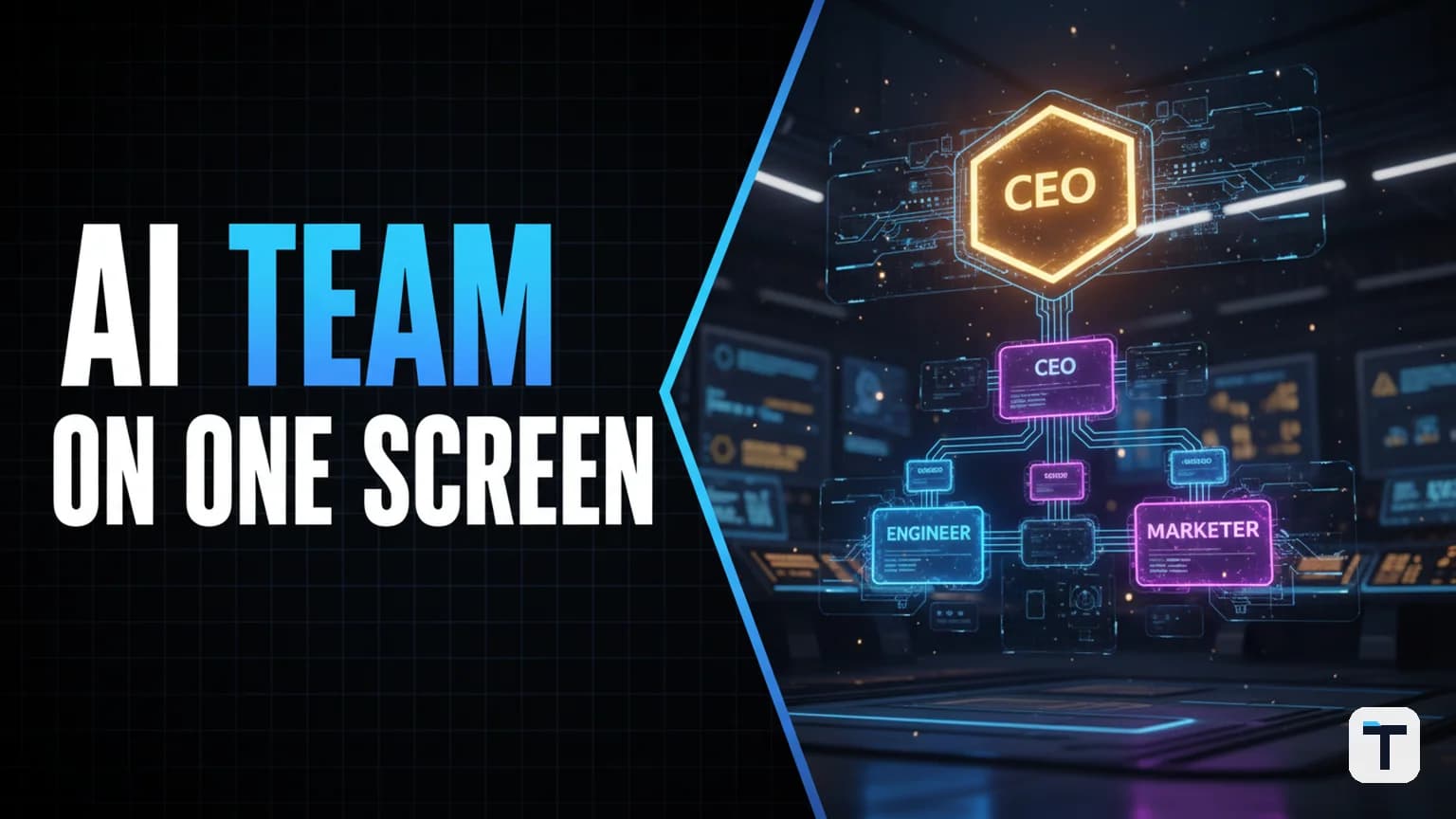

Multi-agent AI team orchestration is the practice of running several specialized AI agents — a CEO, engineers, writers, researchers — from a single dashboard where they share memory, pass tasks to each other, and work autonomously on a schedule. The strongest free stack right now pairs Paperclip (an open-source orchestration dashboard with org charts, budgets, and governance) with Hermes Agent (an open-source self-improving agent framework with persistent memory and 40+ built-in tools). Both are MIT-licensed, both run on your own machine, and the entire setup can cost zero dollars per month if you route agents through a free local model.
Last verified: 2026-07-30 · Best free orchestration dashboard: Paperclip (71K+ GitHub stars) · Best free agent runtime: Hermes Agent by Nous Research (32K+ GitHub stars) · Total stack cost: $0 with local models
What is multi-agent AI orchestration?
Multi-agent AI orchestration is the coordination layer that sits between you and your individual AI agents. Instead of opening 20 browser tabs — one for research, one for writing, one for coding — and copy-pasting between them all day, you define an org chart of specialized agents on one dashboard, give the team a goal, and walk away. The orchestration layer handles task decomposition, delegation down the reporting lines, budget enforcement, scheduled wake-ups (heartbeats), and audit logging.
The critical distinction is this: an agent framework (like Hermes Agent, Claude Code, or OpenAI Codex) is the worker. An orchestration platform (like Paperclip) is the company that worker operates inside. As the Paperclip maintainers put it: "If OpenClaw is an employee, Paperclip is the company." (GitHub — paperclipai/paperclip)
Why single-agent chat fails at real work
One AI chat tab is fine for a single question. But the moment you need a multi-step workflow — research a market, draft a report, optimize it for SEO, schedule it for publication, and email the draft to your team — a single agent context-switches like an overwhelmed intern. It forgets what you told it last session. You explain your business from scratch every time you open a new chat. And when you close your laptop, the context is gone.
Multi-agent orchestration solves three problems that single-agent chat cannot:
- Context persistence. A shared memory layer means every agent knows your business, your voice, and what the other agents already did. You explain yourself once — never again. (Hermes Agent — hermes-agent.nousresearch.com)
- Specialization. Instead of one agent that does everything poorly, you run a research agent that only researches, a writing agent that only writes, and an SEO agent that only optimizes. Each gets better at its narrow domain over time.
- Autonomous operation. Agents wake on a schedule, check the board for work, do the job, and go idle. You are not babysitting them. The dashboard shows who is working, what they are on, and what they produced — like watching a real office, except nobody is on payroll but you.
How Paperclip plus Hermes Agent works together
Paperclip provides the organizational infrastructure: org charts, ticket boards, per-agent monthly budgets, heartbeat scheduling, governance gates, and audit logs. Hermes Agent provides the actual agent runtime: an LLM-powered agent with persistent cross-session memory, 40+ built-in tools (web browsing, file management, terminal execution, image generation), a self-improving skills system, and multi-platform messaging via Telegram, Discord, Slack, or WhatsApp. (Hostinger — What is Hermes Agent?)
Paperclip connects to Hermes Agent (and other runtimes like Claude Code, Codex, Gemini, Cursor, and OpenClaw) through adapters. You "hire" an agent into a Paperclip role, point it at your Hermes Agent instance, and from that point the dashboard manages the agent's work assignments while Hermes handles the actual execution. (Paperclip — paperclip.ing)
| Layer | What it does | Tool | License | Cost |
|---|---|---|---|---|
| Orchestration dashboard | Org charts, budgets, ticketing, governance, audit logs | Paperclip | MIT | Free, self-hosted |
| Agent runtime | LLM reasoning, tools, memory, skills, messaging | Hermes Agent | MIT | Free, self-hosted |
| LLM model | The brain behind each agent | Hermes 3 / Llama 3.1 / GPT-4 / Claude | Varies | $0 if local, metered if API |
| Infrastructure | Where it all runs | Your laptop or $5/mo VPS | — | $0–$5/mo |
Sources: GitHub — NousResearch/hermes-agent, GitHub — paperclipai/paperclip
How to set up your AI agent team: a step-by-step guide
Step 1 — Install Paperclip (the dashboard)
Paperclip runs as a local Node.js server with a PostgreSQL database and React UI. One command gets you a running instance:
npx paperclipai onboard --yes
The --yes flag accepts all setup prompts automatically. The installer downloads dependencies, configures the embedded database, and starts the server. Your dashboard opens at http://127.0.0.1:3100. Requirements: Node.js v20+ and pnpm v9.15+. (BetterStack — Paperclip: A Local Control Plane for Orchestrating Multi-Agent AI Teams)
Step 2 — Install Hermes Agent (the worker runtime)
Hermes Agent installs in under 60 seconds on Linux, macOS, or WSL2:
curl -fsSL https://hermes-agent.nousresearch.com/install.sh | bash
After installation, connect Hermes Agent to a model provider. You can use the Nous Portal, OpenRouter, OpenAI, or any OpenAI-compatible API endpoint. For zero-cost operation, point it at a local model served through Ollama or LM Studio. (Hermes Agent — hermes-agent.nousresearch.com)
Step 3 — Create your company and define the mission
On the Paperclip dashboard, click "Create Company" and set:
- Company name: your business or project name
- Mission: a concrete goal, e.g., "Build and ship a URL shortener MVP this week" or "Publish three SEO-optimized articles per week and grow organic traffic to 50K monthly visitors"
Every task the agents create will trace back to this mission, so make it specific and measurable. (BetterStack — Paperclip guide)
Step 4 — Hire your agent team (the org chart)
This is the core mental shift. You are not writing prompts — you are drawing an org chart. Click "Hire," pick a role, select an adapter (Hermes Agent, Claude Code, Codex, etc.), and set a monthly budget.
A practical five-agent team for a small business or solo builder:
| Role | Reports to | Adapter | Responsibility | Monthly budget |
|---|---|---|---|---|
| CEO Agent | You (the human) | Hermes Agent | Breaks the mission into a roadmap, delegates to department heads | $50 |
| Marketing Agent | CEO | Hermes Agent | Keyword research, content calendars, ad creative, email sequences | $30 |
| Engineer Agent | CEO | Claude Code | Feature implementation, bug fixes, code review | $40 |
| Research Agent | CEO | Hermes Agent | Competitive analysis, fact-checking, source gathering | $20 |
| SEO Agent | Marketing | Hermes Agent | On-page optimization, schema markup, internal linking | $20 |
Each agent has a job description, a reporting line, and a spending cap. When an agent hits its budget limit, it stops — no runaway bills. (Paperclip — Cost Control feature, paperclip.ing)
Step 5 — Configure shared memory (the "shared brain")
The single biggest advantage of this stack over juggling 20 chat tabs is persistent, shared memory. Hermes Agent maintains an FTS5-backed cross-session memory store — a full-text searchable database of every conversation, project file, and preference across all sessions. (Hermes Agent — GitHub)
In practice this means: you tell the CEO agent about your business once. The marketing agent already knows your brand voice. The engineer agent already knows your tech stack. The research agent knows what sources you trust. Nothing gets repeated, nothing gets lost.
Set this up by writing a shared context file (Paperclip uses SKILL.md files for this purpose) that every agent reads on startup. Include: who you are, what your business does, your target audience, your tone of voice, and any standing rules (e.g., "always cite primary sources," "never publish without human review").
Step 6 — Set heartbeat schedules and walk away
Agents do not run continuously. They wake on a schedule — a heartbeat — check the board for new tasks, do the work, and go back to idle. This is more efficient than always-on operation and keeps costs predictable.
For example:
- CEO Agent: heartbeat every 6 hours — reviews the roadmap, creates or reassigns tickets
- Marketing Agent: heartbeat every 12 hours — checks for new content tickets, drafts copy
- Engineer Agent: heartbeat every 2 hours — picks up development tickets, writes code
- Research Agent: triggered on demand — activates when another agent requests research
- SEO Agent: heartbeat every 24 hours — reviews published content, optimizes metadata
You set the goal, you set the schedule, and the agents handle the rest. The dashboard shows everything live: green dot means working, idle means waiting, red means an error needs your attention. (Paperclip Docs — The Dashboard)
Step 7 — Review deliverables and approve
Every task ends with a real deliverable attached to the ticket. Click the task in the dashboard and you see the actual work — not a summary, the real thing: the drafted article, the written code, the research report, the ad creative. You approve, reject, or send it back with feedback. The audit log records every decision and every tool call, so you can trace any output back to its origin.
How to run the whole stack for free
The most common objection to multi-agent AI is cost. Here is how to drive it to zero:
- Paperclip is free. MIT-licensed, self-hosted, no account required, no paid tier exists. (GitHub — paperclipai/paperclip)
- Hermes Agent is free. MIT-licensed, self-hosted, runs on a $5/month VPS or your own laptop. (GitHub — NousResearch/hermes-agent)
- Local models are free. Both Paperclip and Hermes Agent are model-agnostic. Route agents to a locally hosted model like Llama 3.1 or Hermes 3 via Ollama, and your only cost is electricity. For a deeper dive on this strategy, see our guide to keeping your Hermes Agent token bill near zero.
- Per-agent budgets cap spending. Even if you do use paid API models (GPT-4, Claude), each agent has a monthly cap. Hit the limit, the agent stops. No surprises.
| Model path | Cost per month | Quality | Speed | Best for |
|---|---|---|---|---|
| Local model (Ollama + Llama 3.1) | $0 | Good | Medium | Research, drafting, simple tasks |
| OpenRouter (free tier models) | $0 | Variable | Fast | Prototyping, experimentation |
| GPT-4o via API | ~$20–$100/agent | Excellent | Fast | Complex reasoning, coding |
| Claude Sonnet via API | ~$20–$80/agent | Excellent | Fast | Writing, analysis, creative |
| Mixed (local for simple, API for complex) | $10–$50 total | Best of both | Balanced | Production — recommended |
Paperclip vs other multi-agent orchestration frameworks
Paperclip is not the only option. Here is how it compares to the alternatives that rank well in 2026:
| Framework | Model | Org charts | Budget controls | Governance gates | Self-hosted | Best for |
|---|---|---|---|---|---|---|
| Paperclip | Any agent (adapter-based) | Yes (core feature) | Yes (per-agent monthly) | Yes (approval gates) | Yes | Running an AI "company" with full governance |
| CrewAI | Python-native | No | No | No | Yes | Simple role-based task automation |
| LangGraph | Graph-based orchestration | No | No | No | Yes | Enterprise directed-graph workflows |
| AutoGen (AG2) | Conversational | No | No | Limited | Yes | Research, academic, human-AI dialogue |
| Zapier | Workflow automation | No | Plan-based | No | No (cloud SaaS) | Simple integrations, data movement |
Paperclip's differentiator is that it models agents as employees in a company structure — with reporting lines, budgets, approval gates, and audit trails — rather than as nodes in a workflow graph. CrewAI and AutoGen are powerful for workflow execution but lack organizational governance. For a deeper comparison of multi-agent architectures, see our analysis of AI swarm orchestration vs frontier models.
Sources: Fast.io — Paperclip AI Review 2026, Omdena — 15 Best AI Agent Orchestration Tools
What this means for you
If you are a solo builder, small business owner, or agency operator spending your day copy-pasting between AI chat tabs, multi-agent orchestration is the single highest-leverage change you can make. The mental shift from "prompting an AI" to "managing a team" changes how you think about delegation — and the tools are now free and mature enough to run on a laptop.
Start small: a CEO agent and one worker agent. Give them a single concrete goal. Watch the dashboard. Once you trust the loop, add specialized agents one at a time. The compounding effect is real — the longer the system runs, the more the shared memory builds up, and the better every agent gets at its job because it is learning from every task it completes. Hermes Agent's self-improving skills system turns solved tasks into reusable procedures that get refined over time. (Emelia — Hermes Agent: Self-Improving Framework)
For more on building an AI agent operating system with Hermes Agent and Obsidian as a persistent knowledge layer, see our free AI agent OS setup guide. And if you want to make your agents sound human in customer-facing channels, the Humalike plugin for Hermes Agent adds real social intelligence to agent conversations.
FAQ
Q: Is multi-agent AI orchestration free? A: Yes, if you use open-source tools and local models. Paperclip (MIT license) and Hermes Agent (MIT license) are both free and self-hosted. Route agents through a locally hosted LLM like Llama 3.1 via Ollama and your only cost is electricity. If you use paid API models (GPT-4, Claude), per-agent budget caps keep spending predictable.
Q: Do I need coding experience to set up Paperclip?
A: No. Setup requires one terminal command (npx paperclipai onboard --yes). After that, everything — hiring agents, creating tasks, setting budgets, monitoring the board — happens in the browser dashboard at localhost:3100. If you can use a to-do list app, you can use Paperclip.
Q: How is multi-agent orchestration different from just using ChatGPT or Claude? A: A single AI chat is one conversation — you type, it responds, and the context resets when you close it. Multi-agent orchestration runs a team of specialized agents that share persistent memory, pass work to each other through an org chart, operate on schedules, and accumulate knowledge over time. The ordering is comparable to the difference between hiring one freelancer versus building a department.
Q: What is a heartbeat in multi-agent orchestration? A: A heartbeat is a scheduled wake-up interval for an agent. Instead of running continuously (which wastes tokens and money), each agent wakes at its configured interval — say every 6 hours — checks the dashboard for new tickets, does the work, and goes back to idle. This makes autonomous operation efficient and cost-predictable.
Q: Can I use different AI models for different agents? A: Yes. Both Paperclip and Hermes Agent are model-agnostic. You can route a research agent to a free local model, an engineering agent to Claude Code, and a marketing agent to GPT-4o — all under one org chart. This lets you match model cost and capability to each role's requirements. For more on choosing the right model for Hermes Agent tasks, see our Hermes Agent new features guide.
Q: What happens if an agent goes off track or produces bad work? A: Paperclip's governance layer lets you pause, override, or terminate any agent at any time from the dashboard. Every tool call and decision is logged in an immutable audit trail. You can also set approval gates so structural changes (new hires, budget increases) require human sign-off before taking effect.
Discussion
0 comments