
Last verified: 2026-08-10
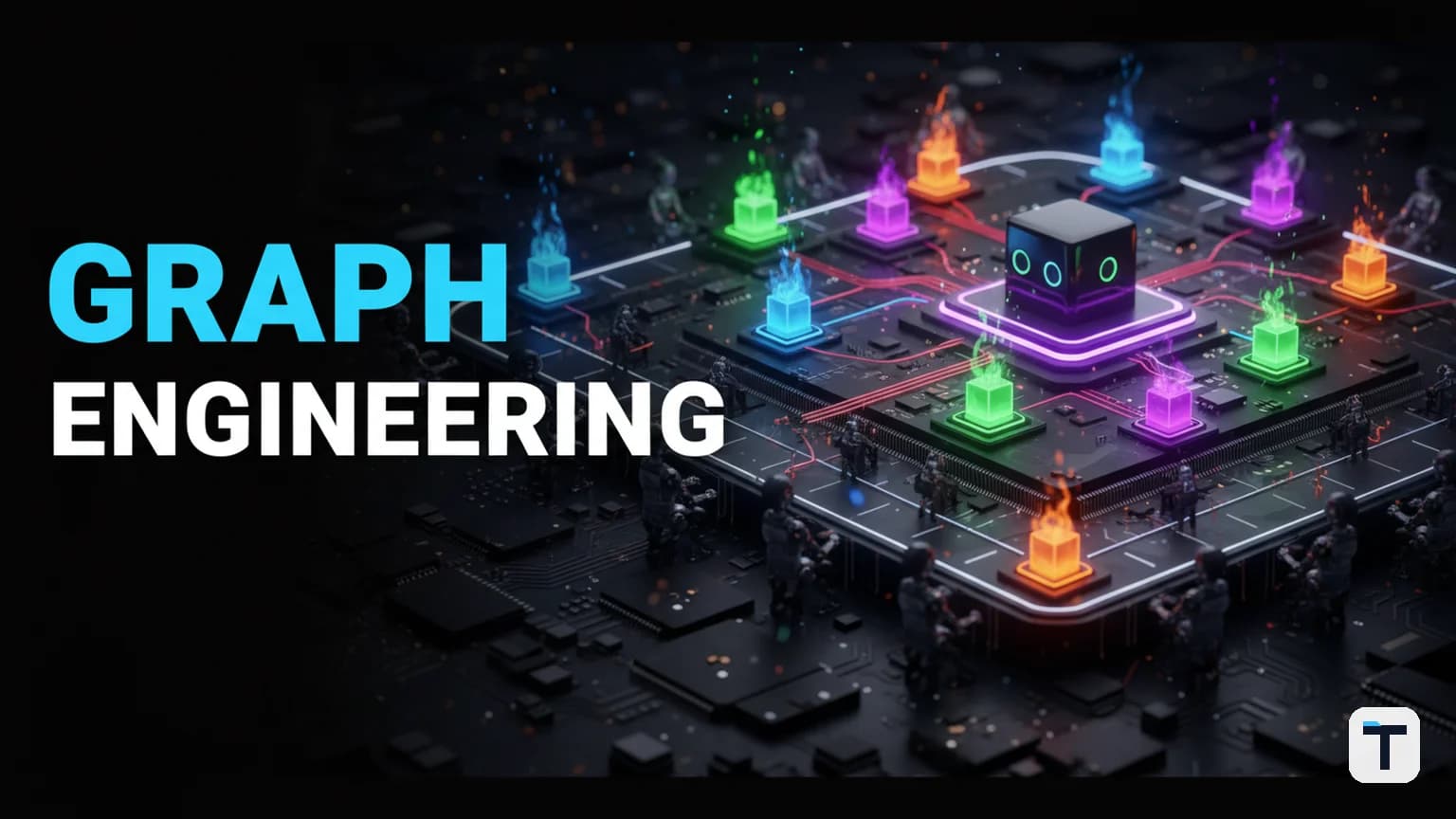
- Graph engineering = multi-agent AI workflows designed as a directed graph (nodes = agents, edges = handoffs)
- Anthropic's multi-agent system uses ~15× more tokens than chat but outperforms single-agent by ~90% (source)
- Prompt caching cuts shared-instruction costs by up to 90% (source)
- The concept builds on Euler's 1736 graph theory and Kahn/Dennis's 1974 dataflow models — the math is 50+ years old
- Claude Code ships this as "dynamic workflows" — Claude generates, runs, and discards the orchestration script per task
- Volatile facts: API pricing, model versions, and tool features change often — last checked August 2026.
What Is Graph Engineering for AI Agents?
Graph engineering for AI agents is the design of a multi-agent system's topology: which agents exist (nodes), how they hand off work to each other (edges), what each agent's job scope is, and how the workflow routes tasks through the graph. It is the structural counterpart to loop engineering — where a loop programs one agent's behavior cycle (trigger, task, self-check, repeat), a graph programs the organization of multiple agents working together.
The term gained traction in mid-2026, but the underlying approach has been practiced under different names for years. LangGraph (from LangChain) has offered graph-based agent orchestration since 2024. Microsoft's AutoGen has enabled multi-agent conversational frameworks since 2023. What changed in 2026 is that individual agents became capable enough — with tool use, web search, file access, and self-verification — that connecting them multiplicies power instead of multiplying errors. As LangChain cofounder Harrison Chase acknowledged, the label may be new but the approach is not; his own company published that graph engineering is "the latest name for an approach that's been around for years" (Analytics Vidhya).
How Is Graph Engineering Different From Loop Engineering?
Loop engineering runs one AI agent in a cycle: a trigger starts it, it performs a task, it checks its own work against success criteria, and it reruns until the quality bar is met. It is simple, easy to set up, and works well for bounded tasks. But as the task grows, the agent's context window fills up — research notes, tool outputs, prior drafts, instructions — and quality degrades. This is called context rot, and it is the primary reason long AI tasks fall apart.
Graph engineering replaces the single-agent loop with a team. Instead of one agent doing research, writing, and quality-checking in sequence, you assign each job to a separate agent with a clean, narrow context. The agents hand off work along the graph. Each handoff is an edge; each agent is a node. The key difference is structural: a graph makes the workflow explicit and inspectable, while a loop hides everything inside one agent's context.
| Aspect | Loop Engineering | Graph Engineering |
|---|---|---|
| Agents | One agent, one cycle | Multiple agents, each with one job |
| Context | Shared and growing | Clean and narrow per agent |
| Failure visibility | Opaque — one agent, mystery error | Precise — you know which node failed |
| Speed | Sequential | Parallel where independent |
| Cost | Lower token usage | Higher (~15× standard chat) but caching offsets |
| Best for | Simple, bounded tasks | Complex, multi-step, high-stakes work |
| Setup effort | Low | Medium to high |
The analogy is an assembly line. Before 1913, one worker built an entire car — wheels, engine, doors, paint. When something went wrong, you could not tell which step caused it. The moving assembly line split that work into stations: one worker does wheels, another does paint, a quality inspector checks the finished car. Graph engineering applies the same principle to AI agents. Each agent is a station. Each handoff is a step down the line. When the final output is bad, you know in seconds which node caused it.
Why Did Multi-Agent Systems Suddenly Start Working in 2026?
The blueprints for multi-agent AI have existed since at least 2023. Microsoft released AutoGen, and LangChain shipped LangGraph. Both let you connect multiple AI agents into coordinated workflows. But almost no one used them for serious work, because each agent in the graph was just a basic LLM call — no tool access, no memory, no ability to verify its own output. Connecting ten weak agents produced ten weak results wired together.
What changed between 2023 and 2026 is not the graph structure but what each node can do. Today's agents can search the web, read and write files, run code, call APIs, and check their own work against defined criteria. A single node in a graph is now a full agent with tools, not a stripped-down text generator. This is why the same graph topology that produced useless output in 2023 produces production-quality output in 2026. The workers finally got good; the assembly line was always sound.
How Does Claude Code's Dynamic Workflow Feature Work?
Claude Code implements graph engineering as "dynamic workflows" — a feature that lets Claude generate, execute, and discard multi-agent orchestration scripts on the fly. When you request deep research, for instance, Claude writes a full workflow script: it splits the research into phases, spawns subagents for each phase (scoping, resource gathering, information fetching, fact-checking, report writing), runs them in parallel, and synthesizes the result. The script is ephemeral — Claude discards it when the task is done.
According to Anthropic's documentation, dynamic workflows can orchestrate "10s to 100s of parallel subagents" (Claude Code docs). The process is:
- You describe what you want and what "good" looks like.
- Claude decomposes the task into a graph of subagent jobs.
- Claude generates a JavaScript orchestration script.
- The script spawns subagents, each with its own context window and tool access.
- Subagents run in parallel where independent, sequentially where dependent.
- An adversarial review subagent checks the work.
- The synthesizer produces the final output.
- The script is discarded; nothing persists.
You do not write the workflow yourself. Claude generates it. Your job is to describe the task and the success criteria. This is what makes dynamic workflows accessible to non-developers: the AI builds the factory, you describe the product.
The deep research skill inside Claude Code (/deep-research) uses dynamic workflows to fan out web searches, fetch sources, adversarially verify claims, and synthesize a cited report (Claude blog). If you are on a Claude Pro plan, dynamic workflows are available but must be switched on. On Claude Max and Team plans, they run by default.
How Much Does a Multi-Agent System Cost to Run?
Multi-agent systems burn tokens. Anthropic published the numbers from their own multi-agent research system: agents typically use about 4× more tokens than a standard chat interaction, and multi-agent systems use about 15× more tokens than chats (Anthropic engineering blog). Token usage alone explained 80% of the performance variance in their BrowseComp evaluation — meaning the architecture works largely because it spends enough tokens to thoroughly explore the problem space.
Run the math on a deep research task with 100+ agents, each starting with roughly 20,000 tokens of instructions. Using Claude Opus 5 at $5 per million input tokens (current pricing as of August 2026 per Claude Platform docs), the input cost alone approaches $10 for a single task — before any output tokens are counted.
The caching lever: how to cut $10 to $1
Prompt caching is the primary cost-reduction mechanism for multi-agent systems. When multiple agents share the same instructions (system prompts, tool definitions, document context), the API does not charge full price to reload those instructions for every agent. It caches them and charges 10% of the standard input price on cache hits (Claude Platform pricing). The first write costs 25% more than standard input (1.25× multiplier for a 5-minute cache), but every subsequent read within the cache window costs only 0.1× the base rate.
| Operation | Price vs. standard input | When it applies |
|---|---|---|
| Standard input | 1.0× | Every request without caching |
| 5-minute cache write | 1.25× | First request in a 5-minute window |
| 1-hour cache write | 2.0× | First request in a 1-hour window |
| Cache hit (read) | 0.1× | Every subsequent request within the window |
With caching, that $10 deep-research run drops to something closer to $1 for the shared-instruction portion. The key is designing your graph so that agents share a common instruction prefix — the same system prompt, the same tool definitions, the same context documents — which the cache can serve at 90% discount to every downstream agent.
The model-tiering lever: cheap workers, smart checker
The second cost lever is model selection per node. Not every agent in the graph needs your most expensive model. An agent that fetches URLs or formats JSON does not need Claude Opus 5 at $5/$25 per million tokens. It can run on Claude Haiku 4.5 at $1/$5 — one-fifth the input cost and one-fifth the output cost (Claude Platform pricing). In a 10-agent graph, routing 8 workers to Haiku and reserving Opus for the planner and the reviewer can cut the total run cost by 60–70%.
Current Claude API pricing (as of August 2026):
| Model | Input $/M tokens | Output $/M tokens | Context window | Best for |
|---|---|---|---|---|
| Claude Fable 5 | $10 | $50 | 1M | Most complex reasoning |
| Claude Opus 5 | $5 | $25 | 1M | Planning, quality review |
| Claude Sonnet 5 | $2 (temp) | $10 | 1M | Balanced work (through Aug 31) |
| Claude Haiku 4.5 | $1 | $5 | 200K | Simple tasks, fetching, formatting |
Source: Claude Platform pricing, verified August 2026.
Where Does Going Cheap Destroy Everything?
The quality-checker agent is the one node where saving money costs you everything. In any assembly line, the final inspector decides what leaves the building. If the inspector is incompetent, defective work ships with a clean stamp.
Two rules govern the checker node:
Rule 1: The agent that built the work should never check it. An agent that produced the work judges it with the same reasoning that created the mistakes — like a student grading their own exam. The fix is a fresh agent with zero memory of the original work. Claude Code supports this directly by spinning up a separate session for review, with none of the original context loaded. Clean eyes only.
Rule 2: Put your best model on the checker. A cheap, fast model reviewing work tends to flag everything — including things that were done on purpose — because it cannot read the context around a decision. A smart model flags fewer things and gets them right. According to Anthropic's best practices for agentic operations, a strong model on the review step catches more real issues with fewer false positives than a cheap model that floods the pipeline with unnecessary corrections.
Anthropic's own team stacks checkers. They chain a code review skill, a simplify skill, a verify skill, and a design skill — four inspectors, each asking a different question. Two checkers asking different questions beat ten checkers asking the same one (identical checks produce identical findings, which means blind spots remain blind spots).
A cheap checker also has a failure mode that is worse than false positives: it can report "all clear" on work full of problems because it is pattern-matching, not reading meaning. A clean report from a weak checker proves nothing. What the report proves depends entirely on how hard the checker tried to break the work.
What Are the Practical Limits of Multi-Agent Systems?
Multi-agent graph systems have three practical constraints that determine whether they are worth the cost:
Concurrency ceiling. The number of agents that can run simultaneously is bounded by your machine's core count and your provider's rate limits. On a typical developer machine, you might cap at around 8–16 concurrent agents. Everything beyond that waits in a queue. The vision of a thousand agents firing in parallel is not how this works in practice — the bottleneck is real.
Rate-limit pacing. If you fire a burst of agent requests at the same instant, you can trip the provider's rate limits and watch the entire batch fail together. Not because your setup was wrong, but because too many workers punched in at the same time. The fix is to send agents out in small batches — six at a time, for example — rather than all at once. Pacing is often the only difference between a failed run and a perfect one.
Task decomposition. Not every task benefits from a graph. Anthropic is explicit about this: "domains that require all agents to share the same context or involve many dependencies between agents are not a good fit for multi-agent systems today" (Anthropic engineering blog). If your workflow has tightly-coupled state and sequential dependencies where every agent needs the same context, a graph adds cost without earning parallelism gains.
When Should You Build a Graph vs. Keep a Loop?
Three signals tell you a graph is worth the overhead. If none are present, a simple loop is the right choice and adding a graph just adds cost.
Signal 1: The desk is full. Your agent's context is climbing into the hundreds of thousands of tokens and quality is slipping. If one agent's context window is so full that it starts losing track of information, split the work. Each agent in a graph gets a clean, narrow context.
Signal 2: The work is high-stakes. Anything going to a client, anything touching your reputation, anything expensive to get wrong deserves an independent checker with fresh eyes. A loop has the same agent check its own work; a graph can isolate the reviewer.
Signal 3: Speed matters. If one agent grinding through five sources takes an hour and five agents in parallel takes ten minutes — and you run this daily — the graph pays for itself fast. Parallelism is the primary speed advantage: agents working simultaneously beat one agent working sequentially.
If none of these signals are present, a loop is simpler, cheaper, and sufficient.
How to Draw Your First Agent Graph (Step by Step)
The first step costs ten minutes and a pen.
- Pick one process in your business. A daily report, a weekly content batch, a customer research workflow — anything repeatable with multiple steps.
- Draw each step as a box. One box per discrete job. For a morning report: check social media, check email, check competitor sites, write the report, review the report. Five boxes.
- Draw arrows between the boxes showing the order they happen in.
- Go arrow by arrow and ask: does the next step actually need to read what the last step produced? If yes, the arrow is real and those steps run in order. If no, cross it out because those steps can run at the same time.
- Most people find two or three steps that never needed to wait on each other. Those are your parallel opportunities — the agents that can work simultaneously instead of sequentially.
- That drawing is your first graph. Hand it to Claude Code (or any multi-agent framework), describe what you want and what good looks like. The AI builds the execution layer.
For a simple content workflow, the graph might be: one agent drafts posts, one agent checks the draft against your brand voice guide before anything goes out. Three stations, one afternoon to set up, and it runs while you do something else. You can learn more about building an agent operating system for your business or explore how agentic SEO content systems use the same parallel-agent principle to rank content.
How Does This Connect to the History of Graph Theory?
The mathematical foundation for graph engineering comes from Leonhard Euler, a Swiss mathematician who in 1736 proved that you could not walk a route through the city of Königsberg crossing each of its seven bridges exactly once. To solve the problem, Euler invented a way of representing real-world problems as abstract dots (nodes) and lines (edges) — the first graph. This paper, "Solutio problematis ad geometriam situs pertinentis," is generally considered the founding work of graph theory (Wikipedia; Britannica).
In 1974, computer scientists Gilles Kahn and Jack Dennis independently formalized dataflow models for parallel computation. Kahn's process networks modeled concurrency as processes communicating over streams; Dennis's dataflow procedure language modeled computation as a graph of atomic firings driven by firing rules. Both established that computation could be represented as a directed graph of independent processing nodes — the same structural pattern that agent graphs use today (Lee & Matsikoudis, UC Berkeley).
Every agent workflow you will ever build is dots and lines. The shape is over 50 years old. What is new in 2026 is that each dot is now a capable agent, not a basic function call.
What Does a Multi-Agent Graph Look Like in Practice?
Here is a simple architecture for a daily competitive intelligence report, drawn as a graph:
[Trigger: 7:00 AM]
         |
    +----+----+----+
    |         |    |
[Social   [Email  [Competitor
 Scanner]  Reader]  Monitor]
    |         |    |
    +----+----+----+
              |
       [Report Writer]
              |
       [Quality Checker]
              |
     [Send to human]
- Three source agents run in parallel, each with a clean context window and one job. They do not share context. They do not wait for each other.
- The report writer receives three compact summaries, not three bloated context windows. It synthesizes them into a report.
- The quality checker is a fresh agent with no memory of the research or the writing. It reads only the final report and decides whether it meets the success criteria. If it fails, the report goes back to the writer with feedback. If it passes, the report is sent.
- The human receives only the finished, checked output.
This is the agent operating system model applied to a specific workflow. The same pattern works for content production, lead research, customer support triage, and code review pipelines. The companies that learned these AI automation lessons the hard way found that splitting work into focused, parallel agents is the single biggest lever for reliable AI output. For teams, the same principle scales into multiplayer agentic engineering, where multiple developers coordinate their own agent workflows without clashing.
What This Means for You
If you are using AI for real work — content, research, operations, development — graph engineering is the shift from asking "what can one agent do?" to "what can a team of agents do together?" The practical moves:
- Start with a drawing. One process, boxes and arrows, ten minutes. Identify which steps can run in parallel.
- Use Claude Code's dynamic workflows if you have a Pro plan or above. You do not write the orchestration code; Claude does. Describe the task and the quality bar.
- Enable prompt caching. It is the single most impactful cost lever for multi-agent runs — 90% off shared instructions. A $10 task becomes $1.
- Tier your models. Cheap models for simple nodes (fetching, formatting). Expensive models only for planning and quality review.
- Never cheap out on the checker. The quality-review agent sets the quality of the entire line. A weak checker either floods you with false flags or rubber-stamps broken work. Use your strongest model here.
- Respect the limits. Concurrency is bounded by cores and rate limits. Pace your agent launches in small batches. Do not fire 50 at once.
- Know when a loop is enough. If the context is not full, the stakes are not high, and speed is not critical, a simple loop is cheaper and simpler. Adding a graph to a task that does not need one is waste.
The people who learn to draw the boxes and arrows — and who put a proper checker at the end of the line — will get more done in a morning than people running single-agent loops get done in a week. The tools are ready. The workers finally got good.
FAQ
Q: Is graph engineering just the latest AI buzzword?
A: The name is new (mid-2026), but the method is not. The mathematical foundation comes from Euler's 1736 graph theory. The computational model comes from Kahn and Dennis's 1974 dataflow research. LangGraph and AutoGen offered multi-agent graph frameworks as early as 2023. What changed is that individual agents became capable enough — with tools, memory, and self-verification — that connecting them multiplies power instead of multiplying errors. The label may rotate (prompt engineering → context engineering → loop engineering → graph engineering), but the underlying method of splitting work across specialized agents is durable.
Q: How many agents can run at the same time?
A: It is bounded by your machine's core count (typically 8–16 concurrent agents on a standard developer machine) and your API provider's rate limits. Everything beyond that waits in a queue. The dream of a thousand agents firing simultaneously is not reality. You can scale with cloud compute or tools like Ray, but most business workflows need fewer than 20 agents at once.
Q: How much does a multi-agent system cost compared to a single agent?
A: Anthropic reports multi-agent systems use about 15× more tokens than a standard chat interaction. For a 100-agent deep research run on Claude Opus 5 ($5/M input tokens), the shared-instruction cost alone approaches $10 per task. With prompt caching (90% off repeated instructions), that drops to roughly $1. Model tiering — using Haiku 4.5 ($1/$5) for simple nodes and Opus 5 ($5/$25) only for planning and review — can save another 60–70%.
Q: Can I use graph engineering without writing code?
A: Yes. Claude Code's dynamic workflows generate the orchestration script for you. You describe the task and what "good" looks like; Claude writes the graph, runs the subagents, checks the work, and synthesizes the output. The script is discarded after the run. On Claude Pro, you need to enable the feature; on Max and Team plans, it runs by default.
Q: What is the one mistake that ruins a multi-agent system?
A: Using a cheap model on the quality-checker agent. The checker decides what ships. A weak checker either flags everything (including correct work) or rubber-stamps broken output. Use your strongest, most expensive model on the reviewer — even if you used cheap models everywhere else. The agent that built the work should also never review it; it judges its own work with the same reasoning that produced the mistakes.
Q: When is a simple loop better than a graph?
A: When none of these three signals are present: (1) your agent's context is not full and quality is not slipping, (2) the work is not high-stakes enough to need an independent reviewer, and (3) speed is not critical enough that parallelism matters. A loop is simpler, cheaper, and sufficient for bounded tasks. Adding a graph to a task that does not need one adds cost for no benefit.
Every claim here is traced to a primary source, dated, and listed under Sources. Research and drafting are AI-assisted; editing, verification and publication are human decisions, and a person is accountable for what appears on this page. How we work →


Discussion
0 comments