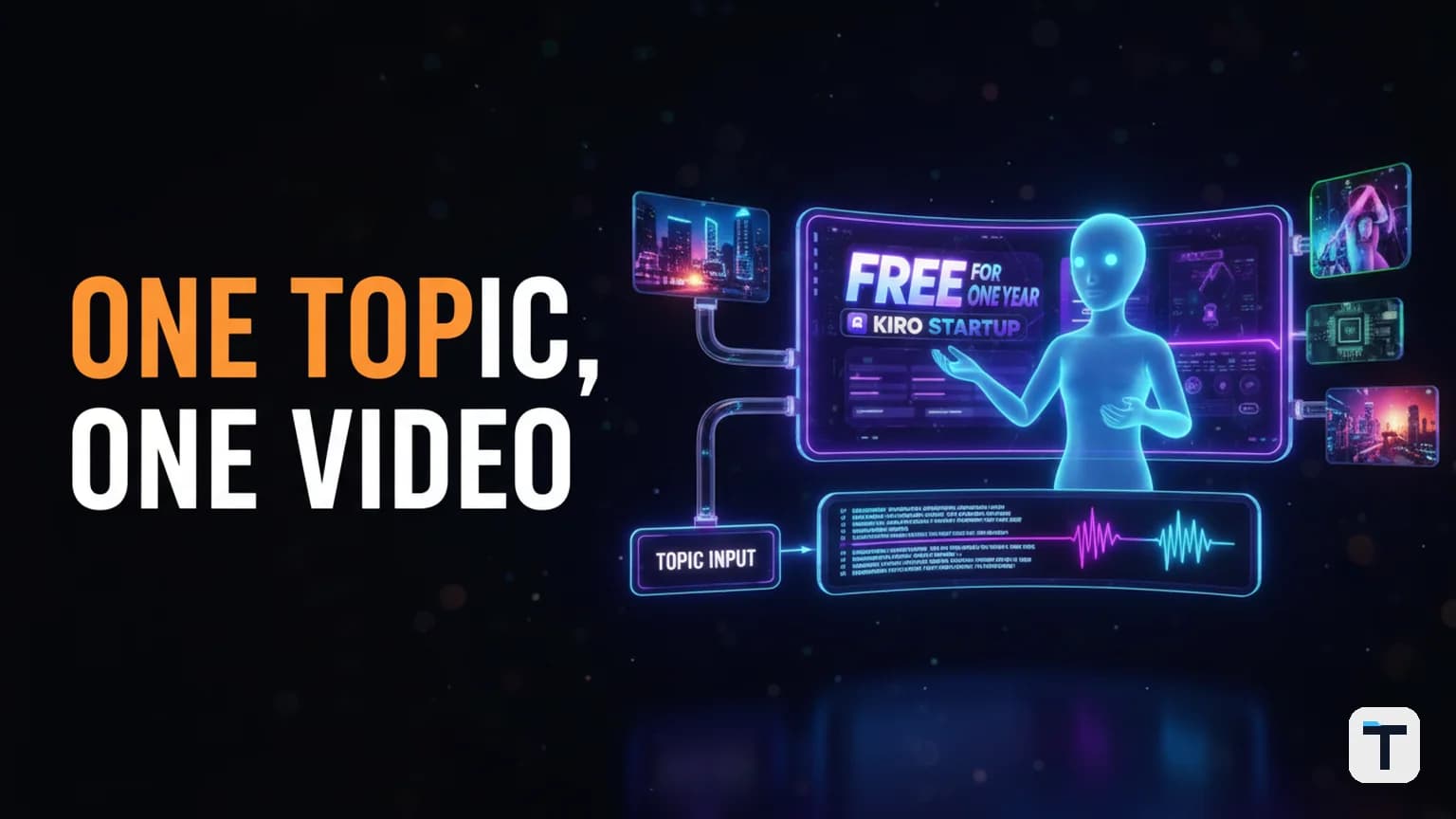

Verdict: An AI video automation pipeline lets you type a single topic and get a fully edited video back — research, script, voice-over, AI avatar, B-roll, and final cut — in under 30 minutes instead of the 3+ hours a manual workflow takes. The tools to build one already exist and are affordable: a web-research LLM (free–$20/mo), a voice-over engine like ElevenLabs ($6–22/mo), an AI avatar generator like HeyGen ($29/mo) or MiniMax Hailuo, and a video assembly step using FFmpeg or a no-code tool. The real advantage is not any single tool — it is connecting them into a repeatable pipeline that does the boring 80% of video production while you stay in control of the creative 20%.
Last verified: 2026-06-18 · 5-stage pipeline: Research → Script → Voice → Visuals → Assembly · Best for: content creators, small businesses, agencies producing daily video · Pricing/limits change often — re-check before committing.
What Is an AI Video Automation Pipeline?
An AI video automation pipeline is a sequential workflow that takes a topic or prompt as input and produces a finished, publishable video as output — with each stage handled by a different AI tool, connected end-to-end so the whole process runs without manual copy-pasting between tabs. Think of it as a video factory: raw material (a topic) goes in one end, and a polished video comes out the other.
The pipeline replaces the old manual workflow where you would open a script tool, write a prompt, film or generate footage, record a voice-over, and then drag everything into an editor for hours. Instead, each stage has a defined input, a specific AI tool, and a defined output that feeds the next stage. The human role shifts from doing each step to approving, tweaking, and curating.
This is not science fiction in 2026 — the building blocks are mature, documented, and shipping. Open-source projects like gemini-youtube-automation (287 GitHub stars as of June 2026) and FFMPerative (203 stars) already demonstrate working end-to-end pipelines. Commercial platforms like HeyGen's Script to Video and Wireflow offer hosted versions.
How Does an AI Video Pipeline Work? (The 5 Stages)
A complete AI video pipeline runs through five stages. Each takes the output of the previous one as its input, so the whole chain can be automated with a script or an agent orchestration tool.
Stage 1: Research
The pipeline starts with live web research, not a static prompt. An LLM with web-search capability — Claude, Gemini, GPT-5.x, or a multi-model panel like OpenRouter Fusion — takes your topic, searches the web for current facts, and returns structured research notes. This is critical: if the AI just writes a script from its training data, the video will contain outdated or hallucinated facts. Live research ensures the content is accurate and current.
For a topic like "GLM 5.2 release," the research stage would pull the model's specs (753B parameters, 1M token context, MIT license), benchmark scores, pricing, and the date it shipped — all from primary sources, not from the model's memory.
If you want higher-confidence research, a multi-model approach like OpenRouter Fusion can run your prompt through 3–5 models in parallel, then a judge model compares their answers and surfaces consensus, contradictions, and gaps — structured analysis you can feed into the next stage. Learn more about how this works in our OpenRouter Fusion vs Fable 5 comparison.
Stage 2: Script Writing
The research notes feed into a second LLM call that writes the full video script: a hook (first 3–5 seconds), scene-by-scene breakdown with voice-over text and B-roll descriptions for each scene, and a call-to-action. The output is structured — not a wall of text, but a scene list where each scene has:
- Scene number and duration
- Voice-over text (what the narrator says)
- B-roll description (what the viewer sees)
- On-screen text or hook (if applicable)
You should be able to read, edit, or reject the script before the pipeline continues. A good pipeline lets you approve or re-prompt at this checkpoint — this is the "creative 20%" where human judgment matters most.
Stage 3: Voice-Over Generation
The approved script's voice-over text goes into a text-to-speech (TTS) engine. The leading option for quality is ElevenLabs, which offers hyper-realistic voices with context-aware pacing and emotion. ElevenLabs pricing starts at $0 (Free, 10,000 credits/month) and goes up to $99/month for the Pro plan (600,000 credits) per their official pricing page. One credit roughly equals one character on the Multilingual v2 model, so a 3-minute video script (~450 words, ~2,700 characters) costs about 2,700 credits — well within even the free tier.
You can also clone your own voice for a personalized feel. ElevenLabs offers instant voice cloning on the Starter plan ($6/month) and professional voice cloning on the Creator plan ($22/month). For a deeper comparison of voice-cloning options, see our Voicebox vs ElevenLabs guide.
Stage 4: AI Avatar and B-Roll Generation
This stage produces the visuals. Two components run in parallel:
AI Avatar: A talking-head presenter generated from the script. Tools like HeyGen (with its Avatar IV technology) and Synthesia can create a realistic AI avatar that lip-syncs to your voice-over. MiniMax Hailuo 02 generates short video clips at native 1080p and is ranked #2 globally on the Video Arena leaderboard per MiniMax's announcement. HeyGen's Creator plan at $29/month includes 200 premium credits, with Avatar IV videos consuming 20 credits per minute (so ~10 minutes of premium avatar video per month), per their pricing documentation.
B-Roll: For each scene, a text-to-video or text-to-image model generates relevant footage. Models like Runway, Kling AI 3.0, Google Veo 3, and Luma Dream Machine handle this. Each scene's B-roll description (from Stage 2) becomes the prompt. You can batch-generate all scenes' visuals at once.
Stage 5: Assembly and Final Cut
The final stage combines the voice-over, avatar footage, and B-roll into a single edited video. This is where a pipeline earns its keep — instead of manually dragging clips into a timeline, the assembly step uses a tool like FFmpeg (free, open-source) or Remotion (code-based video composition) to automatically:
- Lay the voice-over audio track as the backbone
- Cut the avatar footage to match the audio timing
- Insert B-roll clips at the right timestamps (from the scene breakdown)
- Add transitions, captions, and music
- Export the final video in your target format (16:9 for YouTube, 9:16 for Shorts)
FFmpeg is the workhorse here — the FFMPerative project demonstrates how to compose videos from natural language. For a no-code alternative, tools like Descript or CapCut can handle assembly if you prefer a visual editor. See our guide on building a hands-free AI video editor with Claude Code and Descript for a deeper dive.
Which Tools Should You Use for Each Stage?
The right tool depends on your budget, quality bar, and whether you want a managed platform or a DIY pipeline. Here is a comparison of the best options per stage:
| Stage | Tool | Best For | Starting Price | Key Limit | Source |
|---|---|---|---|---|---|
| Research | OpenRouter Fusion | Multi-model consensus, high confidence | Pay-per-use (model costs) | Requires API setup | openrouter.ai |
| Research | Claude / Gemini / GPT-5.x | Single-model research, fast | $0–$20/mo (free tiers available) | Single model = single perspective | anthropic.com |
| Script | Any capable LLM (Claude, GPT-5.x, GLM 5.2) | Structured scene-by-scene scripts | $0–$20/mo | Quality varies by model | — |
| Voice | ElevenLabs | Best voice quality, voice cloning | $0 (Free) / $6 (Starter) / $22 (Creator) | Credits don't roll over | elevenlabs.io/pricing |
| Voice | MiniMax Speech 02 | #1 on TTS Arena, multilingual | Pay-per-use | Newer, less ecosystem | minimax.io |
| Avatar | HeyGen | Ultra-realistic Avatar IV, 175+ languages | $0 (Free) / $29 (Creator) | 20 credits/min for Avatar IV | heygen.com/pricing |
| Avatar | Synthesia | Corporate training, enterprise | $0 (Free) / $22–29/mo (Starter) | Minutes don't roll over | synthesia.io/pricing |
| B-Roll | Kling AI 3.0 | Realistic human motion | Pay-per-use | Short clips (6–10 sec) | klingai.com |
| B-Roll | Google Veo 3 | Prompt accuracy | Pay-per-use | Google cloud required | Google AI |
| B-Roll | MiniMax Hailuo 02 | Native 1080p, physics | Pay-per-use | 6–10 sec clips | minimax.io |
| Assembly | FFmpeg | Free, full control, scriptable | $0 (open source) | Command-line, steep learning curve | ffmpeg.org |
| Assembly | Descript | Visual editing + AI features | $0 (Free) / $12+ (Pro) | Less automation control | descript.com |
How Much Does an AI Video Pipeline Cost?
The cost depends on whether you use free tiers, pay-as-you-go APIs, or subscription plans. Here is a realistic monthly cost breakdown for a small business producing 10 videos per month (3–5 minutes each):
| Component | Free/Low-Cost Option | Mid-Tier Option | Pro Option |
|---|---|---|---|
| Research LLM | Free tier (Gemini, Claude) | $20/mo (ChatGPT Plus) | $20/mo + API costs |
| Voice-over | ElevenLabs Free (10k chars) | ElevenLabs Starter $6/mo | ElevenLabs Creator $22/mo |
| Avatar | HeyGen Free (3 videos) | HeyGen Creator $29/mo | HeyGen Pro $99/mo |
| B-Roll | Kling/MiniMax pay-per-use | ~$20–50/mo (API credits) | ~$100+/mo |
| Assembly | FFmpeg (free) | Descript $12/mo | Remotion + cloud render |
| Total/month | $0–$25 | ~$87–117 | ~$240+ |
The free/low-cost path can produce real videos — the main constraint is ElevenLabs' 10k character limit (about 3 videos) and HeyGen's 3-video free cap. For a small business producing 10 videos a month, the mid-tier path at ~$100/month total is the sweet spot.
How to Build Your Own AI Video Pipeline (Step-by-Step)
You do not need to be a developer to build this. If you can type a sentence and run a script, you can set up a working pipeline in an afternoon. Here is the practical path:
Step 1: Pick your orchestration layer
You need something to connect the stages. Two options:
- No-code: Use a tool like n8n (open-source workflow automation), Make.com, or Zapier to connect API calls between stages. Each stage is a node; the output of one feeds the next.
- Code: Write a Python script that calls each API in sequence. The open-source gemini-youtube-automation project is a good reference implementation.
For a deeper dive into the agent-OS approach where multiple AI agents work together, see our guide on building your own agent operating system.
Step 2: Connect the research + script stage
Set up an LLM API call that takes your topic, does web research, and returns a structured script (JSON with scene number, voice-over text, and B-roll description per scene). Most LLMs support structured outputs (JSON mode) — Claude, GPT-5.x, and Gemini all do.
Step 3: Add the voice-over stage
Pipe the script's voice-over text into ElevenLabs' API (or MiniMax Speech 02). Save the audio file. This is a single API call per video.
Step 4: Generate visuals
For each scene, call your B-roll generator (Kling, MiniMax Hailuo, or Runway) with the scene's B-roll description as the prompt. If using an AI avatar, call HeyGen or Synthesia with the voice-over audio and avatar settings. Generate all scenes' visuals in parallel to save time.
Step 5: Assemble the final video
Use FFmpeg to combine the audio track, avatar footage, and B-roll clips into one video. The script's scene breakdown gives you the timing — FFmpeg's filter graph can handle cuts, transitions, and text overlays. Export in your target aspect ratio.
Step 6: Add a human review checkpoint
Build in a pause between Stage 2 (script) and Stage 3 (voice) so you can read, edit, or reject the script before the pipeline spends credits generating audio and visuals. This is where you catch hallucinations, wrong facts, or awkward phrasing — the cheapest place to fix problems.
What Can You Do With an AI Video Pipeline?
Once it is running, a pipeline like this can produce:
- Daily news update videos — type a trending topic, get a 60-second news clip
- Product explainer videos — give it a product name, get a demo walkthrough
- Educational content — turn a how-to article into a tutorial video
- Client deliverables — agencies can offer video as a service without a production team
- Social media content at scale — produce 10+ short-form videos per week from one dashboard
The economics are compelling: traditional video production costs $1,000–$5,000 per finished minute when you factor in talent, studio, and editing. An AI pipeline can produce the same content for under $5 per minute at scale. For more on how creators are monetizing AI-produced video, see our AI YouTuber income breakdown.
What This Means for You
If you are a small business owner, content creator, or agency: the question is no longer whether AI can produce video — it can. The question is whether you will build a pipeline now or watch competitors who did produce 10x your content volume at a fraction of your cost. Start with the free tiers of each tool, prove the concept on one video, then scale to a mid-tier setup (~$100/month) once you have a workflow that works. The pipeline does not replace creativity — it handles the mechanical 80% so you can focus on the 20% that matters: the topic, the script approval, and the final quality check.
FAQ
Q: Can AI fully automate video production without human input? A: Not yet — and you would not want it to. The pipeline can handle research, scripting, voice-over, visuals, and assembly automatically, but a human should review the script before generating audio and visuals. This catches hallucinated facts, awkward phrasing, and off-brand messaging. The goal is not zero human input; it is 80% less manual work with 100% human control over the creative decisions.
Q: How much does it cost to run an AI video pipeline per month? A: A budget setup using free tiers costs $0–$25/month but is limited to about 3 short videos. A mid-tier setup for a small business producing 10 videos/month costs roughly $87–$117/month (ElevenLabs $6–22 + HeyGen $29 + B-roll API credits $20–50 + assembly free). A pro setup with higher quality and volume runs $240+/month. All pricing is volatile — verify current rates on each vendor's pricing page before committing.
Q: What is the best AI voice-over tool for video pipelines? A: ElevenLabs is the quality leader in 2026, with context-aware pacing and emotion, voice cloning, and 29+ language support. It starts free (10,000 credits/month) and goes up to $99/month (Pro, 600k credits). MiniMax Speech 02 is a strong alternative — it ranked #1 on both Artificial Analysis Speech Arena and Hugging Face TTS Arena, per MiniMax's official announcement. For budget use, open-source Chatterbox is free and self-hosted.
Q: Do I need to know how to code to build an AI video pipeline? A: No. No-code tools like n8n, Make.com, or even HeyGen's built-in Script to Video feature let you connect the stages visually. However, if you can write Python, you will have more control and lower costs (API calls are cheaper than hosted platforms). The open-source project gemini-youtube-automation is a good starting point for a code-based approach.
Q: How long does it take to generate one video with an AI pipeline? A: End-to-end, a 3–5 minute video takes 10–30 minutes to generate, depending on the B-roll model's rendering speed (text-to-video models typically take 1–5 minutes per 6-second clip). The research and script stages take seconds; voice-over takes seconds; assembly takes a minute. B-roll generation is the bottleneck. You can parallelize all scene visuals to cut total time significantly.
Q: Is AI-generated video good enough for professional use? A: Yes, for many use cases — news updates, explainers, product demos, educational content, and social media. AI avatar quality from HeyGen's Avatar IV and Synthesia 2.5 is now approaching real human video. B-roll from Kling 3.0 and MiniMax Hailuo 02 produces near-photorealistic footage. The gap is narrowing fast, but for high-end brand campaigns or cinematic content, traditional production still wins on nuance and art direction. Always disclose AI-generated content to your audience.
Every claim here is traced to a primary source, dated, and listed under Sources. Research and drafting are AI-assisted; editing, verification and publication are human decisions, and a person is accountable for what appears on this page. How we work →
Discussion
0 comments