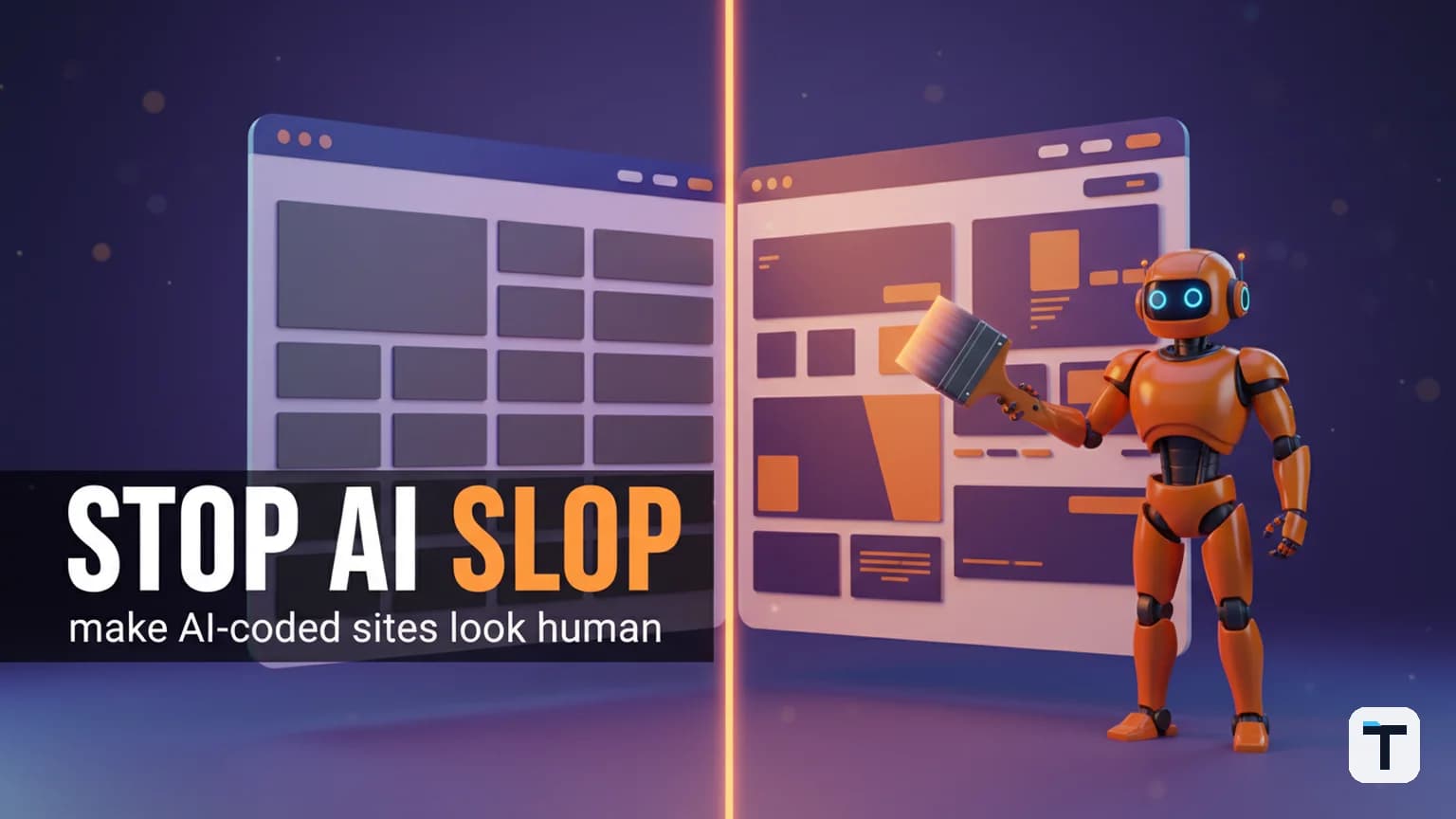

Verdict: Every frontier AI coding model — from Kimi K3 through Claude Opus 4.8 to OpenAI Codex — falls into the same handful of default design patterns when building UI unprompted. The fix is not a different model; it is a combination of explicit design constraints, reference-based prompting, and anti-slop design skills like Hallmark that force the agent through a fingerprint-routed workflow before handing back code. In our testing, outfitting a coding agent with Hallmark produced noticeably more intentional, varied designs than the same model running raw — regardless of whether the model was Kimi K3, Claude Opus 4.8 (vs Fable 5 in our real-world test), or Codex.
Last verified: 2026-07-30 · Primary method: install an anti-slop design skill · Tested with: Claude Code, Codex, Kimi K3 · Volatile facts: pricing and model versions change often — re-check before quoting
TL;DR
- Every frontier AI model has a default design fingerprint — the colour palette, font choices, layout rhythm, and micro-interaction defaults it reproduces unless you push it off them. Left unchecked, this is what everyone now calls "AI slop."
- Kimi K3 inherits Claude Opus-style warm-orange/brown palettes because of distillation lineage; Codex leans green/white with tiny fonts; every model reaches for the same Inter font and three-card hero layout.
- The Hallmark skill (by Together AI, github.com/Nutlope/hallmark) ships 22 named themes and runs 65 anti-pattern gate checks before returning code. Install with
npx skills add nutlope/hallmark. - Four verbs drive Hallmark: build (default) generates a new UI from a brief; audit scores an existing design against anti-patterns; redesign throws out the visual structure and rebuilds from scratch; study extracts the design DNA from a screenshot or URL without pixel-cloning it.
- The same workflow works with models like Kimi K3 running inside Claude Code through a subscription proxy — you don't have to pay per-token API rates.
What is "AI slop" and why does every AI website look the same?
AI slop is the generic, mass-produced look that emerges when a coding agent reaches for the most statistically common design choices in its training data instead of making deliberate decisions. The result is thousands of products that look like the same product: the same Inter font, the same purple-to-blue gradient hero, the same three-box feature grid, the same untouched default shadcn/ui components (GitHub: funboy322/avoid-ai-design).
The cause is statistical, not accidental. Adam Wathan, the creator of Tailwind CSS, publicly apologised in August 2025 because he chose the original bg-indigo-500 purple button default — that single choice saturated thousands of tutorials, which saturated AI training data, which now makes every AI-generated interface skew purple (Adam Wathan, X post, August 2025; cited in prg.sh analysis). When you ask an LLM to "build a landing page" unconstrained, you are getting the statistical average of every modern SaaS template scraped from GitHub between 2019 and 2024.
The patterns show up regardless of which model you use:
| Model | Default colour palette | Default typography | Default layout tells |
|---|---|---|---|
| Claude Opus 4.8 | Warm orange, cream, brown | Inter, large hero text with image behind it | Asymmetric hero, warm gradients, rounded boxes |
| Codex (GPT-5 family) | Green and white | Small font sizes, heavy SVG use | Grid-heavy, compact cards (how to run Codex CLI for free) |
| Kimi K3 | Inherits Opus-style warm orange/brown through distillation | More intentional copy than Opus, fewer marketing-hype words | Balanced spacing (vision-in-the-loop), similar macrostructure to Opus (full Chinese-model decision guide) |
Sources: Moonshot AI's official Kimi K3 blog; Anthropic's Claude Opus 4.8 announcement; OpenAI's GPT-5.6 announcement. The Opus-in-Kimi link is widely reported (e.g., codersera.com) and visible in generated output, though neither Moonshot nor Anthropic has officially confirmed the distillation path.
Why a different model will not fix AI-generated-looking designs
The most important takeaway is this: switching from one frontier model to another does not solve the AI-slop problem — it just trades one fingerprint for another. Every model has its own on-distribution defaults that show up predictably in its output. The only way to get non-generic designs is to push the model off its safe patterns, the way a human designer does.
There are three practical methods:
- Explicit prompting constraints — tell the model exactly which patterns to avoid and which to reach for.
- Reference-based design prompting — hand the model a screenshot or live URL of a design you admire and ask it to extract the style DNA and build in that direction.
- Install an anti-slop design skill — the most reliable path, because it bundles all of the above into a repeatable workflow the agent follows every time.
The third method is what the rest of this guide is about. (For the broader pattern of pushing AI coding agents off their statistical defaults when they drift toward the average, see our divergent ideation guide.)
What is the Hallmark skill and why use it?
Hallmark is an open-source, MIT-licensed anti-AI-slop design skill made by Together AI. It teaches coding agents how to design UIs that refuse to look AI-generated. It works with Claude Code, Cursor, and Codex — any agent that reads a SKILL.md skill file or .cursor/rules markdown rules.
Live demo: usehallmark.com — press T to cycle through the themes.
GitHub repository: github.com/Nutlope/hallmark (18,400+ stars as of July 2026).
The key difference between Hallmark and a design rule file you write yourself is scale: Hallmark ships 22 catalog themes across four genres (editorial, modern-minimal, atmospheric, playful), 21 named macrostructures for whole-page shapes, 40 component archetypes, and the slop-test gate system. Every output runs through 65 anti-pattern checks before being handed back (gate count varies by Hallmark version — older references cite 57 gates; the current repo describes 65 GitHub README).
How to install Hallmark
The install is a single command. Run it from the project root:
npx skills add nutlope/hallmark
Re-run any time to update. The installer detects your agent and drops the skill in the right directory:
| Agent | Install path |
|---|---|
| Claude Code | ~/.claude/skills/hallmark/ |
| Cursor | .cursor/skills/hallmark/ (body copied to .cursor/rules/hallmark.mdc) |
| Codex | ~/.codex/skills/hallmark/ (or .codex/skills/hallmark/ for project-level) |
For a multi-agent setup — say, Kimi K3 running inside Claude Code — install into both the agents folder and the Claude Code folder. If you also use Cursor alongside, install it into all three paths so every agent has the rules on hand.
Sources: Hallmark README; explainx.ai skill page.
The four Hallmark verbs — build, audit, redesign, study
Build (the default)
Just ask the agent what you want to build. Hallmark intercepts the brief, runs a pre-flight scan of your project's existing files, locks in your framework (Next.js, Vite, etc.), keeps reusable tokens, and throws the rest out.
It asks three questions before generating:
- Who is the audience?
- What will the site be used for?
- What is the tone?
You can answer these in the initial prompt as best practice, but if you leave them out, Hallmark asks interactively. It then picks a macrostructure (the page layout skeleton), dresses it in a theme (typography, colour, motion), generates the code, and runs the 65-check slop test before handing the output back. If an anti-pattern is detected, that portion regenerates before you see it.
Audit
Run hallmark audit <target> to score existing code against anti-patterns. It generates a ranked punch list of findings — flagged issues, the problematic colour, font, or layout choice — without making any edits. You decide which fixes to apply. This is the right verb when you already have a UI and want to know how generic it actually looks.
Redesign
Run hallmark redesign <target> to throw out the entire visual structure while preserving your copy, information architecture, brand, and routes. Hallmark recognises the verb, asks the three questions again, kicks off the same workflow, and rebuilds the whole thing in a completely different direction from the first pass. This is what to reach for when "audit" finds too many flags to patch.
Study
Run hallmark study <screenshot | URL> to extract design DNA — the macrostructure, type-pairing, and colour anchor — from a site or screenshot you admire. Crucially, Hallmark refuses to pixel-clone: it treats the source as a design reference, not a template to copy. The output is optionally a portable design.md file you can hand to any AI tool. If you try to paste a paid template URL or an obvious clone target, it asks you to clarify whether you mean study (extract DNA) or reference (build something fresh using it as inspiration).
This verb is why Hallmark beats a bare prompt like "make it look like Stripe's site" — without Hallmark, the agent tends to do a literal style clone. With Hallmark, the reference informs the design fingerprint without the output coming out as a copy.
How to run Kimi K3 inside Claude Code with Hallmark installed
Kimi K3 is Moonshot AI's flagship model — 2.8 trillion parameters, mixture-of-experts (896 experts, 16 active per token), 1-million-token context window, native vision, and always-on thinking mode. It was released on July 16, 2026 (Moonshot AI blog). It ranks fourth among frontier models on Artificial Analysis — trailing only Claude Fable 5 and GPT-5.6 Sol, and edging past Claude Opus 4.8 on aggregate intelligence (Artificial Analysis; AI Release Tracker).
| Model | Input / 1M tokens | Output / 1M tokens | Context | Source |
|---|---|---|---|---|
| Kimi K3 | $3.00 | $15.00 | 1,048,576 | Kimi pricing docs |
| Claude Opus 4.8 | $5.00 | $25.00 | 1,048,576 | Anthropic pricing |
| GPT-5.6 Sol | $5.00 | $30.00 | 1,048,576 | OpenAI pricing |
Kimi K3 is the cheapest of the three at the same tier of performance, but running it through its own harness (Kimi Code CLI) is slow — a task that Claude Code or Codex finishes in about 3 minutes takes Kimi Code closer to 10, partly because the weights aren't distributed yet and every request has to round-trip to Moonshot's own overloaded servers (Kimy Code docs; aibrew.io review) — and Moonshot themselves acknowledge that their harness "isn't built to bring out K3's full potential."
The fix is to run Kimi K3 inside Claude Code through a subscription proxy. (For other free Claude Code setup patterns, see our OpenRouter free-tier guide.)
Step-by-step setup
- Install CLI Proxy API:
brew install cliproxyapi
This is an open-source Go tool (github.com/router-for-me/CLIProxyAPI) that takes the coding tools you're already logged into and turns them into a local API server running on your own machine. It works with Kimi, Claude Code, Codex, Gemini, Grok, and Antigravity. The Kimi integration is documented on Kimi's API platform.
- Log in to Kimi:
kimi login
This opens the Kimi login page so you can sign in with your Kimi account.
- Start the local proxy server:
cliproxyapi
The Kimi connection stays live as long as this process runs.
Generate an API key for the local setup. This is the key you hand to Claude Code so it can talk to your local proxy. You can ask Claude Code (or whichever agent you use) to generate and write the key to config for you — the proxy exposes a management API.
Launch Claude Code pointing at your local proxy. The environment variables to change:
ANTHROPIC_BASE_URL=http://localhost:<port>/v1
ANTHROPIC_API_KEY=<your-local-key>
ANTHROPIC_MODEL=kimi-k3
Then run claude in a project folder. Claude Code opens up running Kimi K3 on your Kimi subscription — no per-token API bill.
Important: These environment variables only live in that one terminal session. When you close it and run
claudein a new terminal, Claude Code reverts to its default behaviour. Nothing is permanent.
Sources: CLIProxyAPI GitHub; Homebrew formula; Kimi Claude Code guide.
Which model works best with Hallmark?
In our testing across Kimi K3, Claude Opus 4.8, and Codex, the Hallmark skill worked with all three but produced the best result with Claude Code + Claude Opus 4.8.
Kimi K3 builds strong layouts (its built-in vision-in-the-loop capability means it screenshots what it builds and adjusts — Moonshot AI blog), but its design patterns are relatively new and Hallmark's anti-pattern rules were primarily shaped around Opus and Codex outputs. The design system in Hallmark catches the Kimi K3 inheritances (Opus-style warm orange palettes) but doesn't yet have a deep sense of what's distinctive about Kimi's own style.
With Codex (the codex-app), Hallmark ran the full workflow — pre-flight, audience/use-case/tone questions, macrostructure selection, theme dressing, and the slop-test gates. Codex's browser-use tools meant it could also run an interactive browser test of the generated page before handing it back. The output was better than a raw Codex build, though the blue-and-white combination Codex still reaches for can read as slightly AI — here it came across as intentional rather than slop, because blue is on-brand for technical products.
The practical takeaway: Hallmark works with any agent that respects skill files, but right now it's most battle-tested with Claude Code running Claude Opus 4.8. As Hallmark evolves it will likely develop Kimi-K3-specific anti-pattern rules.
How to make AI-coding-agent designs look intentional — walkthrough
Beyond installing Hallmark, the same workflow breaks the default fingerprint regardless of which skill (or no skill) you use.
1. Match the search intent before generating
Even the best design skill cannot fix a content-type mismatch. Before asking the agent to build, work out what the page is for. A landing page for a SaaS startup follows a different macrostructure from a portfolio, a documentation site, or a product configurator. Hallmark picks the macrostructure for you based on the brief; if you're prompting manually, spell it out: "a single-page editorial portfolio with an asymmetric hero, no feature grid, and a contact footer" beats "a modern landing page."
2. Force the model to pick a theme by name
Hallmark exposes 22 named themes. Even without Hallmark, you can pick a concrete visual direction in the prompt:
modern-minimal(Tally SaaS)atmospheric(Wayfare travel)playful(BananaStudio)editorial(Anya Reis portfolio)fashion-brand(NAJM)ceramics-studio(Søroe)dev-infrastructure(Hyperlane)
Each theme implies different typography pairings, colour palettes, spacing rhythms, and component treatments. Naming a concrete theme beats "make it modern and clean."
3. Supply the audience, use case, and tone up front
Hallmark asks for these three inputs before building; if you're working without it, supply them anyway. "A landing page for indie SaaS founders in the 30-40k MRR range, aimed at driving trial signups, tone is calm and technical" is far more useful than "build a landing page." The model has much less room to reach for default choices.
4. Audit the result, then redesign if needed
Use Hallmark's audit verb to score the result. The report flags specific anti-patterns — a purple gradient, an Inter-only font, a three-card hero layout, Unsplash stock images — and lets you decide what to fix. If too many flags appear, run hallmark redesign to get a completely different visual direction while preserving your copy. Average time cost: the rebuild takes noticeably longer than a raw agent build, but the output is a real design instead of a template average.
5. Bring your own images
Hallmark refuses to drop placeholder Unsplash images by default because "reach for Unsplash stock" is one of its flagged anti-patterns. If you have real product screenshots, brand photography, or commissioned imagery, supply them explicitly. If you don't, tell the agent to leave image placeholders with size, subject, and aspect-ratio notes so you can source real visuals later.
What this means for you
If you're building a product with AI coding agents in 2026, the design-quality bar is mostly about escaping the default fingerprint. The simplest high-leverage move:
- Install Hallmark in the agent(s) you already use (
npx skills add nutlope/hallmark). - Invoke Hallmark manually in Claude Code if you're running a non-default model like Kimi K3 — Claude Code's auto-skill-triggering is tuned around its own models and doesn't fire reliably for external models. Manual invocation (
/hallmark) guarantees the skill loads before the agent starts building. - Always supply audience, use-case, and tone — either in the initial prompt or by answering Hallmark's interactive questions. "Make me a landing page" without these inputs is what produces the same-page-everywhere effect.
- Run audit after every first build and fix or redesign based on the report. A 2-minute audit catches problems that would otherwise ship to production.
- Budget context. Hallmark adds tokens to every generation, and with Kimi K3 running inside Claude Code the auto-compaction doesn't fire — watch the context window and clear it between iterations, or the agent's answers start drifting off the instructions.
If you're paying Kimi subscription for K3 via CLI Proxy API, Claude Code consumption doesn't cost extra tokens — Hallmark's extra reasoning time is free within your flat monthly Kimi plan. If you're paying Anthropic per-token for Opus 4.8, budget roughly 1.5-2x the token usage you'd see without the skill, because the 65 slop-test gates run after every generation.
FAQ
Q: What is AI slop in website design?
A: AI slop is the generic, mass-produced look that emerges when an AI coding agent reaches for the most statistically common design choices in its training data instead of making deliberate decisions. The hallmarks are Inter or Roboto as the default font, purple-to-blue gradients on white backgrounds, three-card hero layouts with identical icon boxes, oversized border-radius everywhere, untouched default shadcn/ui components, and generic Live-style badges. The result is thousands of products that look like the same product.
Q: Does switching AI models fix the AI-slop design problem?
A: No. Every frontier model — Kimi K3, Claude Opus 4.8, GPT-5.6 Sol — has its own default design fingerprint. Switching models swaps one fingerprint for another: Kimi K3 leans toward warm orange/brown palettes inherited through distillation; Claude Opus 4.8 reaches for the same warm tones; Codex defaults to green and white with small fonts. The fix is not a different model; it's pushing the model off its defaults through explicit constraints, reference-based prompting, or an anti-slop design skill.
Q: How much does Hallmark cost to use?
A: Hallmark is free and open-source under the MIT licence (github.com/Nutlope/hallmark). The only cost is extra token consumption on your AI model's side — the slop-test gates run after every generation, so budget roughly 1.5-2x the tokens you'd see without the skill on usage-based APIs. On flat-rate subscription plans (e.g., Kimi membership routed through CLI Proxy API), Hallmark's extra consumption is free up to your request quota.
Q: Which AI coding agents does Hallmark work with?
A: Hallmark works with any coding agent that reads a SKILL.md skill file or markdown rules — currently Claude Code, Cursor, and Codex, plus Kimi K3 when run inside Claude Code via CLI Proxy API. Install with npx skills add nutlope/hallmark; the installer detects your agent and drops the skill in the right directory (e.g., ~/.claude/skills/hallmark/ for Claude Code).
Q: How do I run Kimi K3 inside Claude Code without paying per-token API rates?
A: Install the open-source CLI Proxy API (brew install cliproxyapi), log in to your existing Kimi subscription with kimi login, start the proxy server, generate a local API key, and launch Claude Code with ANTHROPIC_BASE_URL pointing at http://localhost:<port>/v1 and ANTHROPIC_MODEL=kimi-k3. You pay your normal Kimi monthly subscription — no per-token bill. The CLI Proxy API tool is at github.com/router-for-me/CLIProxyAPI.
Q: How many slop-test gates does Hallmark run?
A: The number varies by Hallmark version — older references (July 2026) cite 57 gates, while the current repo README describes 65 gates. Both the 57-gate and 65-gate versions also include a six-axis pre-emit self-critique (Philosophy, Hierarchy, Execution, Specificity, Restraint, Variety) before the output is handed back. If an anti-pattern is detected, that portion regenerates before the user sees it.
Discussion
0 comments