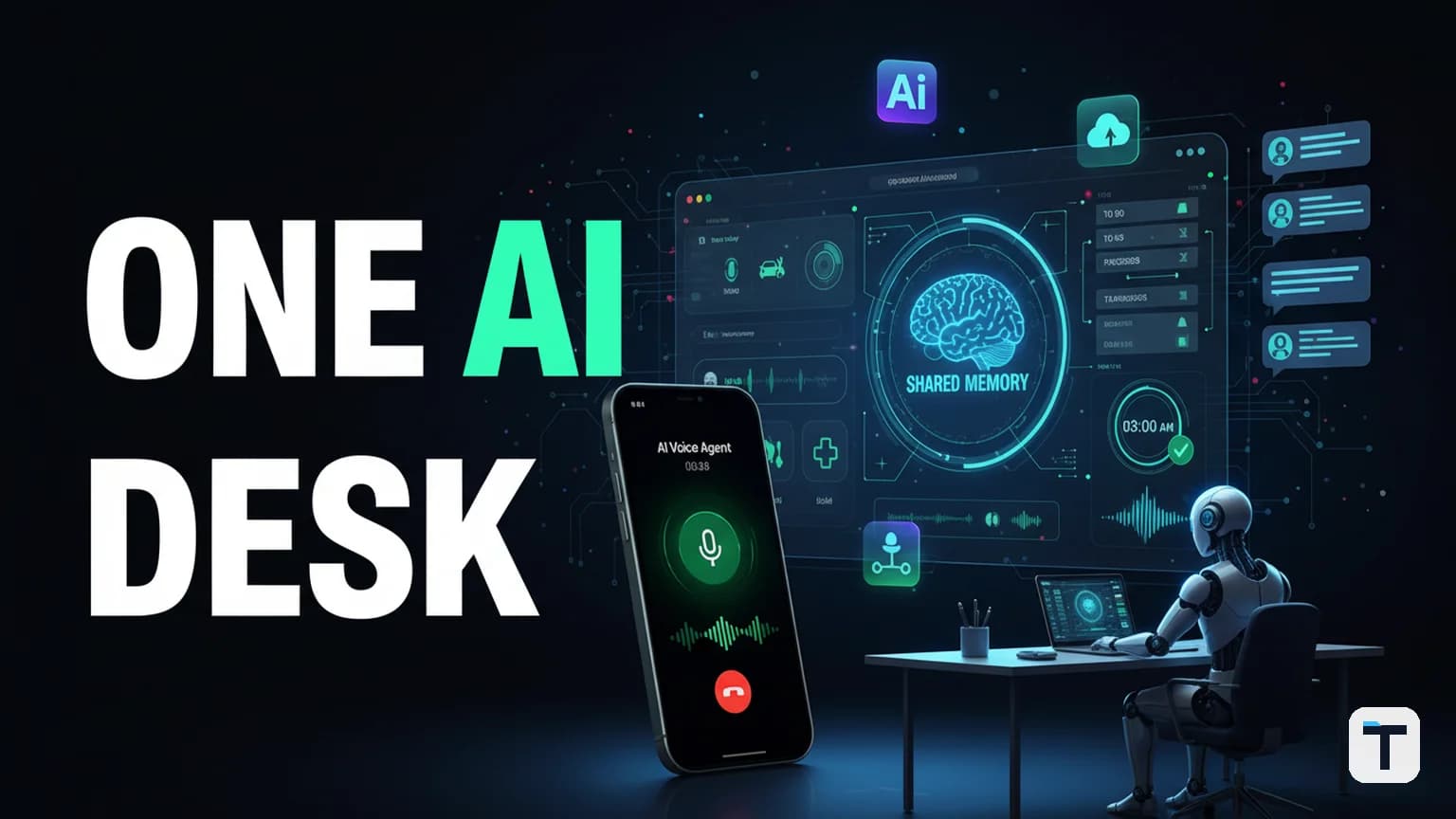

An agent operating system solves the single biggest productivity tax in AI today: the scattered-agent problem, where five different AI tabs share zero memory and you re-explain your business in every window. The fix is one self-hosted runtime that gives every AI surface — chat, voice, task board, scheduled jobs, and background workers — a single agent, single memory, and one set of skills behind one dashboard. The best open-source implementation in 2026 is Hermes Agent by Nous Research: MIT-licensed, free to run on a $5 VPS, with a built-in learning loop that creates and improves its own skills over time.
Last verified: 2026-08-06
- The problem: 5 AI tabs, 5 logins, zero shared memory — you re-explain context in every tool.
- The fix: one open-source agent OS (Hermes Agent) with persistent memory, cron scheduling, a multi-agent Kanban board, voice, and subagent delegation.
- Cost: $0 for the software (MIT); optional $5/month VPS if you want it running 24/7. Free local models (e.g. LFM2.5-2.6B) mean you can run the whole stack at zero marginal token cost.
- Best for: builders, small-business operators, and anyone whose AI workflow has outgrown a single chat tab.
- Pricing/models change often — last checked 2026-08-06.
What is an agent operating system?
An agent operating system is a single runtime that hosts your AI agent across every surface you use — terminal, messaging apps (Telegram, Discord, Slack, WhatsApp, Signal), voice, a task board, and scheduled cron jobs — while keeping one persistent memory store and one set of reusable skills that every surface shares. Think of it as the OS layer between your large language model and your actual workflow: the model is the brain, the OS is the office.
The defining trait is shared state. When you tell the agent something in a Telegram chat, it remembers that in your next terminal session. When a scheduled job runs at 3 a.m. and learns something new, that knowledge is available to every other interaction the next morning. This is what separates an agent OS from the five-disconnected-tabs status quo, where each tool is smart in isolation but the office is a mess.
Why do most people's AI setups fail at scale?
Most people's AI setups fail at scale because nothing is synced — you have a chat tab here, a voice app there, a task tool nowhere, and you re-explain your business in every window. The agent in each is smart, but the office is a mess: five different apps, five different logins, zero shared memory. By the end of the week, answers are scattered across tools and nothing runs unless you are sitting there driving it. Every new model becomes another disconnected login instead of another chip at the desk.
The agent OS fixes this by giving you the same employee behind every door. You can speak to it, type to it, or file a ticket on the board — and it reads the same memory store no matter which door you walked through. The core insight is simple: stop visiting your AI; give it a desk (Hermes Agent, Nous Research).
How does an agent OS unify chat, voice, and tasks?
An agent OS unifies chat, voice, and tasks by running one agent process behind a gateway that fans the same agent out to every surface you connect. In Hermes Agent, that gateway handles Telegram, Discord, Slack, WhatsApp, Signal, and the CLI from a single process, with voice-message transcription (via Whisper, local or API) and text-to-speech output built in (Hermes Agent Voice & TTS docs). The Kanban board is part of the same runtime — you file a task card, a dispatcher spawns a worker agent, and the worker ships work back to the board while you do something else (Hermes Agent Kanban docs).
The practical payoff: you can talk to one agent from your phone on Telegram, switch to your laptop terminal mid-conversation, and the agent picks up where you left off because it is the same agent drawing on the same memory. Voice memos are transcribed and injected as text. Scheduled jobs deliver their output to whichever chat you choose. One desk, many doors.
| Surface | What it does in an agent OS | Hermes Agent status (Aug 2026) |
|---|---|---|
| Chat (CLI/TUI) | Full terminal interface, multiline editing, slash commands, streaming tool output | Built-in, default surface |
| Messaging (Telegram, Discord, Slack, WhatsApp, Signal) | Same agent, same memory, cross-platform continuity | One gateway process, 5 platforms |
| Voice | Voice-message transcription (STT) + text-to-speech (TTS) output | Local Whisper (free) default; ElevenLabs/OpenAI/MiniMax optional |
| Task board | File a ticket, dispatcher spawns a worker, work ships to the board | Built-in Kanban with multi-agent dispatch |
| Scheduled jobs | Run the agent on a cron schedule and deliver results to your chat | Built-in cron scheduler |
| Background agents | Subagent delegation for parallel workstreams; computer-use for desktop tasks in the background | Subagents built-in; computer-use supported (macOS) |
How do you set up Hermes Agent as your agent OS?
Setting up Hermes Agent as your agent OS takes about 10 minutes: install it, connect a model, optionally wire up your messaging platforms, and start the gateway. The whole runtime is open-source (MIT) and free (GitHub: NousResearch/hermes-agent).
1. Install Hermes Agent (one command)
On Linux, macOS, or WSL2, the one-line installer pulls in everything you need — Python 3.11, Node.js, ripgrep, ffmpeg — and drops the runtime at ~/.hermes:
curl -fsSL https://hermes-agent.nousresearch.com/install.sh | bash
On native Windows (PowerShell):
iex (irm https://hermes-agent.nousresearch.com/install.ps1)
After install, reload your shell and start chatting:
source ~/.bashrc
hermes
2. Connect a model
Hermes is model-agnostic — it works with Nous Portal, OpenRouter (200+ models), OpenAI, Anthropic, or any custom OpenAI-compatible endpoint. The simplest path for a zero-cost setup:
hermes model
This launches an interactive picker. Pick a provider, paste an API key if needed, and choose a model. If you want to run completely free, point it at a free local model — LFM2.5-2.6B by Liquid AI is purpose-built for on-device agents and was trained with Hermes Agent in its RL pipeline, making it one of the best-fitting free models for this stack. You can also use OpenRouter's free tier (how to run Hermes Agent free).
3. Start the messaging gateway (optional but recommended)
The gateway is what turns Hermes from a CLI tool into a true agent OS — reachable from your phone, your team's Slack, anywhere:
hermes gateway
Walk through the interactive setup to connect Telegram, Discord, Slack, WhatsApp, or Signal. Once it's running, you can talk to the same agent from any of those platforms. To run it as a persistent service:
hermes gateway install
This installs it as a systemd service so your agent stays alive 24/7 even when you close your terminal.
4. Add scheduled jobs (the "it works while you sleep" layer)
The built-in cron scheduler is where the agent OS earns its keep. You create jobs in natural language and the agent runs them on a schedule, delivering results to your chat:
Create a cron job that scans our competitor's pricing page every morning at 8am and reports any changes in Telegram
Or explicitly:
hermes cron create "0 8 * * *"
Jobs run in fresh sessions (so prompts must be self-contained), can attach skills, and can deliver to any connected platform. A script-only mode (--no-agent) runs bash/Python with zero LLM cost — ideal for health checks and watchdogs (Hermes Agent cron docs). This is how you build automated monitoring — for competitor research, keyword tracking, news scanning — without babysitting it.
5. Use the Kanban board for multi-agent work
The Kanban board is your job board. You file a task card (with a title, body, and assignee), the dispatcher spawns a worker agent, and the worker works on it autonomously — calling kanban_complete when done or kanban_block if it needs a human decision.
hermes kanban init                       # create the board
hermes kanban create "Draft Q3 newsletter" \
  --body "..." --assignee writer --skill newsletter-template
Goal-mode cards (--goal) run the worker in a loop: an auxiliary judge checks the output against the card's acceptance criteria after every turn, and if the work isn't done (and the budget remains), the worker keeps going in the same session until the judge agrees or the budget runs out. This is the single biggest time-saver in the stack — you type one goal, and your agent works on it for hours without you touching anything.
How much does an agent OS cost to run?
An agent OS built on Hermes Agent costs $0 for the software (MIT-licensed open source) and optionally $5/month for a VPS if you want it running 24/7 instead of on your laptop. Model costs depend entirely on which model you point it at — and the stack is designed so you can swap models in two clicks when a cheaper or better one drops.
The model costs are the real lever, and the agent OS model removes the per-tab lock-in:
| Model option | Cost | Notes |
|---|---|---|
| LFM2.5-2.6B (local) | $0 (free inference on your hardware) | 2.6B params, 128K context, agentic, trained on Hermes Agent (Liquid AI) |
| OpenRouter free tier | $0 | Several free models available; see our free Hermes Agent setup guide |
| Frontier models (Claude, GPT, Qwen 3.8 Max) | Pay per token | Hot-swap anytime; route expensive queries to frontier, cheap queries to local |
| Nous Portal | Subscription | Unified API access if you want one bill |
The key economic insight: when the per-token cost can be zero (local model), you can run agents massively parallel and around the clock without watching the meter. That changes what's worth automating — a competitor-monitoring job that runs hourly is free if the model is local.
For a deeper dive on routing cheap models for routine work and frontier models for hard reasoning, see our Hermes Agent power-user playbook.
What is goal mode and why does it save the most time?
Goal mode is a feature where you give the agent one objective, and it loops autonomously for hours — checking its own output against the objective after every turn and continuing until the work is done or a budget runs out. Instead of sitting in a chat waiting for your next prompt, the agent treats your goal as a persistent mandate it works toward across many turns.
In Hermes Agent, goal mode powers two surfaces:
- The
/goalslash command in a chat session — the agent keeps working on your goal in that session. --goalflag on Kanban cards — the spawned worker runs in a goal loop, with a judge evaluating completion after each turn and a--goal-max-turnsbudget capping the run (Hermes Agent Kanban docs).
This is the single highest-leverage feature in an agent OS because it converts the model of "I drive the AI, one prompt at a time" into "I state an outcome, and the agent drives itself to completion." A good goal-mode prompt is specific about acceptance criteria — "translate every page of the docs, no English left, links intact" — so the judge has something concrete to evaluate against.
How do you swap models when a new one drops?
You swap models in an agent OS by going to the manage tab and changing the main model — literally two clicks in a good UI, no terminal wrangling. The whole point of the OS abstraction is that new models are just another chip at the desk: when LFM2.5-2.6B dropped in August 2026, you could plug it in the same day. When a new frontier model lands, same thing.
In Hermes Agent, the command is hermes model — an interactive picker that lists every provider and model you've configured. Because memory, skills, and your task board live in the OS layer (not the model), swapping the model does not reset your context. The agent remembers you, your projects, and your preferences regardless of which model is doing the thinking.
This is the architectural advantage over the five-tabs approach, where "trying a new model" means signing up for a new service, re-uploading your context, and starting from scratch every time.
What are the guardrails for autonomous work?
The guardrails for autonomous work in an agent OS are human-in-the-loop approval for destructive actions, a block-not-guess protocol for genuine ambiguity, and session-agnostic state (work is saved to the board, not held in a chat buffer that dies when the session ends).
In Hermes Agent specifically:
- Command approval — the agent can be configured to ask before running potentially destructive commands (deleting files, writing to shared paths, anything it's not sure about) (Hermes Agent security docs).
- Kanban block protocol — a worker that hits a genuine blocker (missing credential, UX choice, paywalled source) calls
kanban_blockwith a one-line reason instead of guessing. The task surfaces on the board as blocked; a human unblocks it with context and the worker respawns. - Container isolation — read-only root, dropped capabilities, PID limits for untrusted model output.
- Session persistence — every exchange autosaves. If a session crashes, the board and memory are intact; the dispatcher re-queues the task.
The upshot: you can trust an agent to work alone because the system is designed to stop and ask rather than barrel through uncertainty. That is the difference between autonomous and reckless. For a worked example of parallel agents that never freeze your screen, see our guide on AI subagents.
Agent OS vs the old way: what actually changes?
| Dimension | Old way (5 tabs) | Agent OS (Hermes Agent) |
|---|---|---|
| Memory | Zero shared memory; re-explain in every tab | One persistent store; every surface reads the same memory |
| Surface | Chat here, voice nowhere, tasks nowhere | Chat + voice + task board + cron + messaging, one agent behind all |
| New models | New signup, new login, re-upload context | hermes model — two clicks, memory and skills preserved |
| Work after hours | Nothing runs unless you're sitting there | Cron jobs + goal-mode workers run unattended and deliver results |
| Multi-step tasks | You copy-paste between tools | Subagent delegation fans out parallel workers; the board tracks completion |
| Cost control | Locked to one provider's pricing | Hot-swap to free local models for routine work, frontier for hard reasoning |
What this means for you
If you are a builder or small-business operator whose AI usage has outgrown a single chat tab, the highest-leverage move in 2026 is to stop adding tabs and start running an agent OS. The scattered-agent problem — five apps, zero shared memory, re-explaining your business every window — is a productivity tax you pay every day, and it compounds as you automate more.
The concrete action: install Hermes Agent (one curl command), connect a free model (LFM2.5-2.6B or OpenRouter free tier), wire up one messaging platform you already live in, and create one cron job for something you currently do manually every morning. That single workflow — a scheduled agent that does a morning task and reports to your phone — is the proof that the OS abstraction is worth the setup. Once you experience work that happens while you sleep, you won't go back to tabs.
If you want the deeper multi-agent architecture (how to build a whole AI team your company actually uses, not just one agent), read our multi-agent team guide; for a fuller business setup pattern, the 5-layer agent OS blueprint walks through the whole stack.
FAQ
Q: What is an agent operating system? A: An agent operating system is a single runtime that hosts your AI agent across every surface — terminal, messaging apps, voice, a task board, and scheduled jobs — while keeping one persistent memory store and one set of reusable skills shared by all. It is the OS layer between your language model and your workflow.
Q: Is Hermes Agent really free? A: Yes. Hermes Agent is MIT-licensed open source (GitHub), free to run on your own hardware. The only cost is the model you point it at — and you can use free local models like LFM2.5-2.6B or OpenRouter's free tier to run the whole stack at $0 marginal cost. An optional $5/month VPS keeps it alive 24/7.
Q: Can I run an agent OS on a free model? A: Yes. LFM2.5-2.6B by Liquid AI (released August 4, 2026) is a 2.6B-parameter agentic model purpose-built for on-device agents and trained with Hermes Agent in its RL pipeline. It runs on a phone or laptop CPU at ~30–220 tokens/s with under 2.5 GB of memory. See our free Hermes Agent setup guide for the full zero-cost path.
Q: What is goal mode in an agent OS? A: Goal mode lets you give an agent one objective and have it loop autonomously for hours — an auxiliary judge checks the output against the acceptance criteria after every turn, and the worker keeps going in the same session until the work is done or a turn budget is exhausted. It converts "I drive the AI one prompt at a time" into "I state an outcome and the agent drives itself."
Q: How does an agent OS handle destructive actions safely? A: The agent can be configured to request human approval before destructive operations (deleting files, writing to shared paths). The Kanban block protocol stops a worker that hits a genuine blocker and surfaces the task for a human decision rather than guessing. Container isolation (read-only root, dropped capabilities, PID limits) constrains untrusted model output.
Q: Do I need a powerful machine to run an agent OS? A: No. The operating system is just a dashboard and runtime — it runs on a $5 VPS. Heavy compute is only needed if you run large local models; with a free local model like LFM2.5-2.6B (under 2.5 GB footprint) or a cloud API, a basic machine is plenty.
Discussion
0 comments